
Clicky

A Guide to Improving Your Battery Health

Let's get one thing straight: battery health isn't about how long your phone lasts on a single charge today. It’s about its total ability to hold power compared to when it was brand new. Think of it as the battery's true, long-term strength.

Decoding Your Device’s True Lifespan

We're talking about the maximum capacity your battery can store, a number that slowly but surely shrinks over its lifetime.
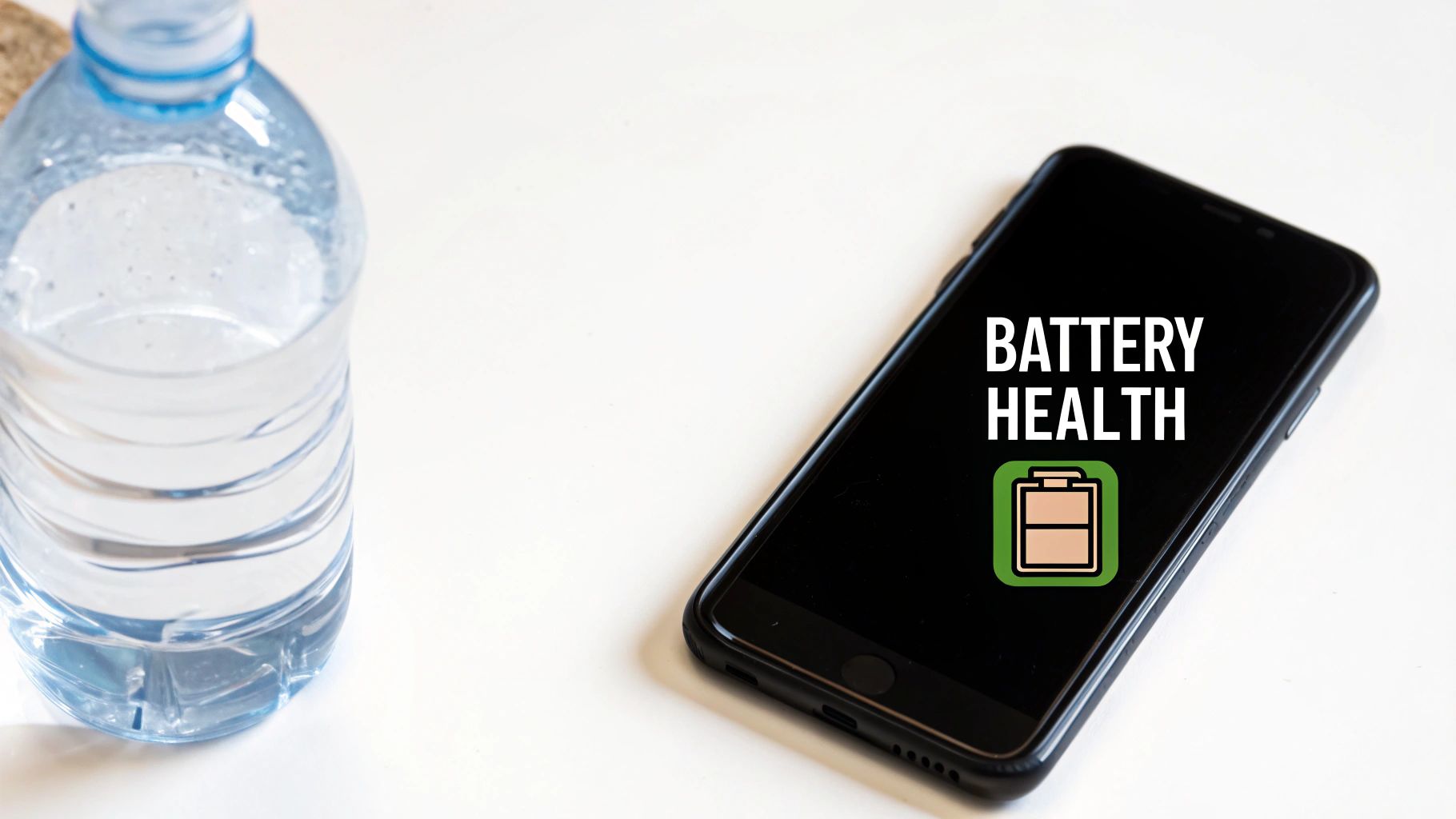
A close-up shot of a smartphone's battery health screen showing its maximum capacity percentage.

Imagine your new battery is a big water bottle. It holds the maximum amount of water, no problem. But with every use and refill—every charge—that bottle gets just a tiny bit smaller.

After a couple of years, that bottle is noticeably smaller. You can fill it to the top, but it just can’t hold as much water as it used to. This shrinking is exactly what happens to your battery. It's the core of what "battery health" really is.

This matters because a battery with poor health, say at 75% capacity, will only give you about three-quarters of the screen time it did when it was new, even on a "full" charge. It directly hurts your device's daily use and lowers its long-term value.

Once you understand this, you can stop worrying about your daily battery percentage. Instead, you can focus on habits that protect that maximum capacity for years to come. That means a more reliable device, less money spent on replacements, and a little less electronic waste in the world.

To make this crystal clear, let's break down the difference between the two terms people often mix up.

Battery Health vs Daily Battery Life

Concept What It Measures Analogy
Battery Health The battery's maximum possible capacity (e.g., 95% of its original size) The total size of your water bottle.
Daily Battery Life How long a single charge lasts right now (e.g., 8 hours of use today) How full your water bottle is at any given moment.

So, while daily life is what you manage hour-to-hour, health is the long-term game you want to win.

Why Your Battery Ages

Every battery in your life—phone, laptop, even your car—can only handle a certain number of charges. A charge cycle is one full 0% to 100% drain and recharge. It doesn't have to happen all at once; using 50% today and another 50% tomorrow adds up to one full cycle.

This aging is just a natural part of how batteries work. Over time, the chemicals inside get less efficient at storing and releasing energy. The good news? While you can't stop time, you can absolutely slow this process down with the right charging habits.

The Bigger Picture in Technology

This isn't just about your phone. In the world of electric vehicles (EVs), battery health is everything. It determines the driving range, performance, and how much the car is worth later on.

Thankfully, the technology is getting better. EV batteries now lose about 1.8% of their health per year on average, an improvement from the 2.3% rate just a few years ago. At this pace, most EV batteries are expected to last a solid 15 to 20 years. If you want to dive deeper, you can discover more insights about EV battery health from recent studies.

By understanding the basics of battery health, you're not just learning to take care of a phone. You're getting essential knowledge for living in a world that's increasingly powered by batteries.

The Hidden Stressors That Weaken Your Battery

Every battery, from the one in your phone to the one in an EV, has a few silent enemies that are constantly wearing it down. These aren't dramatic, one-time events; they're the subtle, everyday habits that cause slow, invisible damage over time. Figuring out what these hidden forces are is the first step toward building habits that actually protect your device.
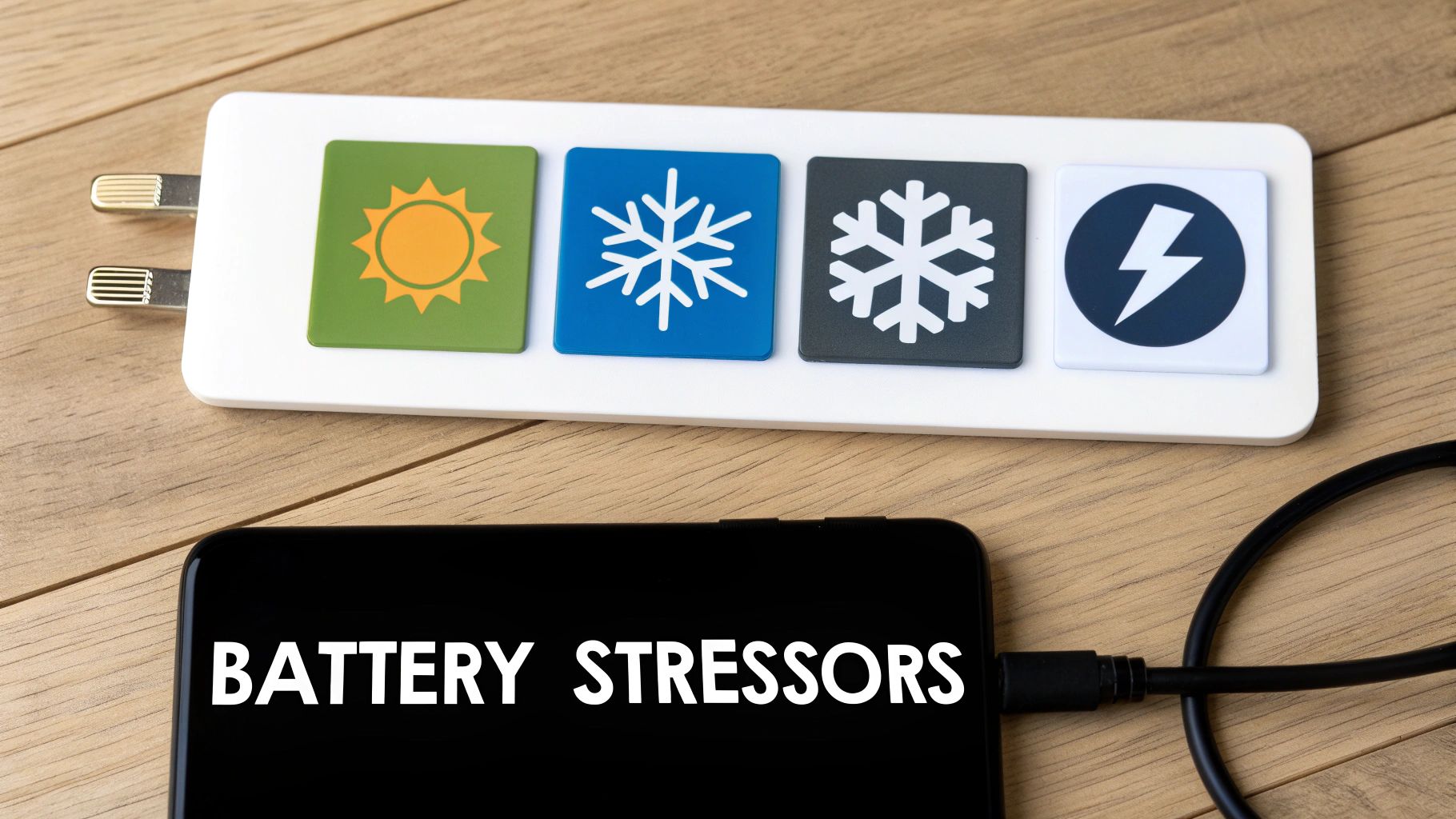
A person holding a smartphone that is plugged into a charger, with a concerned expression.

Think of your battery's health like your own. Small, consistently poor choices—like eating junk food every day—add up and cause long-term problems. It’s the exact same story with your battery. Let's shine a light on the main things that speed up its decline.

The Ultimate Battery Killer: Extreme Heat

Heat is, without a doubt, the number one enemy of battery health. It’s that simple. When a battery gets too hot, the chemical reactions inside speed up too much. This causes permanent damage to its internal parts, which means its maximum capacity is permanently reduced.

Ever left your phone on the car dashboard on a sunny day? Or played intense games for hours without a break? Both of these can push its temperature into the danger zone. It's no surprise that EVs in hot climates see a much faster battery decline than those in cooler areas.

A battery is happiest between 68°F and 77°F (20°C to 25°C). Once you regularly expose it to temperatures above 95°F (35°C), you’re causing damage that can't be fixed.

This damage adds up. Every time it gets too hot, you shave a little more off its potential lifespan. Keeping your devices cool is one of the most effective things you can do to protect them.

The Temporary Power Thief: Extreme Cold

While heat causes permanent damage, extreme cold acts more like a temporary power thief. When a battery gets really cold, the chemical reactions inside slow way down. This makes it much harder for the battery to push out power, which is why your phone might suddenly die at 15% on a freezing winter day.

The good news? This effect is mostly temporary. As soon as the battery warms back up to a normal temperature, its performance should return to normal.

But there’s a catch: trying to charge a frozen battery is a huge no-no. It can cause permanent damage. That's why most modern phones and EVs have built-in safety features that simply won't allow them to charge if the internal temperature is too low.

The Overworker: Full Charges and Drains

Constantly pushing your battery to its absolute limits—charging it to 100% and letting it drain down to 0%—puts a ton of stress on it. Think of it like a rubber band. You can stretch it to its maximum length, but if you keep doing it over and over, it will eventually lose its stretch and break.

Keeping your battery within a comfortable mid-range, like between 20% and 80%, is a much gentler approach. This "sweet spot" reduces the strain and can dramatically extend its overall lifespan.

Here's where the stress comes from at the extremes:

  • Charging above 80%: Forcing a lot of power into a nearly full battery creates extra heat and puts pressure on its parts.
  • Draining below 20%: Letting the battery run completely flat can make its internal chemistry unstable, speeding up wear and tear.

EV makers have known this for years. Many electric cars use software "buffers" to prevent the battery from ever truly hitting 100% or 0%, even when the dashboard says it has. This simple trick has proven very effective at making their batteries last longer.

The High-Pressure Culprit: Fast Charging

Fast charging is super convenient, but relying on it all the time is like trying to fill a water balloon from a fire hose. Sure, it gets the job done quickly, but the intense pressure puts a lot of strain on the balloon itself. In the same way, the strong electric currents used in fast charging create a lot of heat and stress the battery's internal parts.

Using fast charging once in a while won't kill your battery. But making it your daily habit will absolutely speed up its aging compared to standard, slower charging methods. The real problem is the heat it creates—which, as we've already learned, is the biggest threat to battery health. To learn more about this, you can read about why slow charging is essential for your smartphone’s battery health in our detailed guide.

By just being aware of these four hidden stressors, you can start making small changes to your routine that will pay off big time in the long run.

Simple Habits for a Healthier Battery

Knowing what stresses out your battery is one thing, but putting that knowledge into practice is what really counts. So, let's get into the simple, everyday habits you can build to actively protect its health. These aren't complicated technical tricks, just easy tweaks to your daily routine that can add years to your device's lifespan.
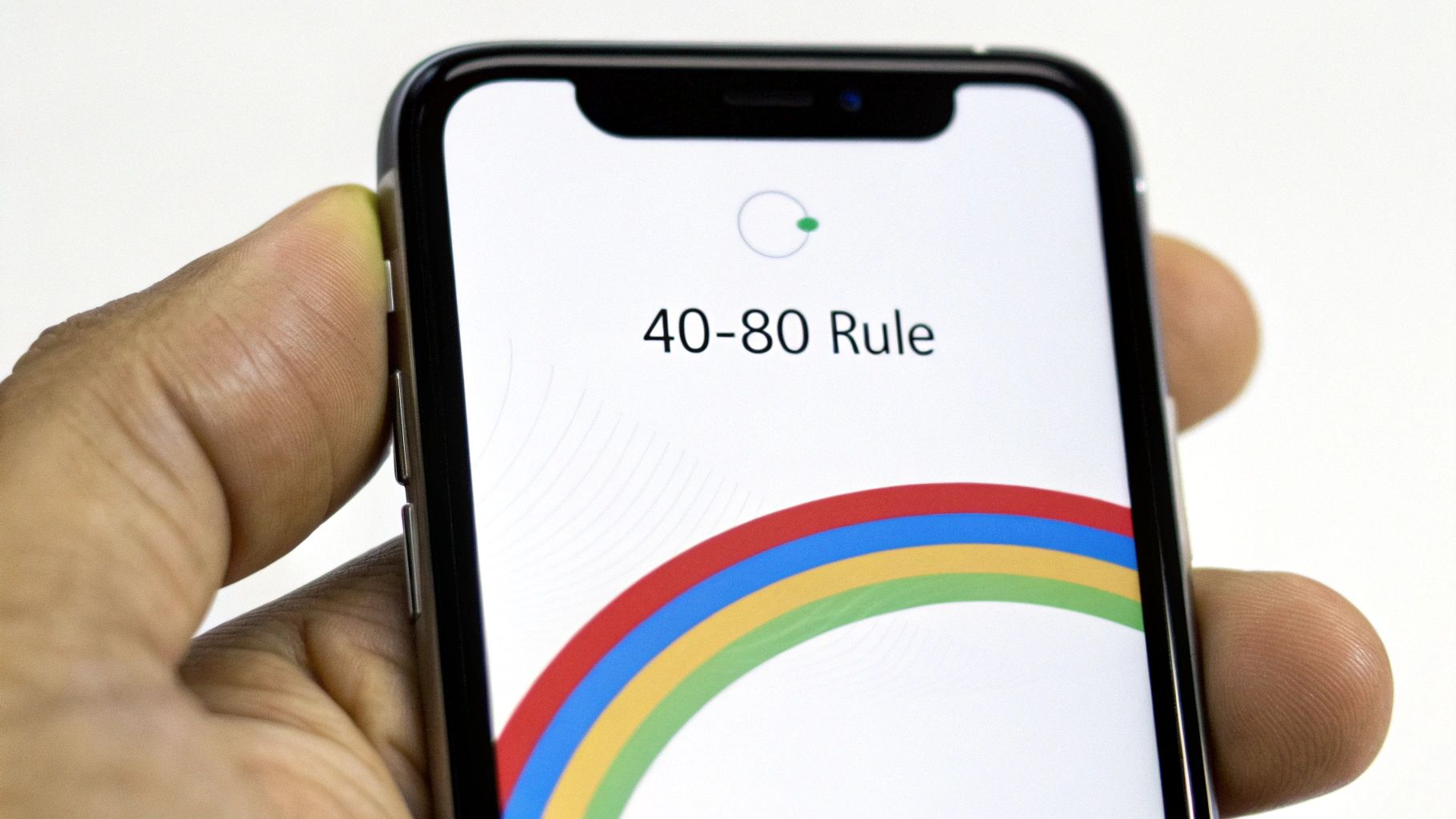
A smartphone screen showing an optimal battery charge level between 40% and 80%.

Think of these habits as your toolkit for long-term battery care. Each one is designed to ease the strain on the battery, keeping it running smoothly for as long as possible. The goal is to make these practices second nature—so you’re saving your battery without even thinking about it.

Embrace the 40-80 Rule

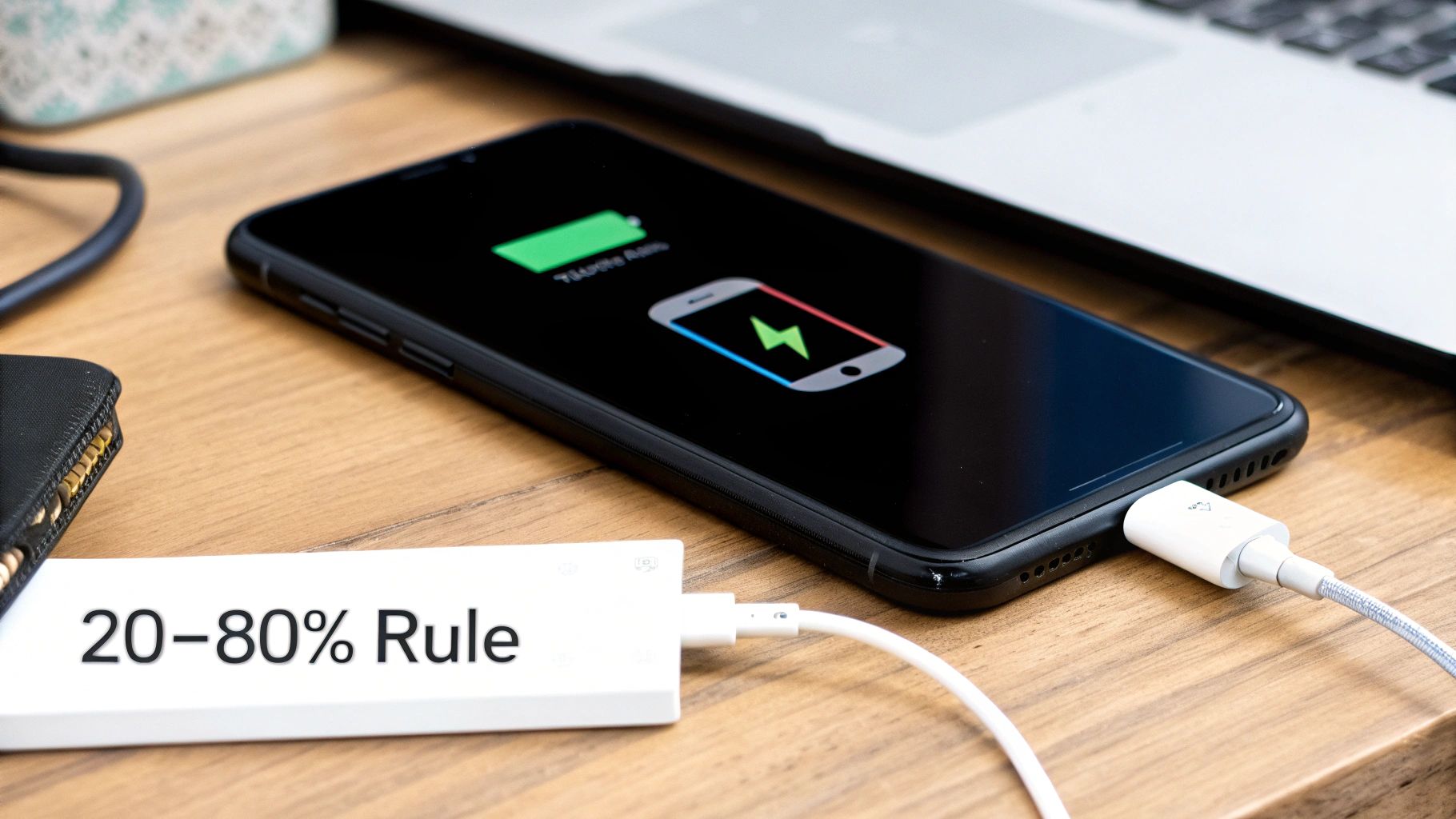
One of the most powerful things you can do for your battery is to follow the 40-80 Rule. It’s simple: try to keep your battery’s charge between 40% and 80% as much as you can. This is the sweet spot where a battery is under the least amount of stress.

Think of your battery like a rubber band. You can stretch it all the way to its limit (100%) or let it go totally slack (0%), but doing that over and over again will wear it out fast. Keeping it in that comfortably flexed state—the 40-80 zone—is what prevents it from getting old before its time.

This one small change dramatically cuts down on the strain from being too full or too empty. It’s a tiny adjustment that pays off big time in the long run.

Rethink Overnight Charging

We all do it. Plug in the phone before bed and wake up to a fresh 100%. It feels right, but it’s actually one of the most damaging habits for your battery. Once your device hits full, the charger is supposed to stop, but the battery naturally loses a tiny bit of power. The charger then kicks back on to top it off, creating tiny, stressful "trickle charges" all night.

This process forces the battery to sit at a high-stress 100% state for hours, generating extra heat and speeding up its aging. Unless you have a smart tool that can cut the power at a healthier level, it’s best to avoid leaving your device plugged in all night.

A much better approach is to charge your device for an hour or so before you go to sleep or first thing in the morning. This simple switch avoids hours of unnecessary strain and heat, making a real difference in your battery’s long-term health.

Choose Slower Charging When You Can

Fast charging is a lifesaver when you're in a hurry, but it shouldn't be your default choice. The powerful current it uses generates a lot of heat, which, as we know by now, is a battery's worst enemy.

Whenever you have the time—like when you’re at your desk or relaxing at home—reach for a standard, slower charger instead. This gentler flow of energy keeps the battery cool and puts way less stress on its internal parts. Making slow charging your go-to and saving fast chargers for emergencies is a great strategy for extending your battery’s lifespan.

For more deep-dive info, check out our guide on how to maintain phone battery health with these actionable tips.

Why These Habits Matter on a Larger Scale

These rules don’t just apply to your phone. They’re true for all similar batteries, from tiny gadgets to massive energy systems. To see these ideas in action elsewhere, it's helpful to explore practical advice like these best practices for maintaining mobility scooter and power chair batteries. The science inside is the same.

In fact, battery health is becoming a huge deal on a global scale. Just look at the rise of giant battery systems that help support our power grids. In just the first four months of 2025, over 42 GWh of this battery capacity was set up worldwide—a massive 62% jump from the previous year. For these giant systems, keeping the batteries healthy is everything; it’s about safety, efficiency, and huge financial investments.

By adopting these simple habits, you’re doing more than just taking care of your phone. You're getting good at a skill that matters more and more in our battery-powered world.

How Smart Tools Can Protect Your Battery

Let’s be honest, remembering to unplug your phone at exactly 80% or making sure you don't leave it charging all night can be a pain. While those habits are great, they require you to constantly pay attention. The good news is that modern technology can step in and handle this for you, taking the guesswork out of keeping your device's battery health in top shape.

Think of these "smart charging" tools as a personal bodyguard for your battery. They work quietly in the background to prevent the most common battery killers, like letting your phone sit at 100% charge for hours—a major reason batteries age way too fast.

Built-In Solutions on Modern Phones

Most new smartphones actually have some form of smart charging built right into their software. These features are designed to learn your daily habits and adjust the charging process to match, making battery care pretty much effortless for most people.

A great example is Apple's Optimized Battery Charging on iPhones. It figures out when you usually wake up. The phone will then fast charge to 80% and wait to finish that last 20% right before your alarm goes off. It’s a clever trick that stops the battery from sitting at the high-stress 100% level all night long.

Android phones have similar features, too, often called "Adaptive Charging" or a simple "Protect Battery" switch that limits the maximum charge to 85%.

These built-in tools are a fantastic first step. They tackle the single most damaging habit for most of us—leaving the phone plugged in overnight—and they do it automatically. You don't have to lift a finger. They essentially put good battery habits on autopilot.

But as helpful as these built-in systems are, they don't offer much in the way of customization. You can’t really fine-tune the charge limit or set a specific schedule. For those of us who want total control over our device’s battery, there are more powerful tools out there.

Taking Full Control with Dedicated Tools

For anyone who wants to go the extra mile, dedicated hardware and software tools offer a much deeper level of control. These tools act as a smart gatekeeper between your charger and your phone, giving you the power to set precise charging rules and automate them perfectly.

One of the standouts here is Chargie, a small hardware gadget that you pair with an app. It physically cuts the power flowing to your device once it hits a specific charge level that you set. This means you can plug your phone in anytime, day or night, and be completely confident it will stop charging at your chosen limit—whether that's 75%, 80%, or 85%.

Here’s how these kinds of tools really improve your battery management:

  • Precise Charge Limiting: You get to set the exact percentage where charging stops, letting you follow the 40-80 rule perfectly, every single time.
  • Intelligent Scheduling: You can create custom schedules, like keeping the battery at a stable 50% overnight and then having it top up to 80% just before you wake up.
  • Temperature Protection: More advanced tools can even stop charging automatically if your device gets too hot, protecting it from its number one enemy.

By using a dedicated battery charge limiter, you shift from passive protection to active, hands-on management. It takes human error and the hassle of manual unplugging completely out of the equation, making perfect charging habits a reality. This level of control is the single most effective way to slow down battery aging and seriously extend the life of your devices, saving you money and cutting down on e-waste in the long run.

Why Battery Health Matters Beyond Your Phone
An aerial view of an electric car driving on a scenic road, highlighting the importance of battery health in modern technology.

The lessons we learn about keeping our phone batteries healthy aren't just for the little device in our pocket. As our world runs more and more on electric power, these exact same ideas are shaping the future of everything from the laptops we work on to the cars we drive.

It turns out that understanding how to properly care for a battery is becoming a basic life skill. The very things that kill your phone’s battery—like too much heat, constantly charging it to 100%, or always using fast chargers—do the same damage to much bigger, more important systems.

The only real difference is that the stakes are a lot higher. A worn-out phone battery is an annoyance. But a weak battery in an electric car? That means less driving range, a big drop in its resale value, and a replacement bill that can be very expensive.

Electric Vehicles and Battery Longevity

Nowhere is the battery health conversation more important than in the world of electric vehicles. An EV's battery pack is its heart, and its condition directly controls the car's performance, its reliability, and what it’s worth later. A battery that has lost even 20% of its original capacity can mean a huge reduction in how far you can go on a single charge.

This is a massive deal for both owners and car makers. It's why many modern EVs come with smart battery management systems that already use the same best practices we've discussed, like automatically preventing the battery from hitting a true 100% or dropping to a genuine 0%.

The global switch to EVs is happening fast. In just the first eight months of 2025, global EV battery usage soared to 691.3 gigawatt-hours (GWh). That’s a nearly 35% jump from the year before. As this trend grows, knowing how to take care of these batteries becomes essential public knowledge.

The health of these larger battery systems is just as vital as the one in your phone. You can dive deeper into how different chargers affect battery life by exploring resources on understanding EV charging and battery longevity.

Powering the Future Grid

But it doesn’t stop with cars. The idea of battery health also applies to the enormous grid-scale batteries that are essential for a stable, renewable energy future. These are called Battery Energy Storage Systems (BESS), and they're basically giant facilities that soak up extra power from wind and solar farms.

When the sun goes down or the wind stops blowing, these massive batteries release that stored power back into the grid, keeping our lights on. The lifespan and efficiency of these batteries are critical for grid stability and the financial success of green energy projects.

Just like with your phone, the operators of these systems have to carefully manage charging cycles, temperature, and how much the batteries are drained. It's the only way to squeeze every bit of life out of their multi-million-dollar investments. Proper battery care at this scale is what makes a reliable, green energy grid possible.

When you get right down to it, the habits you build to protect your phone's battery are just miniature versions of the strategies being used to power our entire world. Learning to preserve battery health isn't just a tech tip anymore—it's a core skill for modern life.

Let's Bust Some Common Battery Myths

There's a ton of old, questionable advice about batteries floating around the internet. Following the wrong tips can actually do more harm than good to your phone's long-term battery health. Many of these "rules" are leftovers from old battery technologies that have nothing to do with the modern batteries in our phones and laptops today.

Let's clear the air and finally separate fact from fiction. By swapping these old tales for simple, proven truths, you can start taking care of your battery the right way.

Myth 1: You Have to Drain Your Battery to 0%

The Myth: I can't count how many times I've heard this one. The belief is that you need to let your battery die completely before plugging it in to avoid a "memory effect" that shrinks its capacity.

The Fact: This is a ghost from the past, from old types of batteries. For the modern batteries in your phone, this is not just pointless—it's actively damaging. Draining the battery completely puts a ton of stress on it and makes it age faster. In reality, it’s much healthier to do smaller, partial charges and keep the battery in a comfortable middle range.

Think of it like this: forcing your battery to its absolute limit is like an athlete sprinting until they collapse, day after day. It just leads to faster burnout. Keeping it between 40% and 80% is more like a steady jog—far more sustainable for long-term health.

Myth 2: Third-Party Chargers Will Destroy Your Battery

The Myth: There’s a widespread fear that if you use any charger that didn't come in the box with your phone, you're ruining your battery.

The Fact: It's not the brand name on the plastic that matters; it's the quality and safety certification inside. A well-made, certified charger from a reputable brand like Anker or Belkin is perfectly safe. The real problem is the cheap, uncertified knock-offs you might find at a gas station. Those often lack the proper safety features to manage power and heat, and they can absolutely damage your battery or even create a fire hazard. As long as you stick to trusted brands, you have nothing to worry about.

Myth 3: Leaving Your Phone Plugged In All Night Is Fine

The Myth: "My phone is smart! It stops charging at 100%, so leaving it plugged in all night can't hurt."

The Fact: While your phone does stop pulling a full charge at 100%, that's not the whole story. The problem is that it stays at that high-stress, fully-charged state for hours. As the battery naturally loses a tiny bit of power (say, down to 99%), the charger kicks back in to top it off. This creates tiny but stressful "trickle charge" cycles all night long. This combination of being held at a full charge and the resulting heat is a recipe for faster aging, slowly chipping away at your battery's lifespan.

Unless you're using a smart tool like Chargie to automatically cut the power at a healthier level like 80%, plugging your phone in overnight is a habit you'll want to break for better long-term battery health.

Got a Few More Questions About Battery Health?

Even after getting the basics down, you probably have a few specific questions about your phone's battery health. Let's tackle some of the most common ones we hear from people all the time.

How Can I Actually Check My Phone’s Battery Health?

Thankfully, most modern phones make this pretty simple. If you have an iPhone, just head over to Settings > Battery > Battery Health & Charging. The "Maximum Capacity" percentage you see there is the magic number—it tells you exactly how much power your battery can hold compared to when it was brand new.

For Android users, it can be a bit of a search. Some phone makers put it right under Settings > Battery, but many don't. If you can't find a built-in option, an app like AccuBattery is a fantastic tool for getting a detailed look at your battery's condition and how it's holding up over time.

Checking this number every few months is a great habit to get into. It turns the invisible process of battery aging into a real, tangible score you can track and improve.

Is It Really That Bad to Use My Phone While It’s Charging?

This is a big one. For light stuff like sending a text or scrolling through a webpage, it’s generally not a big deal. The trouble starts when you do something demanding, like playing a graphics-heavy game or streaming a movie while plugged in.

This creates a perfect storm of heat. You’ve got heat from the charging process itself, plus a ton of extra heat from the phone working overtime. As we’ve established, heat is the absolute worst enemy of your battery. So, if you need to use your phone while it’s on the charger, try to keep it light.

Realistically, How Long Should My Phone's Battery Last?

A typical phone battery is built to hold onto about 80% of its original capacity after 500 full charge cycles. For most of us, that works out to about two or three years before you start really feeling the drop in how long it lasts through the day.

But that's just an average. By putting the smart charging habits we've talked about into practice—like keeping your charge level between 40-80% and avoiding extreme temperatures—you can seriously slow down that aging process. You can easily push your battery's useful life well past that three-year mark.


Ready to stop guessing and start protecting your battery on autopilot? Chargie does the heavy lifting for you, taking the manual work out of preserving your battery health. It lets you set precise charge limits and schedules so you don't even have to think about it. Extend your device’s lifespan and save money with Chargie today.
How to Preserve Battery Health on Your Devices

If you take away just one thing from this guide, let it be this: try to keep your phone’s battery between 20% and 80%.

Seriously. This one simple habit does more to slow down battery aging than almost anything else. It dramatically reduces the stress that causes batteries to lose their ability to hold a charge over time. Combine that with avoiding extreme heat and laying off the ultra-fast chargers, and you've got a recipe for a much happier, longer-lasting battery.

Why Your Battery Fades and How to Slow It Down

Ever wonder why that brand-new phone lasts all day (and then some), but your two-year-old device has you hunting for an outlet by 3 PM? The culprit is a natural process called battery aging.

Think of your phone's battery like a new pair of running shoes. They feel amazing and perform perfectly at first, but they wear down a little with every single mile.

A smartphone connected to a charger with a green battery icon on the screen, symbolizing healthy charging.

It’s the same with your battery. Every time you charge and use it, it completes a charge cycle. Over hundreds of these cycles, the battery's internal parts start to wear out, permanently cutting down its maximum capacity. This is why an older battery simply can't hold as much juice as it did fresh out of the box.

The Main Culprits of Battery Aging

While some aging is unavoidable, a few bad habits can put the process into overdrive. Getting a handle on these is the first step to preserving your battery’s health.

The three biggest enemies of a healthy battery are:

  • Extreme Charge Levels: Constantly charging to 100% or letting it die completely puts immense stress on the battery's insides. It’s like stretching a rubber band to its absolute limit and just holding it there—it’s going to weaken a lot faster.
  • High Temperatures: Heat is the ultimate battery killer. Leaving your phone on a hot car dashboard or, worse, charging it under a pillow can cause permanent damage to its internal parts.
  • Fast Charging: It’s convenient, no doubt. But that speed generates extra heat and shoves a lot of power into the battery at once, causing more wear and tear than a slow, steady charge.

A lot of what we know about preserving batteries comes from the electric car world. Carmakers learned early on that keeping a charge between 20% and 80%—instead of constantly going from empty to full—is the key to making batteries last longer. This approach puts less stress on the battery and reduces the heat that causes it to break down. The science is the same, whether it's in a car or in your pocket.

We all know the main culprits that degrade our phone batteries, but seeing them side-by-side can be a helpful reminder.

Key Factors Affecting Battery Health

Factor Why It Harms Your Battery Simple Solution
High State of Charge Keeping your battery at 100% for long periods (like overnight) puts maximum strain on its internal parts, speeding up wear. Unplug your phone once it hits around 80%, or use a smart charger like Chargie to do it for you.
Deep Discharges Letting your battery drop to 0% can make its inner workings unstable, sometimes causing it to fail to hold a charge at all. Start charging your device when it gets down to about 20-30%. Don't let it die.
Excessive Heat Heat is the #1 enemy. It speeds up the chemical reactions inside the battery, leading to permanent loss of its ability to hold a charge. Keep your phone out of direct sunlight, avoid charging it in hot environments, and take the case off if it gets warm.
Fast Charging While convenient, fast charging generates more heat and puts more physical stress on the battery than slower charging methods. Use a standard, lower-power charger, especially for overnight charging when speed doesn't matter.

Understanding these factors is half the battle. The other half is building the right habits.

Finding the Battery Sweet Spot

The big takeaway here is that your battery is happiest when it's not pushed to its limits. That 20-80% range isn't some random number; it's the sweet spot where the battery is under the least amount of stress.

Sticking to this window can dramatically slow the aging process. It's one of the most impactful habits you can adopt and is key to keeping your device performing at its peak.

This principle is a core part of the general strategies for maximizing the lifespan of your electronic devices, and for good reason—it works.

Building Smarter Daily Charging Habits

The secret to a long and healthy battery life isn't about some complicated technical wizardry; it's all in your daily routine. Seriously. Small, consistent tweaks to how you charge can make a world of difference, saving your device from unnecessary stress and early aging. It really just starts with rethinking your relationship with the charger.

One of the most common habits—and one of the most damaging—is leaving your phone plugged in all night. Sure, it’s convenient, but keeping the battery pinned at 100% for hours puts it in a high-stress state that speeds up aging. A much better way to go is partial charging, where you intentionally keep the battery level away from the extremes.

A person's hand holding a smartphone with a battery charging icon displayed, set against a blurred background of a modern living space.

Embrace the Partial Charge

Instead of always aiming for that full 100%, try unplugging your phone when it gets to around 80-85%. On the flip side, try not to let it drain all the way down to 0%. This simple habit of keeping your battery floating in a comfortable mid-range slashes the strain on it, helping it keep its ability to hold a charge for a lot longer.

Think of it this way: your battery is happiest when it's not being pushed to its limits. That’s the core principle behind preserving its health for the long haul.

The Truth About Fast Charging

Modern fast chargers are a lifesaver when you're in a hurry, but they come with a hidden cost. They work by pumping a lot of power into your battery very quickly, which naturally generates a lot of heat. And as we've already covered, heat is the number one enemy of battery health.

While using a fast charger for a quick top-up here and there is perfectly fine, relying on it for every single charge—especially overnight—is a recipe for faster wear. Here’s a more practical approach I've found works well:

  • For quick boosts: Go ahead and use your fast charger when you're short on time and need power, stat.
  • For regular charging: When speed isn't a priority, like when you're at your desk or plugging in for the night, grab a standard, lower-power charger.

This balanced strategy gives you the best of both worlds: convenience when you need it and better battery care when you don't.

"A battery’s lifespan is related to its 'chemical age,' which is more than just the passage of time. It includes different factors, such as the number of charge cycles and how it was cared for."

This really drives home the point that our daily habits directly dictate how quickly a battery ages. For some more specific ideas, check out these helpful iPhone 14 Pro battery tips.

Keep Your Cool While Charging

Temperature has a massive impact on your battery, especially while it's charging. A battery already generates some internal heat during the process; adding outside heat into the mix is a recipe for faster aging.

You should never, ever charge your phone in direct sunlight, on a hot car dashboard, or buried under pillows and blankets. These situations trap heat and can send the battery's temperature soaring to dangerous levels, causing permanent damage. If your phone ever feels warm to the touch while charging, it's a good signal to unplug it and let it cool down. I've also found that taking the case off can help it release heat more effectively.

An effortless routine that avoids these extremes is the key to protecting your investment.

Let's be real—manually unplugging your phone right when it hits 80% is a great idea in theory, but a total pain in practice. Who has the time to babysit their phone while it’s charging? Or worse, set an alarm for 3 AM just to unplug it?

Thankfully, this is exactly where a little bit of smart tech can step in and do the heavy lifting for you.

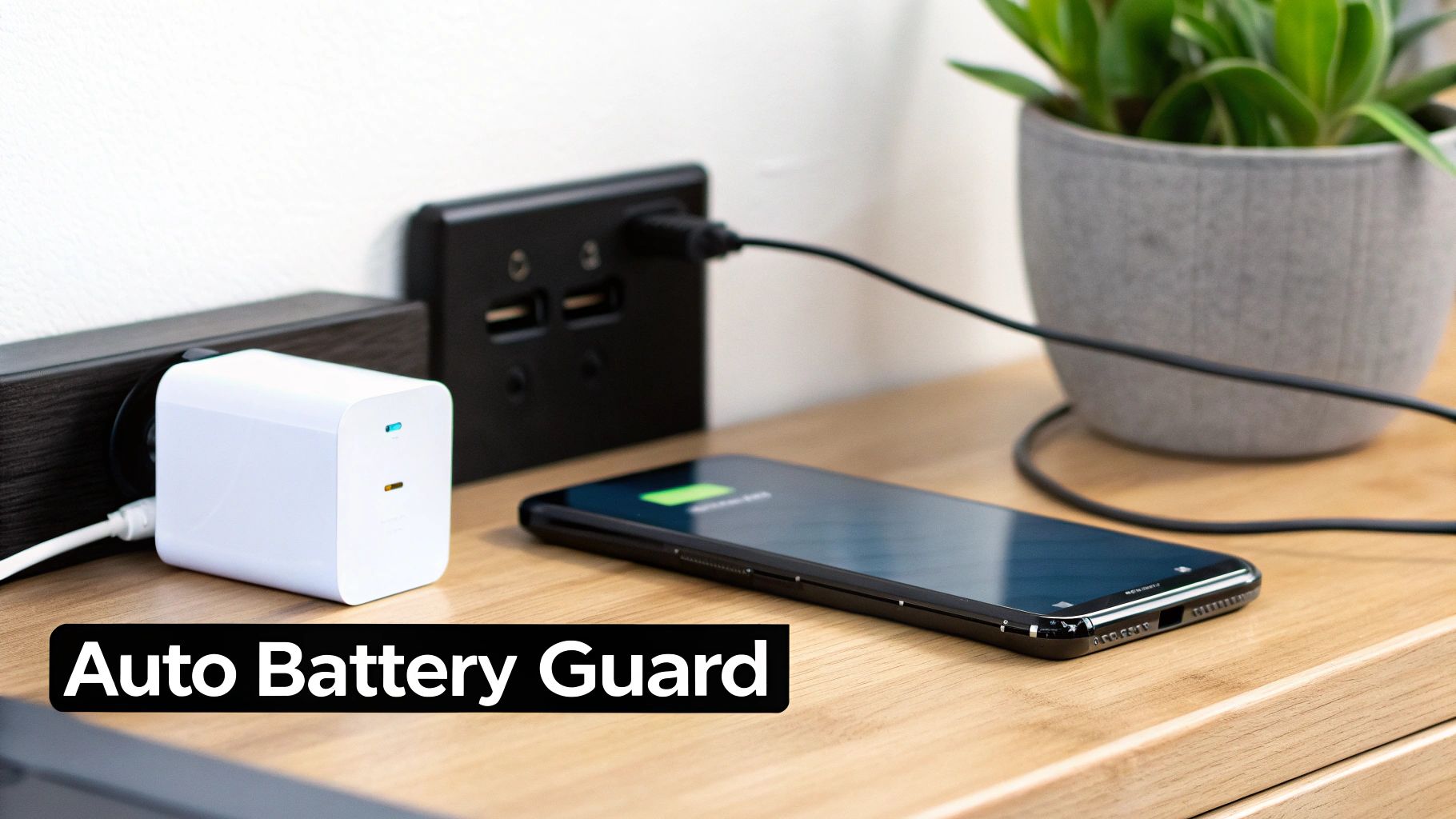
Smart charging tools are built to automate all the best practices we've been talking about. They’re usually a simple piece of hardware that works with a smart app, acting like a gatekeeper between your charger and your phone. They give you pinpoint control over when the power flows and, more importantly, when it stops.

Set It and Forget It Technology

Picture this: you plug your phone in at bedtime, and instead of it sitting at a stressful 100% all night, it automatically stops at a healthier 80%. Then, just before you wake up, it tops itself off to 100% so it's ready for your day. That's the magic behind a tool like Chargie. You just open the app, set your charge limit—say, 85%—and the hardware physically cuts the power once your phone hits that number.

This "set-and-forget" approach is a total game-changer.

  • Consistency Is Everything: It makes sure you’re hitting that sweet spot between 20-80% every single time, not just when you happen to remember. Over months and years, that consistency makes a huge difference.
  • No More Overnight Stress: It completely solves the problem of leaving your phone maxed out for hours on end, which is one of the fastest ways to wear out your battery.
  • True Peace of Mind: You can finally stop worrying about overcharging or micromanaging your battery. The tool just handles it.

Here's a peek at what the Chargie app looks like. It’s as simple as moving a slider to get total control.

Screenshot from https://chargie.org/

This kind of simple, effective control is exactly what people are looking for. It's no surprise the market for tools that check battery health is projected to jump from $1.12 billion in 2024 to $2.69 billion by 2029. Consumers are tired of devices that die prematurely, and they’re demanding smarter ways to keep their batteries healthy.

So, How Does This Little Gadget Work?

Think of a device like Chargie as an intelligent switch. It talks to an app on your phone, keeping an eye on the battery level in real-time. When your phone reports that it’s reached the limit you set (let's say 80%), the app sends a signal to the hardware, which physically cuts the power from your charger.

The real beauty is that the device doesn't just stop the charge; it intelligently manages it. Some of these tools even let you schedule charging to fit your daily routine, ensuring your phone is ready when you are without it ever sitting at a stressful charge level for hours.

This hardware-based method is way more reliable than software-only solutions, which can sometimes get ignored or overridden by your phone's operating system. By physically disconnecting the power, you create a foolproof system that always follows your rules.

If you're looking for an automated way to protect your devices, it's worth learning more about how a dedicated battery charge limiter works. It’s a simple piece of tech, but it’s one of the most powerful ways to extend the life of the gadgets you rely on every day.

Fine-Tuning Your Charging Strategy

Okay, so you've got the basics down. Keeping your battery between 20-80% is a fantastic start and puts you way ahead of the curve. But what if you want to get more detailed and really dial in your battery's long-term health?

This is where we move beyond just unplugging your phone manually and start building an automated, intelligent system that fits your life perfectly. With a tool like Chargie, you can go way beyond simple charge limits and set up a charging routine that works for you, not against your battery.

Go Deeper with Scheduled Charging

One of the most powerful things you can do is use a Top Up Scheduler. Think about it: leaving your phone plugged in all night, sitting at that high-stress 100% charge for hours on end, is just brutal on the battery.

Instead, you can program a much smarter approach.

Imagine setting Chargie to keep your battery hovering at a comfortable, low-stress 50-70% for most of the night. Then, you can schedule it to start the final charge just an hour or so before your alarm goes off. You get the best of both worlds—your battery spends hours in its happy place, but you still wake up to a full charge, ready to tackle the day.

This one simple tweak cuts out hours of needless strain every single night, and that adds up to a massive extension of your battery's lifespan over time.

Protect Your Battery from Heat and Speed

Heat and speed. These are two of a battery's worst enemies. A truly smart charging strategy has to tackle both head-on to give you that extra layer of protection.

Here's what you should be looking for:

  • Temperature-Based Pauses: The best tools actively monitor your phone's temperature while it's charging. If things start getting a little too toasty, the system automatically hits the brakes, pausing the charge until your device cools down to a safe level. This is a game-changer for preventing heat damage.
  • Limiting Charging Speed: Not every charge needs to be a sprint to the finish line. In fact, deliberately slowing things down reduces both heat and the physical wear-and-tear on the battery's internal parts. We've actually written a whole guide on why slow charging is essential for your smartphone's battery health.

When you combine scheduled top-ups with smart controls for temperature and speed, you're building a complete defense system for your battery. It's no longer just about stopping at 80%—it's about intelligently managing the entire process from start to finish.

This shift toward smarter battery care isn't just a niche idea; it's a growing movement. The global market for battery diagnostics and repair was already valued at around $1.21 billion back in 2022, and it's only getting bigger as more people demand better ways to maintain their devices. You can see more data on this trend over at grandviewresearch.com. It’s clear people are tired of disposable tech.

At the end of the day, fine-tuning your approach lets you build a personalized plan that just works with your daily routine, ensuring you squeeze every last drop of performance and longevity out of your device.

It’s easy to focus on your charging cable, but what’s happening inside your phone is just as important for battery longevity. The software, the apps you’re running, and even how much free space you have all make a difference. Tweaking a few of these digital habits can significantly reduce your device's daily workload, which takes a ton of strain off the battery.

https://www.youtube.com/embed/wzcA8uoxlC4

One of the simplest things you can do? Always keep your operating system updated. It's not just about new features. Developers are constantly rolling out behind-the-scenes fixes to improve power efficiency. If you skip those updates, you're likely missing out on simple fixes that help your device run cooler and sip, not gulp, power.

Taming Power-Hungry Apps

We all have them—those apps that seem to drain your battery for no good reason, often running in the background long after you’ve closed them. Dive into your phone’s battery settings, and you'll get a clear list of the biggest offenders. If you spot an app you barely use near the top of that list, it might be time to say goodbye.

For the apps you can't live without, a little fine-tuning can go a long way. Check their individual settings for a couple of key options:

  • Background App Refresh: This lets apps constantly check for new content. It’s useful for your messaging app, but does your photo editor really need it? Turning it off for non-essential apps can save a surprising amount of juice.
  • Location Services: Many apps demand constant location access. By switching this permission to "While Using the App" or even "Never," you stop them from checking your location when they don't need to.

Think of your phone's processor as its engine. Every background process, notification, and unnecessary feature is like leaving the engine idling at a red light. By cleaning up your app permissions and software, you’re effectively turning the engine off when it’s not needed. You’re saving fuel—or in this case, precious battery cycles.

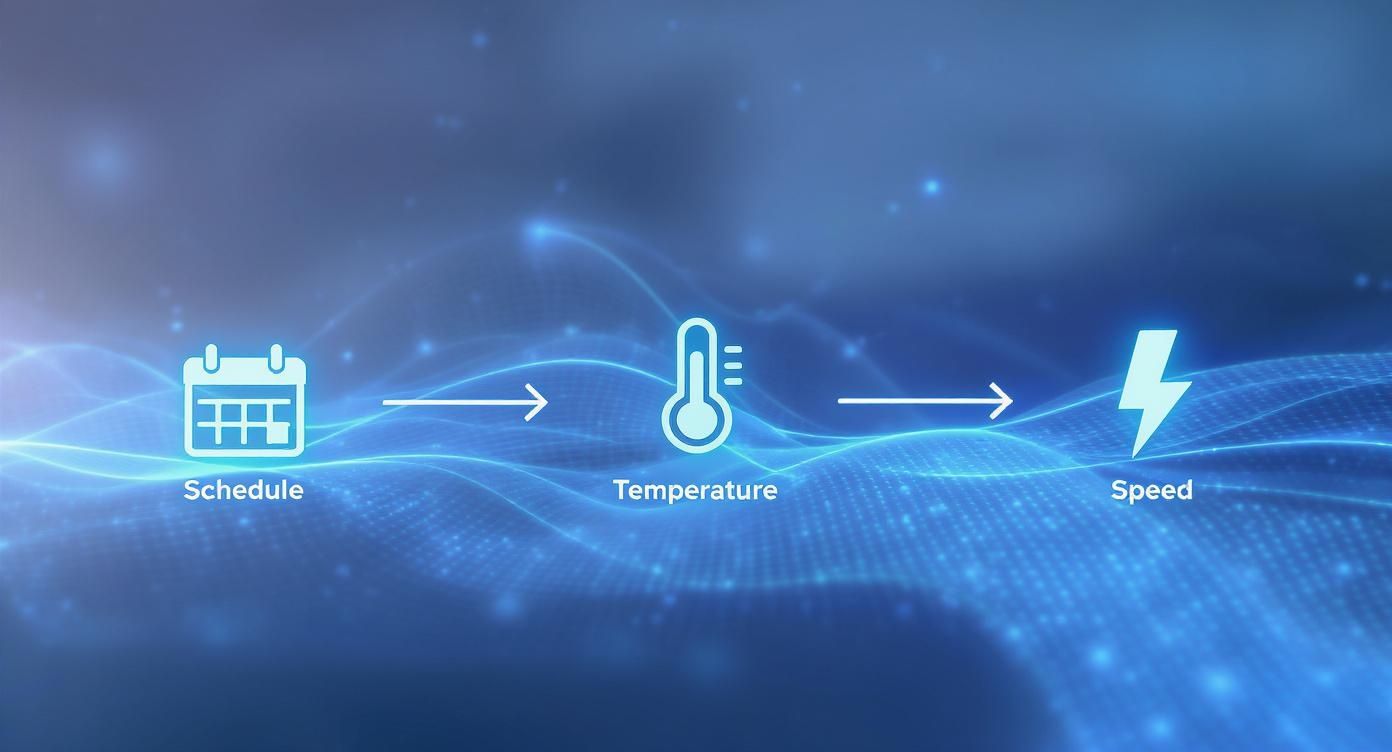
The infographic below shows how smart tools can take this a step further, automating the healthiest charging routine by managing schedules, temperature, and even charging speed.

Infographic about how to preserve battery health

This gives you a picture of what a smarter charging process looks like. The goal is to make sure the battery is only under stress when absolutely necessary, which is the secret to long-term health.

The Surprising Link Between Storage and Battery Drain

Here’s a connection that flies under most people's radar: a nearly-full phone can drain your battery faster. When your device is crammed with data, the operating system has to work overtime just to manage files, write temporary data, and perform basic functions.

All that extra work requires more processing power, and more processing power directly translates to more battery use. It’s that simple.

So, clearing out old photos, deleting apps you never open, and offloading those huge video files isn't just about freeing up space. It’s about giving your device’s processor a break. As a rule of thumb, I try to keep at least 10-15% of my storage free. It helps everything run smoother and, in the process, gives my battery an easier life.

Got Questions About Battery Health? We've Got Answers.

When it comes to taking care of your phone's battery, it feels like everyone has a different opinion. The internet is flooded with conflicting advice, and it's easy to get lost. Let's cut through the noise and tackle some of the biggest questions I hear all the time.

One of the most persistent myths is the idea that you need to drain your battery all the way to 0% every now and then. This is leftover advice from the days of old-style batteries and it's actually terrible for the modern ones in your phone. Pushing your battery to empty puts a ton of stress on its internal parts, which is a surefire way to make it age faster.

So, What's the Real Story on the 20-80 Rule?

You've probably seen the 20-80 rule pop up, and for good reason—it’s solid advice. But does this mean you have to freak out if your phone accidentally hits 81% or dips to 19%? Not at all.

Think of it less as a strict, unforgiving law and more like a healthy guideline. The whole point is to avoid the extremes. The most strain on your battery happens when it's completely full or totally empty. By keeping it mostly within that 20-80% sweet spot, you’re doing one of the single best things to preserve its long-term health. It's about building a good habit, not achieving perfect numbers every single time.

The 20-80 guideline is all about keeping your battery in its "comfort zone." This simple practice minimizes the strain that causes long-term wear, and that’s the real secret to a longer-lasting battery.

Is Fast Charging as Bad as They Say?

Let's be honest, fast charging is a lifesaver when you're in a pinch. But that convenience comes with a trade-off. The process generates more heat and pushes a lot of power into the battery at once, and both of these things contribute to wear and tear over time.

So, should you ditch your fast charger? Not necessarily. It’s all about how and when you use it.

  • When you're in a rush: A quick top-up with a fast charger is exactly what it’s made for. Use it and don't worry about it.
  • When you're charging overnight: This is the perfect time to switch to a standard, slower charger. You’ve got hours to spare, so why rush it? A slow, gentle charge is much kinder to your battery.

Treat fast charging like a specialized tool you pull out when needed, not your go-to for every single charge. This balanced approach gives you the speed when you need it without constantly hammering your device's long-term health.


Tired of micromanaging your charging habits? Let Chargie do the heavy lifting for you. It automates the best battery care practices, like stopping the charge at a healthy 80% and scheduling smart top-ups. Protect your phone and extend its life by visiting https://chargie.org to grab yours today.

Should I Charge My Phone Overnight? Tips to Protect Your Battery

So, is it safe to charge your phone overnight? The short answer is yes, it’s generally safe, but it’s not the best thing for your battery’s long-term health. Modern smartphones are smart enough to stop charging when they’re full, so you don’t have to worry about immediate danger.

Understanding the Overnight Charging Debate

Plugging in your phone before bed is a habit for most of us. You wake up, and you have a full battery ready for the day. While the old fear of a phone “overcharging” and causing a fire is mostly a myth now, the real concern is about keeping your battery healthy for a long time.

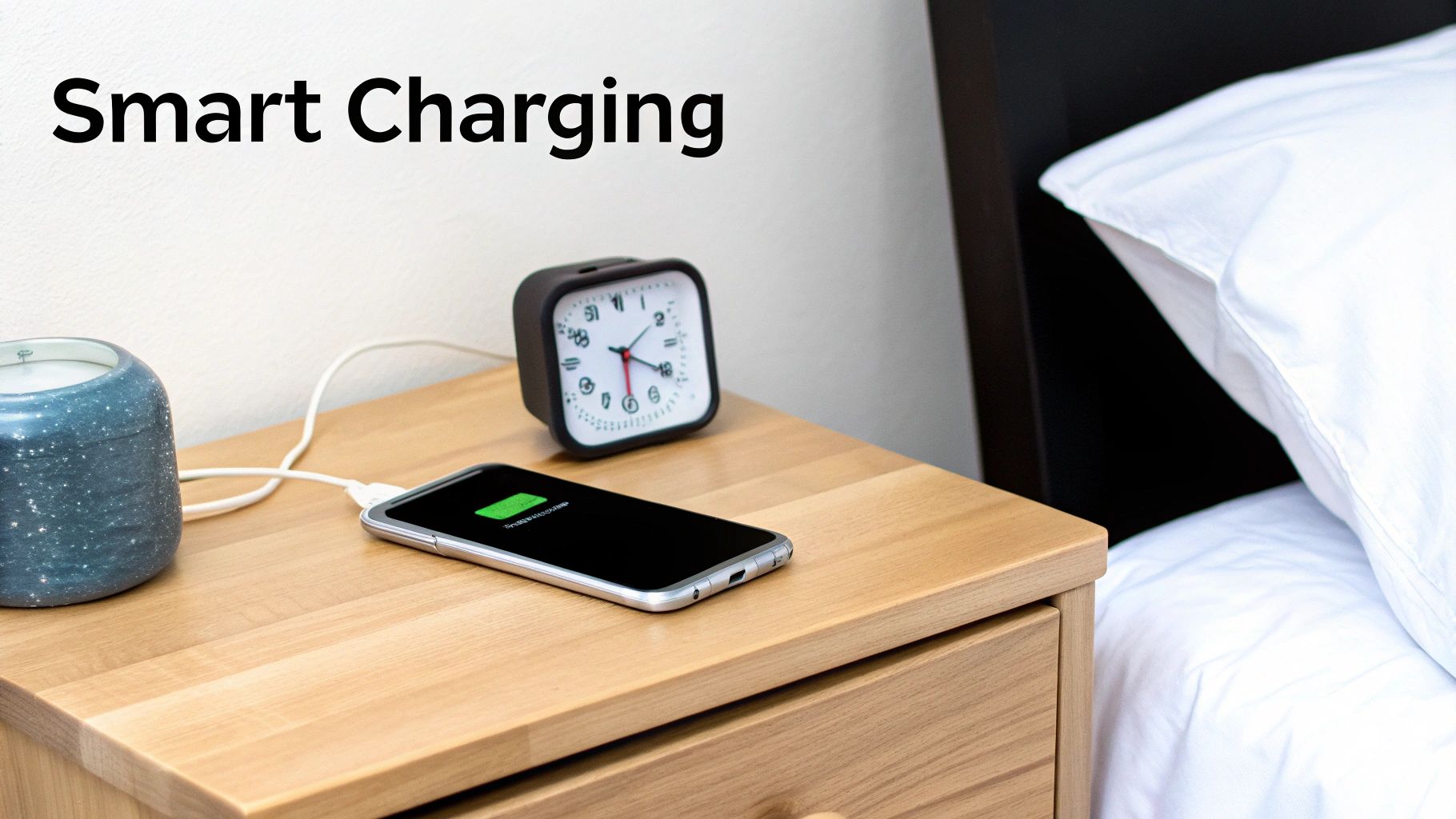
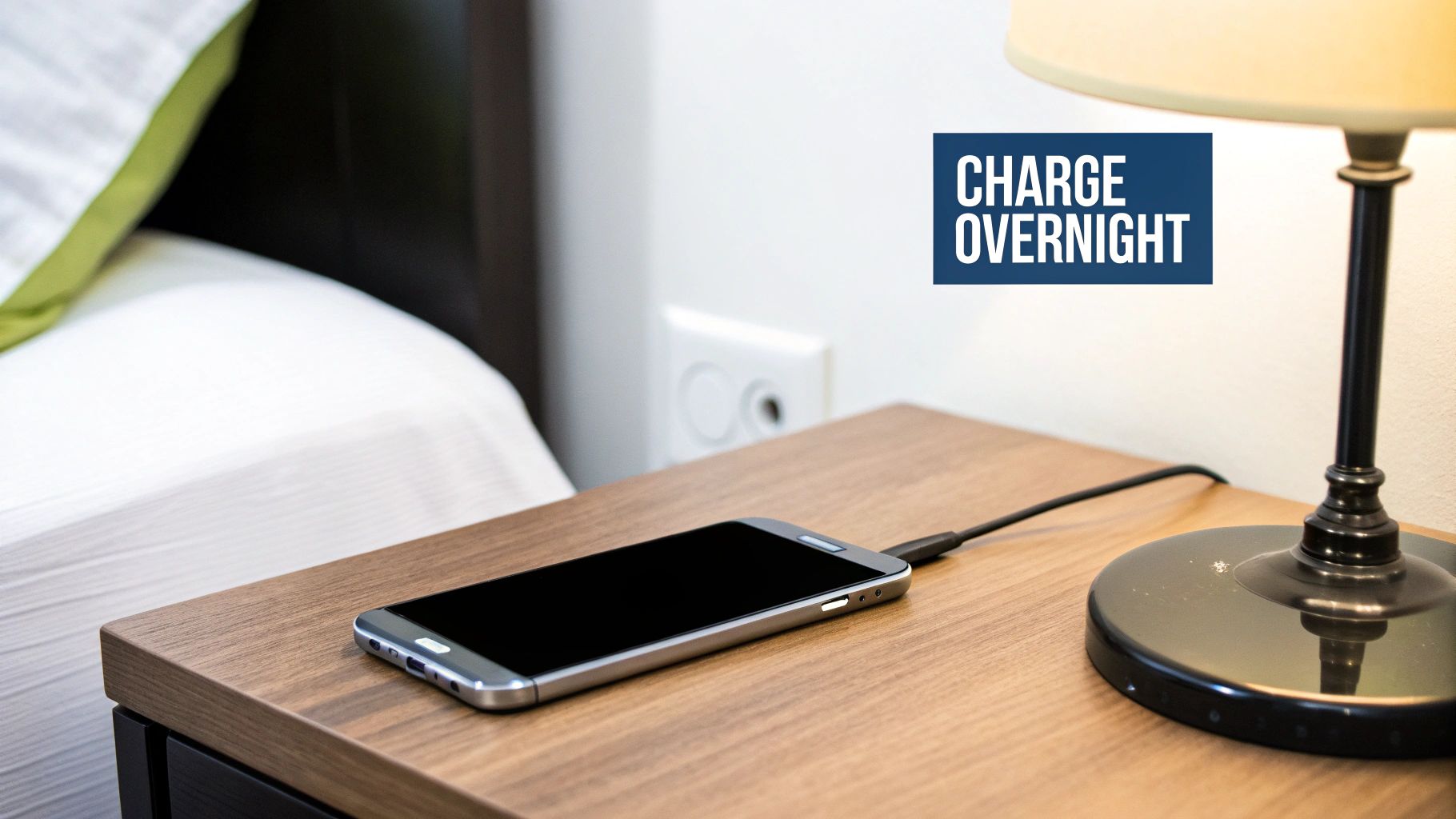
A smartphone charging on a bedside table at night, with the screen lit up.

The real issue isn’t about one night of charging; it’s what happens when you do it every single night. Think of your phone’s battery like a muscle. Keeping it at 100% charge for hours is like holding a muscle in a tight fist all night. It won’t break, but it does cause a lot of unnecessary, long-term strain.

Why a Full Charge Isn’t Always the Goal

The batteries in our phones are happiest when they’re not pushed to their limits. In fact, they wear out much faster when they’re always kept above 80% or allowed to drop below 20%. This is why you’ll hear experts say you should try to keep your phone’s charge somewhere in that happy middle ground. You can find a great breakdown of how overnight charging can be ruinous for your phone’s battery on Wamsinc.com.

This is where “smarter charging” comes in. It’s not about avoiding danger, but about making your battery last as long as possible. By making a few small changes, you can slow down how fast your battery gets old.

The goal is simple: reduce the time your battery spends sitting at 100%. The less time it’s held at this high-stress level, the healthier it will stay over the years.

What Really Affects Battery Health?

A few key things decide how quickly your battery wears out. Understanding them is the first step to building better habits:

  • Charge Cycles: Every time you use up 100% of your battery’s power, it counts as one “cycle.” By keeping your phone between 20% and 80%, you’re not completing as many full cycles, which slows down the wear.
  • Heat: Heat is the number one enemy of batteries. Charging makes your phone warm, and doing it overnight—especially if your phone is under a pillow—can create too much heat that damages the battery over time.
  • Stress from Being Full: As we said, keeping a battery at 100% puts it under a lot of stress. This is one of the main reasons it loses its ability to hold a full charge over time.

To make this easier, here’s a quick summary of what you need to know about leaving your phone plugged in all night.

Overnight Charging At a Glance

Common Concern Modern Reality Smarter Practice
Overcharging & Fire Risk Modern phones have built-in safety features to stop charging at 100%, making this very rare. Use good quality chargers and cables, and don’t charge your phone under pillows to avoid heat.
Battery “Memory” A myth from old types of batteries. Modern batteries don’t have this problem. Don’t worry about “training” your battery. Just try to avoid very high or very low charge levels.
Long-Term Damage This is the real issue. Keeping a battery at 100% for hours every night causes long-term stress and aging. Try to keep your battery between 20% and 80%. Use tools that can limit the charge level overnight.

The key takeaway is that while modern phones are safe, our nightly habits are still making our batteries get old faster than they need to.

To figure out if you should be charging your phone overnight, you first have to understand what’s actually happening inside your phone.

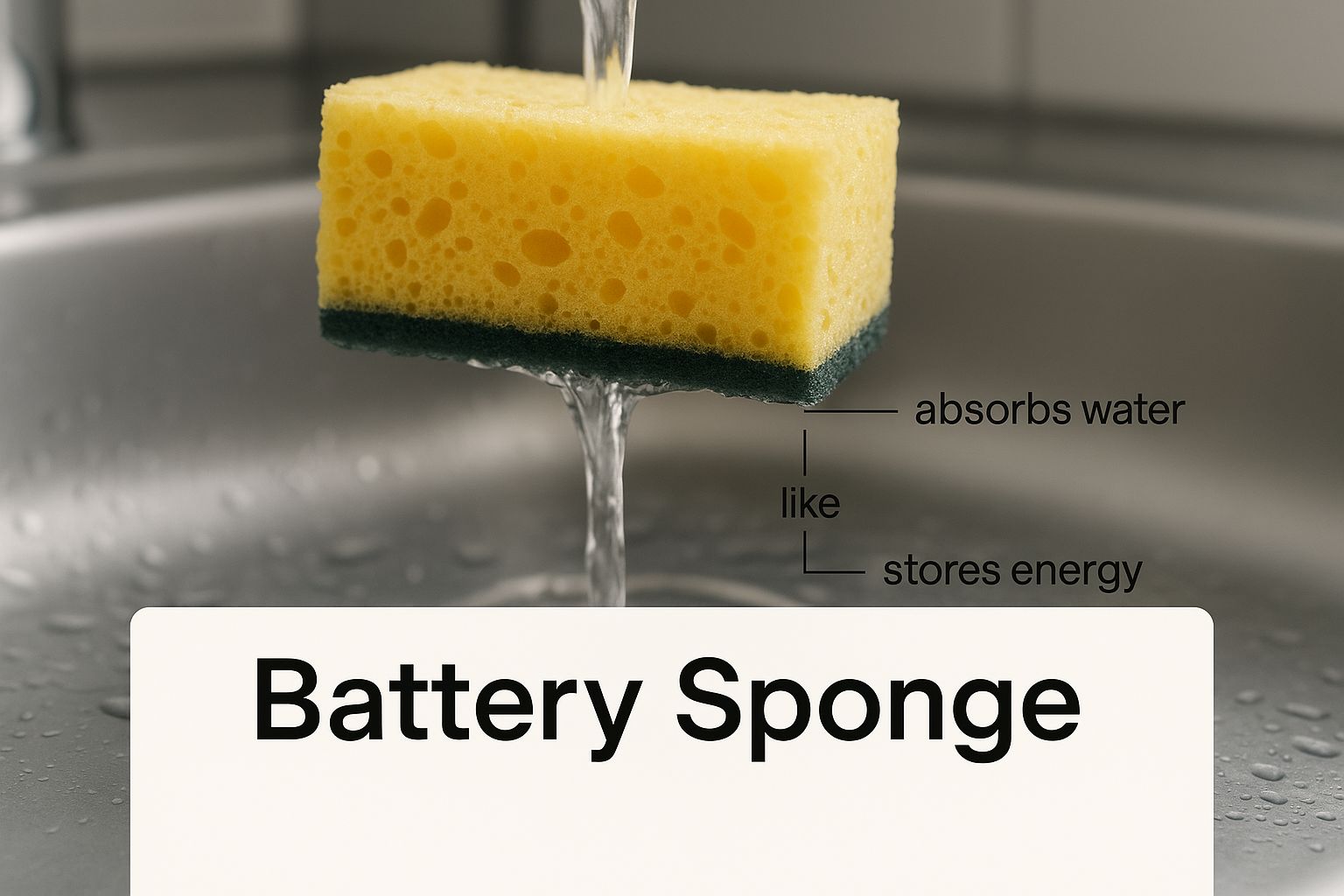
Let’s forget the technical terms for a second. Think of your phone’s battery like a simple kitchen sponge. When you plug it in, it’s like the sponge soaking up water. When you’re using your phone, you’re squeezing that water back out.

Simple enough, right? But here’s the catch: that sponge can only be soaked and squeezed so many times before it starts to get worn out and can’t hold as much water as it used to. This is what we call a charge cycle.

A full charge cycle is when you’ve used up 100% of your battery’s power. That doesn’t have to happen all at once. You might use 70% today and 30% tomorrow—that’s one full cycle. Every single cycle wears the battery down just a tiny bit, permanently reducing how much of a charge it can hold.

This infographic gives a great visual of the sponge idea, soaking up and releasing energy.

Infographic about should i charge my phone overnight

And just like a real sponge, your battery is under the most strain when it’s either bone dry or completely full.

Your Battery’s Two Biggest Enemies

There are two main things that cause this “sponge” to wear out faster than it should, and unfortunately, overnight charging creates the perfect conditions for both.

  • Extreme Charge Levels: Keeping your battery at 100% for hours is like leaving a sponge completely soaked and under constant pressure. On the other hand, letting it die and sit at 0% is like letting it dry out until it gets stiff. Both of these extremes put a lot of stress on the battery’s insides.
  • Too Much Heat: Heat is the absolute number one killer of batteries. Charging makes your phone a bit warm, which is normal. But when your phone is plugged in all night—especially if it’s trapped under a pillow or in a thick case—that heat has nowhere to go. This constant warmth speeds up the damage to your battery.

This is exactly why you’ll hear experts recommend keeping your battery in the “sweet spot” of 20% to 80%. Staying in this range is the single best thing you can do to reduce stress and slow down the aging process, helping your battery last for years, not months.

By avoiding these two killers, you’re not just saving your battery’s power; you’re making sure your phone stays fast and reliable for a long time. It’s also worth understanding how slow charging is essential for your smartphone’s battery health, as it helps with the heat problem. Managing these things is the real secret to a happier, healthier device.

Meet Your Phone’s Built-In Battery Guardian

Thankfully, you’re not on your own in trying to keep your battery healthy. Phone makers know that most of us charge our phones overnight, so they’ve built some clever software to act as a silent protector for your battery.

These features are designed to solve the exact problem we’ve been talking about: the stress of sitting at a 100% charge for hours. Instead of just filling the battery to the top and keeping it there, your phone now learns from your habits to charge in a smarter way. It’s a real game-changer for anyone who plugs in their device before bed.

How Smart Charging Works

Modern smartphones use smart technology to learn your daily routine. The software pays attention to when you usually wake up and unplug your phone. With this information, it changes the charging pattern to reduce strain while still making sure you wake up to a full battery.

For example, Apple’s Optimized Battery Charging is a great example of this. When you turn it on, your iPhone will charge quickly to 80% and then just… pause. It holds the charge at that healthier level for most of the night. Then, it figures out the perfect time to restart, finishing that last 20% just before you normally wake up. Android phones have a similar feature, often called Adaptive Charging, which does the same smart trick.

This smart approach means that instead of spending eight hours under high stress at 100%, your battery might only spend 30 minutes there. It’s a small change, but it greatly reduces wear and tear over time.

Your phone actively works to protect its own battery by learning your habits and delaying the final charge until it’s actually needed. This makes the question less about “Should I charge my phone overnight?” and more about “How can I best support this smart feature?”

In short, these features understand that overnight charging is a common habit and work to make it less harmful. Unlike old fears, systems like Optimized Battery Charging use power from the wall to keep the phone running once it’s full, giving the battery a chance to rest. You can read more about how Apple’s smart charging protects your battery during these long charging sessions.

The Real Cost of Keeping Your Phone Plugged In

Does charging your phone overnight make your electricity bill shoot up? It’s a common worry, but the good news is, the cost is surprisingly tiny. You’re probably spending less than a dollar a year to keep your phone charged.

The real cost isn’t on your utility bill; it’s about the bigger picture. When billions of us leave our phones plugged in all night, every night, that tiny bit of energy adds up to a massive amount of electricity used worldwide.

A standard smartphone charger only uses about 2 to 5 watts while it’s actively charging your phone. If you do the math for a full year of daily charging, it comes out to a very small amount of electricity for one person. If you want to dive deeper into the numbers, there are some great insights about device energy use over on nextbusinessenergy.com.au.

The Hidden Environmental Cost

Forget the electricity for a second. There’s a much bigger problem: e-waste. The constant stress from being plugged in for hours, night after night, slowly wears down your battery’s health. As it gets weaker, you find yourself needing a new phone much sooner than you should.

Each phone that gets replaced too early just adds to the growing mountain of electronic waste. By adopting healthier charging habits, you’re not just making your phone last longer—you’re also helping to reduce a huge environmental problem.

This is where smart charging really starts to make sense. By taking care of your battery, you reduce the need for brand-new devices and all the materials it takes to build them. It’s a simple change that has a real, positive impact, one charge at a time. The whole idea is to keep your phone running well for as long as possible—a win for your wallet and the planet.

Simple Habits for a Healthier Phone Battery

Knowing how batteries work is one thing, but actually putting that knowledge into practice is what saves your phone from an early death. It’s not about complicated rules; a few simple, daily habits can make a huge difference, keeping your phone running smoothly for years, not just months. These small actions are your best defense against the two biggest battery killers: heat and stress from being too full.

A person unplugging their smartphone from a charger, with a green battery icon on the screen.

The goal is to keep your battery in its happy place. By simply avoiding the extreme ends of the charging range—fully charged or completely dead—you reduce the stress that makes it get old too fast. Honestly, this is far more important than worrying about whether you should charge your phone overnight without a plan.

The 20-80% Rule

If you only adopt one new habit, make it this one: try to keep your battery’s charge level between 20% and 80%. Think of this as the “green zone” for your battery’s long-term health. Constantly filling it to 100% or letting it die completely is what causes the most wear and tear over time.

Here’s how to stay in that sweet spot without much effort:

  • Small Charges Are Your Friend: You don’t have to wait until your battery is almost dead. Plugging it in for short periods throughout the day is much healthier than one long, stressful charge overnight.
  • Avoid Extreme Temperatures: This is a big one. Never charge your phone in direct sunlight, inside a hot car, or under your pillow. Heat is a battery’s worst enemy, and charging already creates its own warmth.
  • Use Good Quality Chargers: Stick with the charger that came with your phone or one from a trusted brand. Cheap chargers can provide uneven power, which can slowly damage your battery.

Beyond just the overnight debate, other things matter too. For example, have you ever wondered if you should you let your iPhone battery drain completely? The answer might surprise you, but it all comes back to avoiding those stressful extremes.

Quick Do’s and Don’ts

To make things even simpler, here’s a quick reference guide. These are the main habits that will help you get the most out of your battery life.

Battery Charging Do’s and Don’ts

Do Don’t
Keep the charge between 20% and 80% Charge to 100% or let it die completely
Use short, small charges Leave it plugged in for long periods at full charge
Use good quality, certified chargers Use cheap, uncertified chargers and cables
Keep the phone cool while charging Charge it in hot places like a car or in direct sun

For a deeper dive into this, check out our complete guide with more tips to maintain your phone’s battery health.

The Takeaway: It’s the small, consistent habits that add up. Taking care of your battery by avoiding too much heat and extreme charge levels is the secret to keeping it healthy and getting the most out of your device for years to come.

Got Questions? We’ve Got Answers.

Even after learning about batteries, a few common questions always seem to pop up. Let’s answer them directly so you can charge your phone with confidence.

Does Fast Charging Ruin My Battery?

Fast charging is a great feature, but it has a downside. Pushing power into your battery so quickly creates a lot more heat, and heat is bad for battery health. Think of it like drinking a glass of water—sipping it slowly is easy, but chugging it is a shock to your system.

Using a fast charger when you’re in a hurry is perfectly fine. But using it all the time, especially when you charge your phone overnight, can shorten your battery’s life. For your regular, daily charging when you have more time, using a standard, slower charger is a much better choice.

Is It Safe to Use My Phone While It Charges?

For the most part, yes. Sending a text or browsing a website while plugged in won’t cause any problems. The trouble starts when you do something that uses a lot of power, like playing a demanding game or streaming a high-quality movie.

That’s when the heat really builds up—you’ve got heat from charging plus heat from the phone working hard. This double dose of heat puts a lot of stress on the battery. If your phone ever feels very hot in your hand, that’s its way of telling you to give it a break until it cools down.

Key Takeaway: If there’s one villain in this story, it’s heat. Whether it’s from fast charging, heavy gaming, or just leaving your phone in a hot car, too much heat is what makes your battery get old too fast. Keeping your phone cool is the most important thing.

Should I Let My Battery Drain to 0%?

This is a classic myth from the days of old batteries that had a “memory effect.” For the modern batteries in every smartphone today, letting it die completely is actually one of the worst things you can do.

Regularly running your battery down to zero puts a lot of strain on it and will definitely shorten its lifespan. It’s far healthier to plug it in when it gets down to around 20%. And if you’re curious about the other end of the scale, you can learn more about when you should let your phone battery charge to 100% in our other guide.

Is Wireless Charging Less Efficient?

Yes, it is. Wireless charging seems like magic, but it’s not perfect. The process of sending power through the air creates more waste heat and is almost always slower than just using a good cable.

The convenience is fantastic, no one can deny that. But if you’re using a wireless charger all the time, especially in a warm room, you might be helping your battery age faster without realizing it. It’s a classic trade-off: convenience now versus a longer battery life later.


Ready to stop worrying and take complete control of your charging? With Chargie, you can. This little smart device lets you set automatic charging limits, making sure your battery stays in that happy 20-80% zone and never overcharges overnight. Extend your phone’s life and protect your investment by visiting https://chargie.org.

Battery Degradation: Impact of Temperature and Charging Rates on Lithium-Ion Cell

Lithium-ion batteries, the cornerstone of modern mobile devices and electric vehicles (EVs), are subject to a variety of factors that influence their lifespan. Among these, temperature and charging rates play a pivotal role in determining how quickly a battery degrades. Understanding these factors is essential for optimizing battery life and ensuring the longevity of devices powered by these batteries.

Read more about battery degradation in this comprehensive study.

The Role of Temperature in Battery Degradation

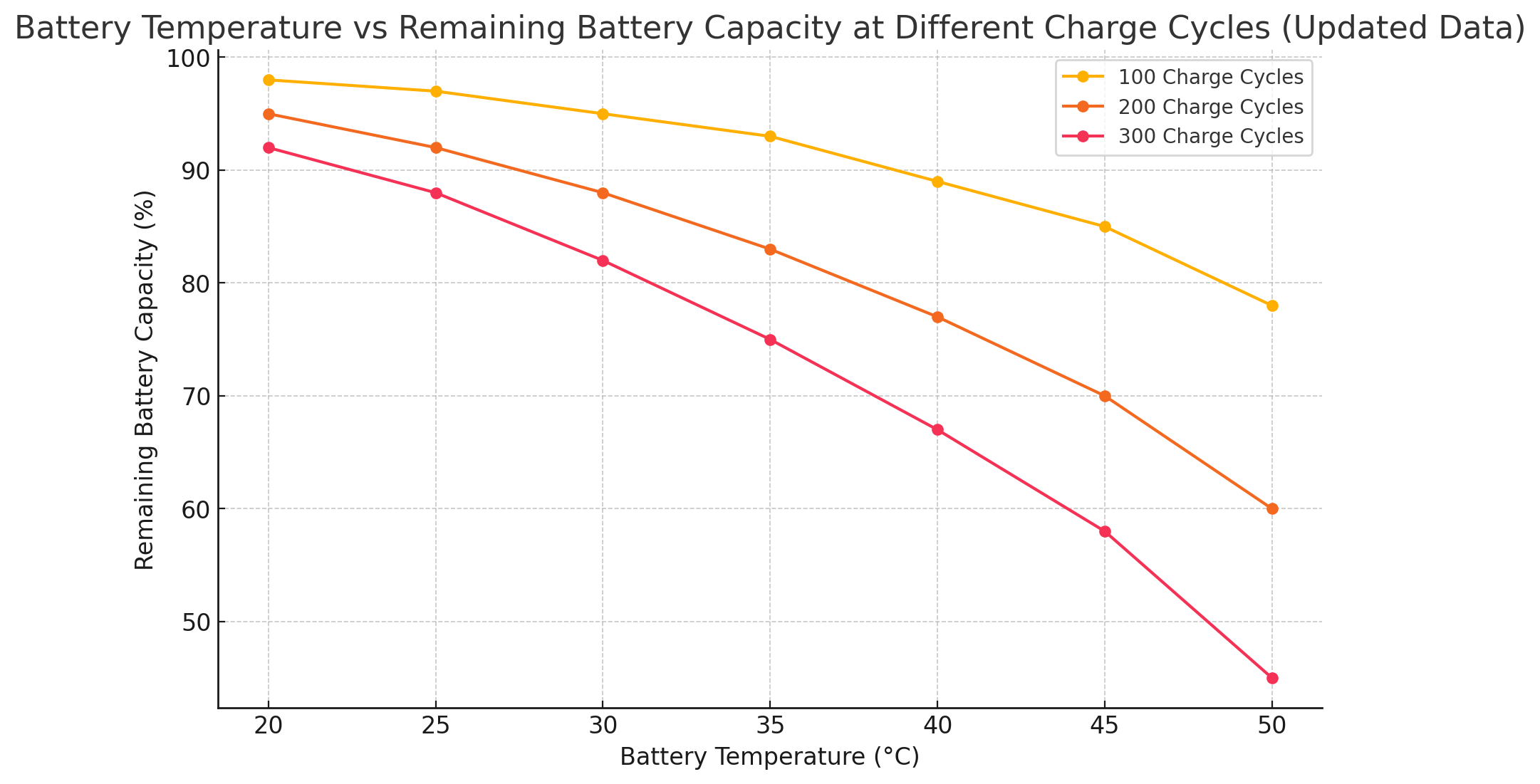
Temperature has a significant impact on the rate at which lithium-ion batteries degrade. Higher temperatures accelerate the chemical reactions inside the battery, leading to faster degradation. As shown in the chart below, the remaining capacity of a battery decreases significantly as the temperature increases, particularly after multiple charge cycles.

Read more “Battery Degradation: Impact of Temperature and Charging Rates on Lithium-Ion Cell”

When you SHOULD let your phone battery charge to 100%

For the past three years, I’ve been preaching to people to not fully charge their phones, or do it as rarely as possible. Well, all this time it seemed obvious to me (and some other battery-obsessed freaks) that you also shouldn’t let your phone discharge to 0, because it also causes harm to the battery (maybe even more than briefly letting it go to full).

Read more “When you SHOULD let your phone battery charge to 100%”

The Link Between COVID-19 and Phone Batteries

We all talk about it – there’s no point explaining what hit us earlier this year. Now, the latest version of Coronavirus is more popular than Coca Cola and Pepsi combined.

Viruses are basically pieces of software, or code – if you prefer. They run on our energy and mess with our intricate network of cells.

The world is nevertheless a complex place these days – any disruption in a supply chain can break a lot of connections. Just like our own cells, we are part of a global organism that needs us to function in order to survive.

Technology is the latest tool we have, the information it spreads is a continued contribution to many saved lives during this crisis. But information needs power to get through.

And this brings me to the topic I wanted to touch: batteries – our gadgets’ energy storage.

Crises like this brutally remind us how precious what we already own is, and at the same time how worthless everything is if we’re too sick to use it – as individuals or as the entire planet.

Batteries will also get more expensive, that’s for sure.

In a normal world, like the one only two months ago, even if you don’t care about things like sustainability, environment, pollution etc, you can been just fine for a while – you have your share of the pie that you can buy anything with – anytime, anyplace.

But – we don’t live in a normal world right now. What we have today is possibly what we’ll be having in a year, if the prophecies about an upcoming recession are true. So we must take care of our stuff and the environment, while it still works.

Charging your phone or laptop battery partially (manually or through Chargie) is one thing you can do to save your pocket technology.

Chargie only protects Android phone batteries for the time being, but in the very near future we’ll be releasing a 100W version that also works on laptops and iPhones, so our most expensive investments in technology can be work well for the foreseeable future.

A good battery may be key to your future professional success. In times like these, protecting what you have is no longer a virtue or a fad, like last year, but a necessity.

We need energy and real information to fight this crisis just like the virus needs our energy to replicate. It’s a 1:1 war we’re going to win only if we’re mindful with our resources – now and forever.

I created and spread Chargie devices on a full time basis now – yet relatively few people understand the need for taking care of their batteries. Chargie now represents a big chunk of my life and I am working continually to make it better each day.

Visit https://chargie.org to read more about Chargie and maybe purchase a pack to support this project and your phone.

image (c) graphene flagship

Why and How a 65% charged phone actually makes sense for most people

We, as a species, have evolved by eventually setting ourselves on top of the entire food chain. Nevertheless, the days of wandering for food with our empty bellies still haunt us genetically and that may be the reason why we sometimes make irrational decisions as to whether we actually need to have our supplies full or not: electric car battery, refrigerator, gas tank, stomach and our phone battery.

The scenario is simple:

  • Joe wakes up. He takes a look at his phone, it’s 7am. Battery is at 75%, because he used Chargie to stop it.
  • Joe eats his breakfast, sips some coffee while browsing through some news and his Facebook feed, maybe some e-mails. Battery goes down to 70%.
  • Joe drives or takes the subway or bus to work, maybe he uses the power-hungry Waze, or scrolls through his Facebook feeds. Battery drops to 50%. At this level, the phone doesn’t get very hot because the internal resistance hasn’t dropped much yet, the battery has about 3.7V (ideal).
  • He places his phone on the wireless charging pad at work. The pad also has a Chargie attached before it, so Joe’s Chargie app on the phone detects that it’s being charged, tests the power line, decides that it’s not the home charger, and looks for the work charger. After blinking the power a few times, it connects and quietly recharges the phone to 65%
  • Joe uses his phone throughout the day, the battery oscillates maybe between 40% and 60%, but is stopped every time it reaches 65. Battery degradation: almost zero.
  • After work, Joe gets back home. Before leaving work, he pumps some more power into the phone by setting Chargie to 70%.
  • So maybe he goes to a bar, maybe he picks up his wife or kids from somewhere, it gets late.
  • Joe goes to sleep at about 11pm. His battery, in its high 30s, is still giving him enough power without having been stressful throughout the day.
  • Cycle repeats. Battery lasts forever without a hitch. Joe only takes it to 100% on occasion, which is by far less damaging than otherwise keeping it there all the time with no practical purpose.

So what’s the catch, you may ask.

Had Joe not used Chargie, the battery would’ve been at 100% or in its high 80s or 90s all day long. After a year, Joe’s battery would’ve started to die on him on long journeys or at times when he’d needed that phone. Joe would’ve been unhappy.

By only taking the charge to 70% or 60% or the lowest usable value for the day, Joe still has enough power in it and he’ll be able to use his phone at full capacity and speed for a much longer time. Should he decide to buy a new phone, the old one would still have a long fight until becoming technologically obsolete.

Joe is happy and so is the planet, because you know, recycling and reusing more are closely linked to lowered pollution levels of all kinds. And Joe’s battery is still at some 95% capacity after 5 years of usage. In a perfectly functioning phone, after an absurd amount of usage.

Bottom line: you don’t need a 100% charged phone if you work in an office where it sits on a charger all day long, anyway.

This practice just degrades your battery and the old 100% is not the same 100% after a while. The battery starts to get hot, the phone runs slower to prevent further damage by overheating, and after a year and a half you end up selling it for nothing or taking it to a repair shop. And buy a new, glorious phone that does about the same stuff the old one did, but faster – mostly because its new battery can still do it.

The 6 Factors that Influence a Phone’s Battery Life

Lithium ion battery capacities have been evolving at a steady rate in the past few years. This is driven mainly by electric cars, but also mobile phones have their share of the lithium ion market.

However, lithium resources are scarce compared to the global ambitions of Tesla, Apple or Samsung. Efforts to recycle have to be backed by efforts to preserve battery lifespan, without impacting the overall user experience.

This series of posts will talk about the different aspects that conscious phone owners have to take into account to extend their phone’s battery life, usability and recyclability.

We’ll be talking about lithium ion batteries, just because these are the norm nowadays and their environmental toll is high, which makes protecting them worth talking about.

The real life of batteries

Although in theory they should be lasting forever, in real life scenarios batteries are exposed to factors like:

  1. temperature
  2. humidity
  3. mechanical shocks
  4. electrical stress (sudden charge/discharge)
  5. depth of discharge
  6. trickle charging (keeping it constantly charged)

Most lithium ion battery manufacturers recommend from 300 to 500 charge/discharge cycles for their products. That is the conservative approach, which means they shouldn’t lose much capacity over that range.

Not all cycles are created equal.

They depend on the depth of discharge, time of charge and temperature. Lithium Ion units are very sensitive to the depth of discharge. The lower you go, the worse it gets for the battery. Some papers refer to cycles as a continuous charging process from zero to 100%. Others add mini-cycles (like from 30% to 50%) to this equation, but they’re not equal in terms of battery degradation.

The battery health is reflected by its capacity to store energy, measured in mAh (milliamp-hours).

Voltage doesn’t quite matter in this, as it is not linear. For example, a phone’s lithium ion battery starts from 3.2v (empty) and goes to 4.35v (full). But in between there are a lot of charging states that don’t correlate to the voltage directly.

On this matter, there’s no other authority online that has published more experiment results than battery expert Cadex, through their site batteryuniversity.com

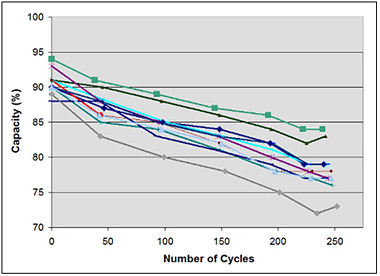
They have published a graph that shows the degradation of a regular 1500 mAh lithium ion cell.

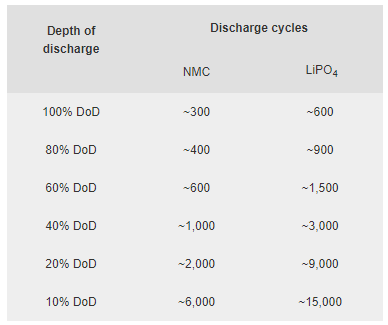
As you can see on the chart above, capacity heavily relies on the number of cycles. But these were full 0-100% cycles. The same scenario wouldn’t have happened if the cycles had been smaller.

In fact, not only those partial cycles would have helped, but the battery would have had much more combined activity than if it were cycled all the way through!

As you can see, at a shallow 10% DoD (depth of discharge) the number of cycles of a LiPO4 battery was dramatically increased. A living example are the batteries of 2nd-gen Toyota Prius, that still live on after 15 years. They’re being used regularly only in the interval of 50 to 75%.

Phone battery protection

But, you don’t have to do this to a phone. Phones are supposed to have a much shorter lifespan, but the user still has to enjoy its experience for as long as he wishes.

Practically, if you only charge a phone to 90% and then unplug, its lifespan will be increased to more than 5000 cycles before it shows any signs of degradation.

Chargie is a very useful tool to achieve that. Beyond first-hand usage, your old phone may get new life in someone else’s pocket, after you decide it’s time to upgrade it. A phone’s technology is usually good enough for 3-4 years, but a Chargie will protect all of your future phones, and much more.

Click here for more details

Chargie is a smart charging device designed to extend the lifespan of your phone's battery by limiting overnight charging.

Company

Lighty Electronics SRL
42 Viorelelor st
305500 Lugoj, Romania

EU VAT: RO35245011

© 2019-2026 Lighty Electronics SRL. All Rights Reserved.

Add to cart