
Clicky

The best way to charge a lithium-ion battery for a longer life

If you remember only one thing from this guide, let it be this: the single best way to charge a lithium-ion battery is to keep it partially charged.

I'm talking about staying in that sweet spot, ideally between 40% and 80%. This one simple habit avoids the stress from always charging to 100% or letting it drain to 0%, which are the two biggest reasons batteries die an early death. Sticking to this range can literally add years to the life of your phone, laptop, and other gadgets.

The Secret to a Longer Lasting Battery
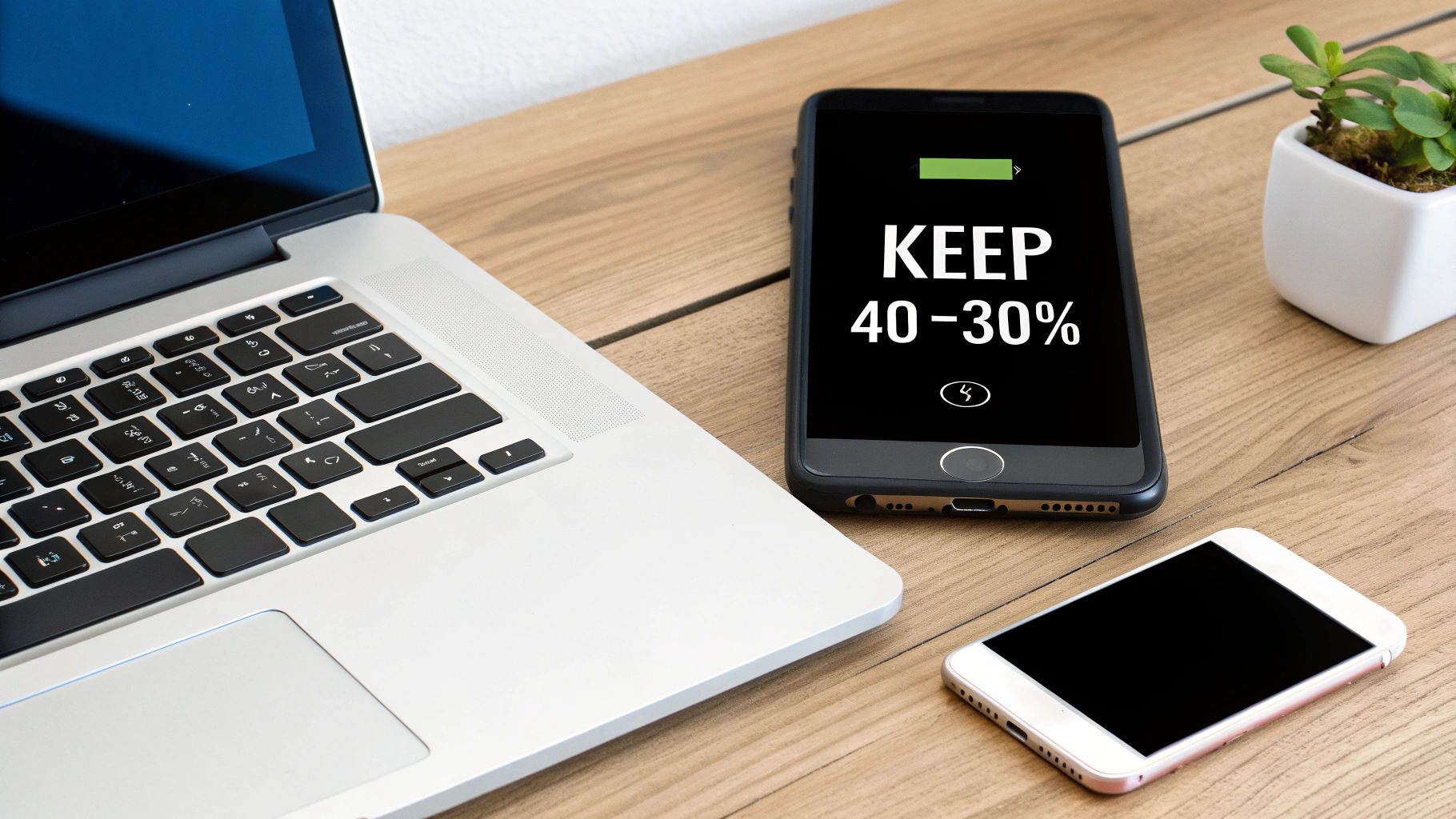
A smartphone charging on a wireless pad next to a laptop, both showing healthy battery levels.

You’ve probably heard all sorts of different advice on charging. A lot of it, like the old myth about needing to drain your battery completely, is leftover from old-fashioned battery types. For the modern lithium-ion batteries in our devices today, the rules are completely different.

The main idea is simple: lithium-ion batteries are happiest when they aren't pushed to their limits.

Think of it like a rubber band. If you constantly stretch it to its absolute maximum (100% charge) or let it go completely slack (0% charge), it's going to wear out fast. Over time, it loses its stretchiness—or in a battery's case, its ability to hold a good charge.

Partial Charging: The New Standard

Partial charging is exactly what it sounds like—keeping your battery's charge level in that comfortable middle ground instead of doing full zero-to-100% charges. The goal is to spend as little time as possible at the very top and very bottom of the charge range.

Here’s why it works so well:

  • It Cuts Down on Stress: Pushing a battery to 100% and keeping it there (like when charging overnight) creates stress that speeds up the aging process inside.
  • It Prevents Damage from Draining: Letting your battery hit 0% and die can cause permanent damage, making it much harder for it to hold a charge in the future.
  • It Dramatically Boosts Lifespan: Both scientific studies and real-world experience have shown that batteries kept between 40-80% last much longer than those constantly charged from empty to full.

This isn't just a theory; it's a proven method. A battery that gets small, frequent charges will hold on to way more of its original strength after hundreds of uses compared to one that's always been run from top to bottom.

The key takeaway? Small, frequent top-ups are much, much healthier for your battery than long, full charging sessions. It’s a total shift in thinking from "fill it all the way up" to "keep it comfortable."

To make this practical, many devices now have built-in smart charging features. But for real control, tools designed specifically for this job are a game-changer. You can see how a hardware battery charge limiter can automate this whole process, letting you set the best levels and forget about it without having to watch your device.

Adopting this one habit is the most powerful change you can make for your battery’s long-term health.

At-a-Glance Lithium-Ion Charging Practices

To make this even easier to digest, here’s a quick summary of the best practices we've covered. Think of this as your cheat sheet for a healthier battery.

Practice Why It Works Impact on Battery Life
Maintain 40-80% Charge Avoids the high and low charge levels that cause the most wear and tear. Significant Extension: Can double or triple the number of useful charges.
Avoid 0% Drains Letting the battery die can permanently damage its internal parts. Prevents Damage: Protects against sudden loss of battery life and failure.
Avoid 100% Charges A full charge (especially when the device is warm) speeds up battery aging. Reduces Aging: Slows down the natural loss of battery strength over time.
Use Small, Frequent Top-Ups Keeps the battery in its ideal "comfort zone." Maximizes Health: Healthier than a few empty-to-full charges.

Following these simple rules changes charging from a routine chore to a smart way to protect the investment you made in your devices.

Why the 40-80 Percent Rule Really Works

We've all heard the advice, but why is the 40-80% rule so effective for lithium-ion batteries? It's not just a random internet tip; it’s based on how your battery actually works.

Think of your battery like a rubber band. You can stretch it all the way out (100% charge) or let it go completely slack (0% charge), but those extremes put the most strain on it. Do that over and over, and the rubber band loses its stretchiness and eventually snaps.

A battery experiences a similar kind of stress, just on a chemical level. The states of being completely full or totally empty are where the internal parts are under the most pressure, causing them to wear out much faster.

The Problem with Full Charges

When your battery charges, tiny particles move from one side to the other. The real work happens when you try to cram in that last 10-20% of charge. Pushing the battery to 100% is like forcing the last few clothes into an already-stuffed suitcase. It puts everything inside under a ton of pressure.

This high-pressure state acts like a chemical "rust," speeding up the breakdown of the battery's internal materials. It permanently reduces the battery's ability to hold a charge. This is why leaving your phone plugged in at 100% all night is so damaging; you're holding the battery in that high-stress state for hours.

Keeping a battery at 100% can wear it out significantly faster than keeping it at a lower level. For example, a battery held at 100% might lose 20% of its total strength in a year, whereas the same battery kept at a lower charge might only lose 4%.

That's why even a small change, like unplugging at 80% or 90%, makes such a huge difference. You’re simply avoiding that final, stressful push, which is by far the most tiring part of the entire process.

Understanding Charge Cycles Differently

You often hear about a battery's lifespan being measured in "charge cycles," typically 300-500 for most gadgets before the battery is noticeably worn out. But what exactly is a "cycle"? It's a common misunderstanding that plugging in your phone once equals one cycle.

In reality, a charge cycle is one full use of the battery—from 100% down to 0% and back up. The good news is this doesn't have to happen all at once.

  • One deep cycle: Charging from 0% to 100% is one full, high-stress cycle.
  • Multiple shallow cycles: Charging from 40% to 80% five times uses the same amount of power as two full cycles (5 x 40% = 200%), but it's much gentler.

Here’s the key: those five smaller charges are far gentler on your battery. By staying out of the high-stress zones below 20% and above 80%, these smaller charges cause way less wear and tear. This is the magic of the 40-80 rule—you're replacing damaging deep charges with much healthier shallow ones.

For instance, a phone charged daily from 20% to 80% will keep its health much longer than one charged from 10% to 100% overnight. The first approach avoids both stressful extremes, while the second exposes the battery to damaging high charge levels and the risk of a full drain.

Real-World Impact on Your Devices

So, what does this look like in practice? A battery kept in that sweet spot between 40% and 80% can easily keep over 90% of its original strength after hundreds of uses. In contrast, a battery that’s constantly charged to 100% and drained low might drop to 70-80% strength in the same amount of time.

That 10-20% difference isn't just a number. It's the difference between a phone that still lasts a full day after two years and one that needs a top-up by 3 PM. By adopting the 40-80 rule, you are actively putting the brakes on this aging process.

Think of it as jogging versus sprinting. Sprinting gets you there faster in the short term, but you can’t keep it up for long. Jogging is sustainable. The 40-80 rule is the "jogging" approach for your battery—it's the best way to charge a lithium-ion battery for the long haul.

Practical Charging Habits You Can Start Today

Knowing the science behind battery health is great, but what really matters is putting it into practice. The best way to charge a lithium-ion battery comes down to simple, consistent habits that take the stress off it. Let's turn that theory into real, actionable steps for your phone and laptop that you can start using right now.

Most new devices have some built-in smarts to help. You've probably seen Apple's "Optimized Battery Charging" on iPhones or Android's "Adaptive Charging" on Pixel phones. These features try to learn your daily routine, waiting to finish charging past 80% until just before you usually wake up. The goal is to reduce how long your battery sits at that high-stress 100% level overnight.

While these features are a decent starting point, they're not a complete solution. They are run by programs that guess your schedule, which can easily be wrong if you have an unpredictable routine. For real control, you need a more direct way to manage your charging limits.

Taming Your Smartphone Charging

Your phone is probably the hardest-working device you own, so its battery is under constant pressure. The single most important thing you can do—besides enabling those built-in smart charging features—is to stop leaving it plugged in for hours after it's already full.

I like to think of a battery like a rubber band. A full 100% charge is like stretching that band to its absolute limit. The longer you hold it there, the more strain it takes and the faster it wears out.
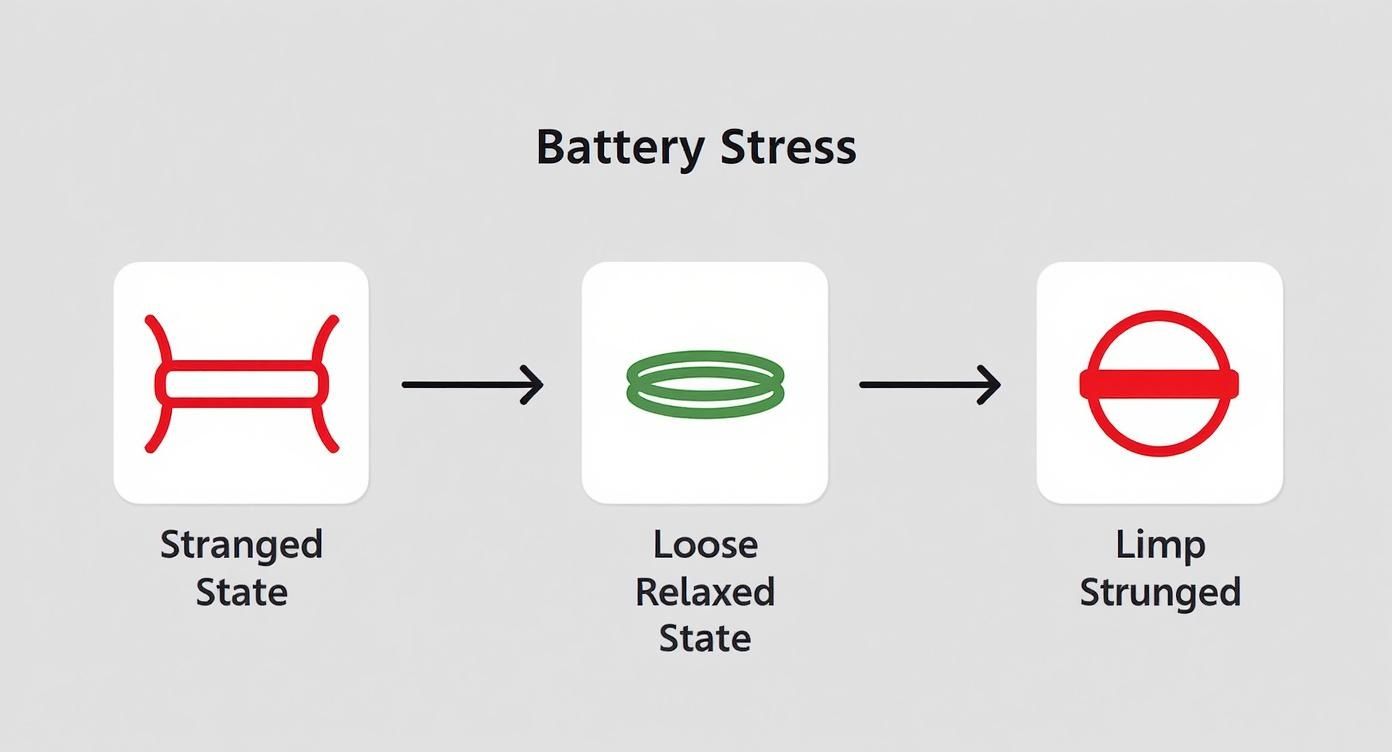
Infographic illustrating battery stress states, from strained to relaxed, using a rubber band analogy.

This simple visual nails the concept. Keeping the battery in the middle range is like a relaxed rubber band, but pushing it to either extreme—fully charged or completely dead—creates the kind of stress that causes permanent damage.

Another big factor is charging speed. Sure, fast charging is convenient when you're in a rush, but it creates a lot more heat and is often less efficient. Research from Battery University on charging efficiency shows that slower, more moderate speeds are much healthier. With a slow 20-hour charge, the process can be 99% efficient. But speed that up to a full charge in one hour, and efficiency can drop to 95% or even lower. That "lost" energy becomes heat, which is the battery's worst enemy.

Managing Your Laptop Battery

Laptops are a different story. So many of us use them like desktop computers, leaving them plugged in from morning 'til night. This is one of the absolute worst things you can do for battery life, as it holds the battery at 100% under constant heat and stress.

Thankfully, most laptop makers have caught on and started including battery care tools.

  • Dell: Look for "Dell Power Manager," which has settings like "Primarily AC Use" to lower the charge limit.
  • Lenovo: "Lenovo Vantage" has a "Conservation Mode" that stops the charge around 50-60%.
  • HP: Many business laptops have an "HP Battery Health Manager" setting right in the system setup menu.

These tools are game-changers. If your laptop spends most of its life plugged in, you need to find and turn on one of these modes. It will automatically stop the charge at a much healthier level, like 80%, preventing the constant damage from sitting at full.

Pro Tip: Planning to be plugged in for a long work session? Turn on your laptop's battery-limiting feature. If your machine doesn't have one, try this: unplug it once it hits 80%, run it on battery power for an hour or two, then plug it back in. It's a small hassle that pays off big time.

Making this one little adjustment can dramatically slow down the aging process and keep your laptop battery going for years, not just a few months.

How Heat and Speed Silently Damage Your Battery

It’s not just about how much you charge, but also how you charge. While keeping your battery in that 40-80% sweet spot is a huge win, two other silent killers are constantly at play: heat and charging speed.

These two factors can wreck your battery’s health just as fast as bad charging habits. Getting a handle on them is a crucial part of mastering the best way to charge a lithium-ion battery.

A smartphone connected to a charger, with a temperature warning icon superimposed over it.

Think of heat as public enemy number one for your battery. The chemistry inside lithium-ion cells is incredibly sensitive to temperature. When a battery gets too hot, the internal chemical reactions speed up in all the wrong ways, causing permanent damage and loss of strength.

This is exactly why charging your phone on a hot car dashboard or leaving it to cook under your pillow at night is such a terrible idea. In both situations, the heat from charging gets trapped, causing the battery’s internal temperature to skyrocket. As a rule of thumb, anything above 95°F (35°C) is high-stress territory.

A battery's health wears out much faster in warm environments. Data from electric vehicle studies shows that batteries in hot climates wear out significantly faster than those in cooler regions, confirming that heat is a major cause of faster aging.

Just knowing this simple fact can help you avoid a ton of unnecessary damage. Always try to charge your devices in a cool, well-ventilated spot. If you notice things getting warm, take the device out of its thick, heat-trapping case while it powers up.

Why Slower Is Almost Always Better

In a world obsessed with speed, "fast charging" sounds like a gift from the heavens. And sure, it’s a lifesaver when you're in a pinch, but it comes with a serious trade-off. Fast charging works by pushing a much stronger electrical current into your battery, which naturally creates more heat.

That combination of high current and high heat puts an immense strain on the battery’s delicate internal parts. It's like trying to fill a water balloon with a fire hose—you might get it done faster, but you’re risking a pop.

Slower, standard charging is far gentler on your device. It creates less heat and puts far less stress on the battery’s chemistry, which is exactly what you want for long-term health. It might take longer, but it’s the much smarter choice for your daily charging routine, especially overnight.

The Trade-Off Between Speed and Efficiency

Fast charging isn't just harsher; it’s also less efficient. A good chunk of that electrical energy gets wasted as heat instead of being stored in the battery. Slow charging, on the other hand, reduces this waste, making it a much more effective process.

So, when should you use each method? My approach is pretty simple:

  • Fast Charging: Save it for true emergencies when you need a quick boost and don't have hours to spare.
  • Standard Charging: Make this your default for all regular, everyday charging—like when you're at your desk or plugging in for the night.

Balancing the two lets you enjoy the convenience of speed when you absolutely need it, without making it a daily, battery-destroying habit.

You can dive deeper into the impact of temperature and charging rates in our detailed article. Understanding how this damage happens is the best way to avoid premature battery death and the hassle of addressing severe battery issues down the line. By prioritizing cool and slow charging, you’re taking one of the biggest steps toward extending your device's lifespan.

Common Battery Charging Myths Debunked

When it comes to charging lithium-ion batteries, a lot of old habits die hard. The internet is flooded with outdated advice that can actually do more harm than good. Let's clear the air and bust some of the most stubborn myths so you can focus on what really works.

One of the biggest misunderstandings still floating around is the idea that you need to drain your battery to 0% before plugging it in. This is a leftover from old nickel-based batteries, which suffered from a frustrating "memory effect."

Good news: lithium-ion batteries have no such memory. In fact, fully draining them is one of the most stressful things you can do. Consistently letting your phone die before recharging puts immense strain on the battery's insides. It's far healthier to give it small, frequent top-ups to keep it in that sweet spot we've talked about—the 40-80% range.

The Truth About Overnight Charging

This is the big one: "Leaving my phone plugged in overnight will destroy the battery." The truth is a little more complicated than a simple yes or no.

Modern smartphones are smart enough to stop pulling power once they hit 100%, so they won't "overcharge" in the way you might imagine. The real damage comes from keeping the battery parked at that high-stress 100% state for hours. Holding a battery at a full charge is like holding a rubber band at full stretch—it speeds up aging and permanently reduces its strength.

On top of that, your phone might perform tiny "trickle charges" all night to keep it topped off, creating a small but steady amount of heat—another enemy of battery health.

While modern devices have built-in safety features, leaving them at 100% for long periods is a primary cause of faster battery aging. The best practice is simply to avoid it whenever you can.

We break down exactly why this habit shortens your battery's lifespan in our detailed guide on whether you should charge your phone overnight.

Are Third-Party Chargers Really Dangerous?

Another common fear is that using any charger other than the one that came in the box will ruin your battery. This isn't necessarily true, but you do need to be a little careful. The real danger isn’t the brand name; it’s the quality of the charger.

A cheap, uncertified charger from a no-name brand you found for a few bucks online? That's a serious risk. These chargers often lack the proper safety parts to manage power, which can lead to overheating, damage, or even a fire hazard.

However, a high-quality charger from a reputable company (like Anker or Belkin) that meets safety standards is perfectly fine. These companies build their gear to deliver power correctly and safely, just like the original. The key is to look for quality, not just the lowest price.

New Discoveries Shaking Things Up

The world of battery science is always moving forward, and some new findings are turning old wisdom on its head. For instance, recent research is challenging the long-held belief that the very first charge of a new battery must be slow and gentle.

A groundbreaking study revealed that blasting a new battery with unusually high power during its very first charge can actually boost its lifespan by as much as 50%. This discovery could completely change how batteries are made, potentially cutting initial charging times from hours to minutes while making them more reliable right out of the box. You can read more about these surprising battery performance findings and see how they're shaping the future.

A Few Common Battery Charging Questions

Even when you know the rules, real-life situations can get a little fuzzy. Let's clear up some of the most common questions I hear about charging lithium-ion batteries.

Getting these scenarios straight means you can stop second-guessing your charging habits.

Is It Okay To Leave My Phone Plugged In All Night?

Your phone is smart enough to stop pulling power once it hits 100%, but that doesn't mean leaving it plugged in all night is harmless. The real issue is that the battery sits at that high-stress, fully charged state for hours, which speeds up its aging.

On top of that, your phone will often "trickle charge" throughout the night to stay topped off, creating small but consistent bursts of heat. The best practice? Unplug it before you go to sleep, or even better, use a smart tool to automatically cut the charge at a healthier level, like 80% or 90%.

Should I Be Using A Fast Charger All The Time?

Fast charging is a lifesaver when you're in a hurry, but it shouldn't be your default. The stronger current puts more physical strain on the battery's internal parts and creates a lot more heat compared to a standard charger.

That combination—high current and extra heat—is a surefire way to wear down your battery's strength faster over time. For routine top-ups, especially overnight, a standard, slower charger is the gentler and much healthier choice for the long haul.

I like to think of it this way: fast charging is a sprint, and standard charging is a marathon. You sprint when you need a quick burst of speed, but you rely on that marathon pace to go the distance.

How Should I Store A Device I'm Not Using For A While?

If you're stashing an old phone, tablet, or laptop away for a few weeks or months, the battery level is absolutely critical. Storing a device at 100% or with a completely dead battery can cause permanent, irreversible damage.

The sweet spot for long-term storage is right around a 50% charge. This neutral state reduces the stress that wears down the battery and prevents it from falling into a deep drain it might never recover from.

Just follow these simple steps before you put it away:

  • Get the battery to about 50%.
  • Power the device completely off—don't just leave it in sleep mode.
  • Find a cool, dry place to store it, away from extreme temperatures.
  • Every few months, pull it out and top the battery back up to 50% if it's drained.

A little prep work here ensures that when you finally need that device again, the battery will still be in good shape and ready to go.


Tired of manually babysitting your battery? Chargie automates all these best practices for you. By setting custom limits and schedules, you can effortlessly protect your battery's lifespan, cut down on e-waste, and save money. Learn more and get yours at chargie.org.
How to Charge Your Lithium Ion Battery for a Longer Life

The secret to a longer-lasting battery isn't a complicated trick. It’s all about a few simple, smart habits. The main idea behind lithium ion battery charging best practices is to stay away from the extremes—don't let your battery drain to 0% or leave it on the charger at 100% for hours. These small changes can make a big difference for your phone, laptop, and even your electric car.

The Simple Truth About Charging Your Batteries

Let's get straight to what works. Think of your battery like a sponge. It soaks up energy best when it's not totally dry or completely full. Pushing it to its limits, either full or empty, puts a lot of stress on its insides, causing it to wear out much faster.

This guide is built on one core idea: small changes to your charging routine lead to big long-term benefits. You don't need to be a battery expert to make your devices last two or even three times longer. It just comes down to a few key ideas that prevent unnecessary strain.

Why Small Habits Matter So Much

Every time you charge and use your battery, it wears down a tiny bit. That might not sound like a big deal, but over hundreds of charges, it adds up. The result? A battery that just doesn't hold a charge like it used to. The goal of smart charging is to make each of those charges as gentle as possible.

This isn't just for one type of device; it applies to everything powered by lithium-ion batteries, including:

  • Smartphones and Tablets: Your daily devices that will last longer if you don't leave them plugged in at 100% all night.
  • Laptops: These are often left plugged in, which can be surprisingly harmful if not managed the right way.
  • Electric Vehicles (EVs): With EVs, a healthier battery means a longer driving range and a better resale value for your car.

Speaking of EVs, their charging needs are a bit different, but the basic ideas are the same. For a more detailed look, you might want to check out a comprehensive electric vehicle charging guide for more specific tips.

If you remember only one thing, make it this: the best strategy is to keep your battery in a comfortable "middle ground." This simple change in thinking is the key to everything we're about to cover.

To give you a quick summary, the table below lays out the golden rules. We’ll explain each of these ideas in more detail throughout the guide, telling you not just what to do, but why it works so well.

Quick Guide to Smart Battery Charging

Best Practice The Simple Rule Why It Matters for Battery Life
Manage Charge Levels Avoid 0% and 100%; aim for a 20-80% range. Reduces the stress that wears out the battery.
Control Temperature Charge at room temperature; avoid hot or cold. Prevents damage from extreme heat or cold.
Choose Charging Speed Use slower chargers when you have time. Creates less heat and puts less strain on the battery.

Think of these three rules as the foundation for a healthy battery. Stick to them, and you're already doing a great job of making your device last longer.

Why Staying Between 20 and 80 Percent Works Wonders

If you only take one piece of advice from all the lithium ion battery charging best practices out there, let it be this one. The 20% to 80% rule is the most powerful habit you can adopt to give your battery a longer, healthier life. It might not sound like much, but the impact is huge.

Think of your phone's battery like a rubber band. You can stretch it all the way out (charging to 100%) and let it go completely slack (draining to 0%), but doing that over and over again will wear it out. The rubber loses its spring and eventually snaps. A battery isn't so different; constantly pushing it to its limits creates internal stress that permanently weakens its ability to hold a charge.

Keeping your battery in that comfy 20% to 80% range is like using the rubber band gently. You’re avoiding the points of maximum tension, which keeps wear and tear to a minimum. This simple trick keeps the battery's insides stable and happy.

The Science Behind the Sweet Spot

So what’s really going on inside your battery when it hits 100% or 0%? In simple terms, a lithium-ion battery works by moving tiny charged particles between two layers. When you charge to 100%, you’re cramming as many particles as you can into one of those layers. This creates high pressure and stress—like overpacking a suitcase until the seams are groaning.

On the flip side, when the battery drains to 0%, the other layer becomes completely empty. This can make the internal parts unstable and cause them to break down over time.

By staying in the 20-80% zone, you're keeping the battery in a state of low stress. It’s like a relaxed state, where none of the parts are being pushed to their breaking point. This one habit is your best defense against early battery aging.

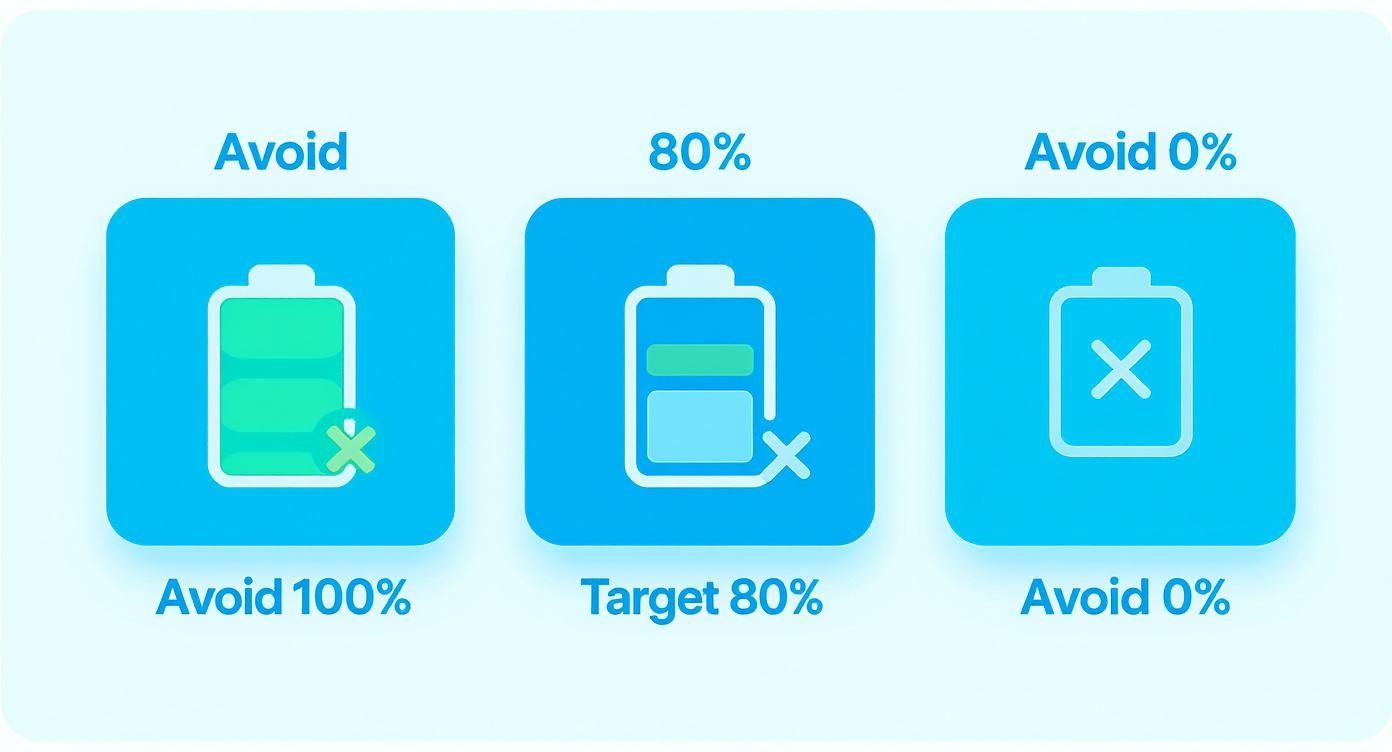
This infographic breaks the whole idea down into three simple rules for better charging.

Infographic about lithium ion battery charging best practices

As you can see, the goal is pretty clear: stay away from the extremes and aim for a comfortable limit of 80% to keep that battery healthy.

Real-World Data Confirms the Benefits

This isn't just a theory; it's backed by a lot of research and real-world data. One of the biggest discoveries in battery science is how much a partial charge—specifically between 20% and 80%—can extend its life. For example, a study of over 10,000 electric cars showed that batteries consistently charged in this range kept up to 95% of their original capacity after 1,000 charges.

What about the batteries that were regularly charged from 0% to 100%? They held on to only 70% of their capacity over the same period. You can dig deeper into these findings on battery performance to see just how much smart charging habits matter.

What this means for you is that by simply avoiding the top and bottom 20% of your battery's capacity, you can keep it running strong for way longer. You get more useful life out of every single device you own.

Practical Steps to Follow the 20-80 Rule

Putting this rule into practice doesn't have to be a chore. Modern devices and smart tools are making it easier than ever to build healthy charging habits.

Here are a few ways to get started:

  • Set Charging Limits: Many smartphones (like iPhones under "Battery Health & Charging") and electric cars let you set a charge limit, usually at 80%. Just turn on that setting and let your device do the work.
  • Use a Smart Charger: A device like Chargie is like a guard for your power outlet. You can set it to cut off the power once your battery hits a certain level, like 80%, which makes overnight charging totally safe for your battery.
  • Practice "Snack Charging": Instead of one long 0-to-100% charge, give your battery short bursts of charging throughout the day. Plugging in for 15-30 minutes here and there is much gentler on its internal parts.

Ultimately, the 20-80 rule is about changing your mindset from "full is best" to "stable is best." Sure, you might give up a tiny bit of runtime on any given day, but the long-term payoff is a battery that performs reliably for years, not just months.

Keeping Your Battery at a Comfortable Temperature

A thermometer showing a moderate, safe temperature for charging a lithium-ion battery.

Just like the 20-80% rule, getting the temperature right is a huge part of healthy charging. Batteries are a lot like us—they have a comfort zone where they work best. Push them too far outside that zone, whether it's too hot or too cold, and you're asking for trouble. It's one of the fastest ways to cause permanent damage.

Think of it as the "Goldilocks" rule for batteries. You want the temperature to be just right. For most lithium-ion batteries, that sweet spot is between 20°C and 25°C (68°F and 77°F), which is basically room temperature. Charging outside this range puts the battery's insides under serious stress, which is a sure way to speed up wear and tear.

The Dangers of Charging in the Cold

You might be surprised to learn that charging a battery when it's freezing cold is incredibly harmful. Once the temperature drops below freezing (0°C or 32°F), the chemical reactions inside the battery slow way down. If you try to force a charge in these conditions, something bad can happen inside the battery.

Think about trying to spread butter that's straight out of the fridge. It doesn't spread smoothly; it just clumps up and tears the bread. That's a good way to picture what happens. Instead of the tiny power particles moving smoothly into place, they can build up on the surface as metal. This damage can't be undone.

This buildup permanently cuts the battery's total capacity and can even create tiny internal problems, which is a major safety risk. Seriously, just a few times of charging in freezing temperatures can take a noticeable chunk out of your battery's lifespan.

The consequences are real. Data from manufacturers shows that charging below 0°C can cut a battery’s lifespan by up to 30% after only 200 charges.

Why Heat Is a Battery's Worst Enemy

While cold is bad news, heat is the enemy your battery faces far more often—and it's just as destructive. High temperatures act like a fast-forward button, speeding up all the bad chemical reactions that cause a battery to wear out over time. Every single degree above that ideal range puts extra stress on the battery, causing it to age much faster than it should.

This is exactly why you should never leave your phone charging on the dashboard of a hot car or stuff it under your pillow at night. In those spots, the heat from charging gets trapped, causing the battery's temperature to shoot up.

The link between heat and battery health is clear. Studies have shown that for every 10°C jump above the recommended range, a battery's life can be cut by as much as 25%.

Simple Tips for Temperature Management

The good news is that keeping your battery cool doesn't require any fancy equipment. It's mostly about being aware of your device's surroundings, especially while it's charging.

  • Avoid Direct Sunlight: This one’s easy. Don't charge your phone, laptop, or EV in direct sun. The combined heat from the sun and the charging process is a recipe for disaster.
  • Ensure Good Airflow: Give your devices some breathing room. Charging under blankets, pillows, or inside a cramped bag traps heat and is a very bad idea.
  • Remove Thick Cases: Some of those super-tough cases are great for drop protection but terrible for letting heat escape. If you notice your phone getting warm while charging, take the case off for a bit.
  • Let It Cool Down: If your device is hot to the touch after a heavy gaming session or using navigation, give it a few minutes to cool off before plugging it in.

Beyond just getting the most out of your battery, managing temperature is a critical safety issue. For more on battery and fire-safety considerations, especially for your home, there are some great resources available. Following these simple steps will go a long way in protecting your devices and keeping their batteries healthy for years.

Why Slow and Steady Charging Is Often Better

In a world obsessed with speed, it’s no surprise that fast charging feels like the best choice. It’s quick, it’s convenient, and it gets your phone ready to go in minutes. But when it comes to the long-term health of your battery, one of the best things you can do is go slow whenever you have the time.

Think of it like filling a glass of water. You could blast it with a firehose or fill it gently from the tap. The firehose gets the job done faster, but it's a messy, aggressive process. Slow and steady charging is like using the tap—it’s a much calmer, more controlled method that puts way less stress on your battery’s insides.

High-speed charging works by pushing a huge amount of electricity into the battery as quickly as possible. While that's great for a quick top-up, it creates a ton of heat. And as we already know, heat is the number one enemy of a healthy battery, as it speeds up the chemical reactions that cause it to wear out for good.

The Hidden Cost of High-Speed Charging

The damage from fast charging isn't just about heat. Shoving all that power in at high speeds also puts physical strain on the battery's internal parts. Over time, this repeated stress causes tiny amounts of damage that add up, slowly chipping away at the battery's ability to hold a charge.

It’s like slamming a door versus closing it gently. Both get the door closed, but one method is going to wear out the hinges and frame a whole lot faster. The exact same principle applies to your battery. Every fast-charging session adds a little more wear and tear than a slow one would.

Fast charging is a great tool for emergencies or when you're in a hurry. But it shouldn't be your go-to for everyday charging, especially overnight. A slow, gentle charge is always the healthier choice for your battery.

This is exactly why using a standard, lower-power charger is one of the smartest moves you can make, particularly when you’re plugging in for a long time, like before bed.

Finding the Right Charging Balance

You don’t have to give up fast charging forever. The trick is to be smart about when you use it. Modern phones are built to handle rapid charging, but using it less often will absolutely pay off in the long run.

Here are a few simple ways to work slower charging into your routine:

  • Use the Right Tool for the Job: When charging overnight, grab a basic 5-watt charger instead of that powerful 25-watt or 45-watt one. Your phone will be full by morning, and its battery will thank you for the gentle treatment.
  • Charge from a Laptop: A standard USB port on a computer pushes out power much more slowly than a wall charger. This makes it a perfect option for a stress-free charge.
  • Turn Off Fast Charging Features: Some phones let you turn off fast charging right in the settings. This tells the device to only accept a slower, healthier charge.

The proof is in the data. For instance, charging methods have gotten smarter. A 2023 study of electric car fleets in Europe found that vehicles using smarter charging retained 90% of their battery capacity after 800 charges. In contrast, those using basic chargers were down to just 60%.

If you want to dig deeper, you can discover more insights about maximizing battery life to see how this can lead to a 50% longer useful life for the battery. It’s a powerful example of how a controlled, steady charge preserves battery health over time.

By choosing a slower charge when you can, you’re not just following a tip—you’re actively protecting your investment and making sure your device’s battery stays reliable for years.

Common Battery Charging Myths Debunked

Bad advice about charging is everywhere, and a lot of it is out of date. To really understand lithium-ion battery charging best practices, we need to forget the old habits that might be hurting our devices. Let's clear the air and set the record straight.

This isn't about complicated science. It's about separating fact from fiction. So many of us are still following rules that made sense for old-school batteries, but they just don't apply to the modern lithium-ion ones in our phones, laptops, and EVs.

Myth 1: You Must Drain Your Battery to 0% Before Recharging

This is probably the most common myth out there, and for today's batteries, it's completely wrong. This advice comes from older battery types that had a "memory effect"—if you didn't fully drain them, they'd start to "forget" how much power they could hold.

Lithium-ion batteries have no memory effect. At all. In fact, running them down to 0% is one of the worst things you can do. As we've covered, a deep drain like that puts a ton of stress on the battery's insides, speeding up its decline. It's much, much healthier to give it shorter, more frequent top-ups.

Myth 2: Leaving Your Phone Plugged in Overnight Will Overcharge It

This one is a little tricky because it's part true, but mostly misleading. Modern phones are smart enough to stop pulling power once they hit 100%. Your device has built-in protection to prevent it from "overcharging" in a way that would cause it to fail immediately. So, is it going to explode? No.

But that doesn't mean leaving it plugged in all night is a good idea. Once the battery reaches 100%, the charging stops, but the phone immediately starts using a tiny bit of power. When it drops to 99%, the charger kicks back in to top it off. This creates a constant cycle of tiny "trickle charges" all night long.

This constant state of being topped up to 100% keeps the battery at a high-stress level for hours. While not an immediate danger, this long-term stress is a major reason why batteries lose their ability to hold a full charge.

This is exactly why so many people are looking for a better way. If you're curious, you can learn more about whether you should charge your phone overnight and what's really happening. A far better approach is using a tool like Chargie that physically cuts the power at a healthier limit, like 80%.

Myth 3: You Should Always Fully Charge a New Device Before Using It

Here's another myth from the past, a leftover from old battery technology. New lithium-ion batteries come from the factory with a partial charge, usually around 40-50%, because that's the best and most stable state for storage. You can pull your new gadget out of the box and start using it right away without causing any harm.

There's absolutely no need for a long first charge. Just use it like you normally would and start applying healthy charging habits from day one—like keeping it in that sweet spot between 20% and 80%. That’s how you set your new battery up for a long and healthy life.

Putting It All Into Practice

A person setting a charging limit on their smartphone to 80%

Knowing the ideas behind smart charging is one thing. Actually using these rules in your busy life is what really counts. This is where knowledge becomes action. Let's break down the main points of lithium-ion battery charging best practices into some simple checklists you can use right away.

These tips are designed to fit into your daily routine without much fuss. Whether it's a quick setting change on your phone or getting a device ready for storage, these practical steps will get you started with healthier charging habits immediately.

Your Smartphone and Laptop

These are the devices we use the most, and they often suffer from bad habits like being left on the charger all night. A few small changes can make a world of difference for their long-term battery health.

  • Turn on the 80% Limit: Most modern phones and laptops have a built-in feature to stop charging at 80%. Look in your battery settings and turn it on. It’s the single easiest and most powerful thing you can do.
  • Use a Slow Charger Overnight: If you have to charge while you sleep, grab a low-power charger. An old 5W phone charger or a standard computer USB port works great. This creates way less heat and puts less strain on the battery.
  • Avoid Charging in Bed: Seriously, don't charge your device under pillows or blankets. This is a recipe for trapping heat—a battery's worst enemy—and will shorten its life.
  • Practice "Snack Charging": Instead of letting your battery get very low, give it short 15-20 minute top-ups throughout the day when it's convenient. This keeps the battery in its happy place, between 20-80%.

For anyone who wants to just set it and forget it, a dedicated battery charge limiter is a total game-changer, making overnight charging completely worry-free.

Your Electric Vehicle (EV)

An EV's battery is its most expensive and important part. Taking care of it is key to protecting its value and your driving range. The rules are the same as for your phone, just on a much bigger scale.

The real secret to a long-lasting EV battery is consistency. A daily charging routine that respects the battery’s limits will pay you back for years, helping your car hold onto as much of its original range as possible.

Just follow these simple rules for your daily EV charging:

  1. Set a Daily Charge Limit: For your regular commute and driving around town, limit your vehicle's charge to 80%. Only push it to 100% when you know you're heading out on a long road trip and will need all the range.
  2. Stick to Level 2 Charging: Whenever you can, use a Level 2 (240V) charger at home or work. Save the DC fast chargers for road trips, as their high power and heat can cause extra wear if used too often.
  3. Charge in a Sheltered Spot: If possible, plug in your EV inside a garage or under a carport. This helps protect the battery from extreme summer heat or bitter winter cold while it's charging.

Long-Term Device Storage

Putting an old tablet, phone, or laptop away for a few months? Don't just toss it in a drawer and forget about it. How you store it really matters.

  • Aim for a 50% Charge: Never store a device with a totally full or completely dead battery. A charge level around 50% is the sweet spot—it’s the most stable state and puts the least amount of stress on the battery over time.
  • Keep It Cool: Find a cool, dry place for storage. You'll want to avoid attics or basements where the temperature can change a lot.
  • Check In Every So Often: Every few months, it's a good idea to turn the device on and top the battery back up to around 50% just to keep it healthy.

Still Got Questions About Charging?

Even with all the best practices laid out, a few common questions always seem to pop up. Let's tackle some of the most frequent ones to clear up any confusion.

"Is It Bad to Top Up My Phone Multiple Times a Day?"

Not at all. In fact, it’s one of the best things you can do for your battery.

These little "snack charges" are much healthier than letting your phone drain way down and then charging it all the way back to 100%. Think of it as keeping your battery in its happy place—that sweet spot between 20% and 80%. Short, frequent top-ups reduce the stress inside the battery.

So go ahead, plug it in for 15 minutes here and there. Your battery will thank you for it with a much longer, healthier life.

"Should I Turn My Phone Off While It Charges?"

It’s not absolutely necessary, but it definitely helps. Why? One word: heat.

Using your phone for anything demanding while it's plugged in—like gaming or streaming video—creates a ton of extra heat. And as we've covered, heat is the number one enemy of battery health.

By turning it off (or even just switching to airplane mode), you let the battery charge in a cool, stress-free state. It's a simple move that prevents a lot of unnecessary heat damage over time.

"What Exactly Is a Charge Cycle, and How Do These Tips Help?"

A charge cycle is just a way of measuring battery wear. It represents one full drain from 100% down to 0% and back up again. This doesn't have to happen all at once—charging from 50% to 100% twice counts as one complete cycle.

Every lithium-ion battery can only handle a certain number of cycles before it starts to get much weaker. Your average smartphone battery is good for about 300-500 full cycles before its ability to hold a charge drops off a cliff.

This is where all our tips come into play. By practicing partial charging and avoiding those extreme highs and lows, you’re basically reducing the "wear and tear" of each charge. You use up your limited cycles much, much more slowly.

The end result? You get way more useful charges out of your battery before it hits that limit, stretching its lifespan and keeping your phone feeling new for longer.


Take complete control of your battery health with Chargie. Our smart charging device makes it effortless to implement these best practices, automatically stopping your charge at a healthy 80% to prevent overnight damage and extend your device's life by up to 4x. Learn more and protect your battery at https://chargie.org.

Chargie is a smart charging device designed to extend the lifespan of your phone's battery by limiting overnight charging.

Company

Lighty Electronics SRL
42 Viorelelor st
305500 Lugoj, Romania

EU VAT: RO35245011

© 2019-2026 Lighty Electronics SRL. All Rights Reserved.

Add to cart