
Clicky

When to Charge iPhone: The Best Way to Keep Your Battery Healthy

If you’re looking for the simplest answer on when to charge your iPhone, here it is: try to keep the battery between 20% and 80%. Seriously. Avoiding the extremes—letting it die completely or leaving it plugged in at 100% for hours—is the single best habit you can adopt. It reduces stress on the battery, helping it live a much longer, healthier life.

The Ideal Charging Range for Your iPhone
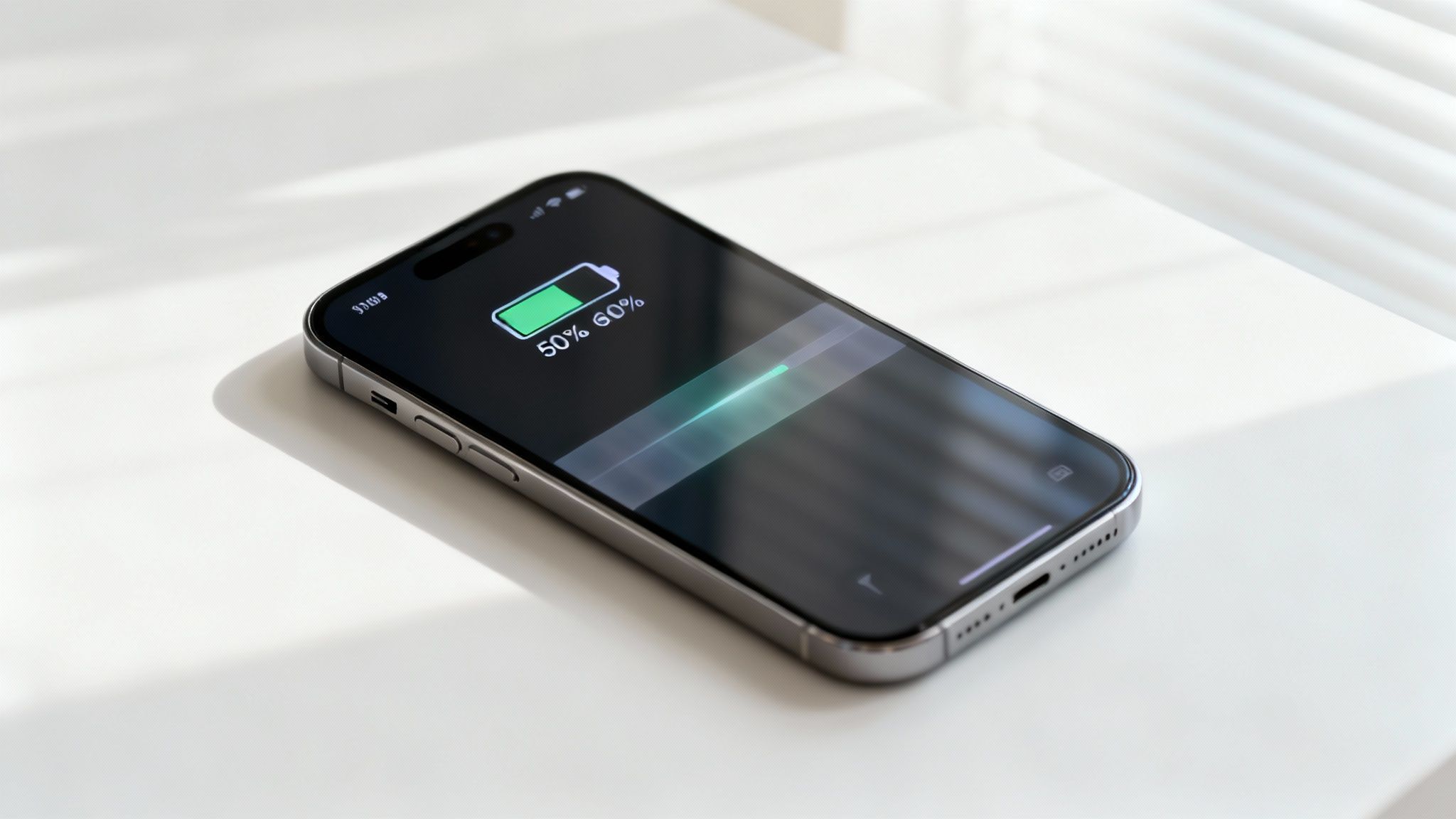
An iPhone showing 50% battery life and a charging animation on a white table.

Think of your iPhone's battery like a muscle. You can push it to its absolute limit or run it until it's completely exhausted, but doing that over and over again causes a lot of strain. Eventually, that muscle gets worn down and just can't perform like it used to.

It’s the same story with the battery in your phone. It’s happiest and works best when it's not sitting at those extreme ends of its power. That 20% to 80% range is the "sweet spot" that slows down the aging process, helping your battery hold a strong charge for years, not just months.

And this isn't just some internet myth; it's based on how these batteries work. Research and user reports show that simply limiting your charge to 80% can slow down battery aging by a lot. That means a stronger battery for longer, just by changing when you plug in and unplug. As explained in this UNILAD article on battery technology, this small change pays off in a big way.

Why the 20 to 80 Rule Matters

Following the "20 to 80" rule isn't just a suggestion; it’s an active way to get the most out of your device. By making this a habit, you’re taking direct control over how well your battery ages.

Here's a look at some common charging habits and how they can impact your iPhone’s battery over time.

How Different Charging Habits Affect Your iPhone

Charging Habit Impact on Battery Health Our Recommendation
Charging to 100% and leaving it plugged in High. Keeping the battery at full charge for a long time causes stress and extra heat, which leads to a lot of wear. Avoid. Unplug once it hits 80-90% if you can.
Frequently draining to 0% High. Letting the battery die completely can mess up its internal parts, causing it to lose its strength quickly. Avoid. Start charging when it drops to around 20-30%.
Keeping it between 20-80% Low. This "sweet spot" reduces stress and heat, which slows down battery aging a lot. Highly Recommended. This is the ideal daily habit.
Small, frequent top-ups during the day Very Low. This is much gentler on the battery than one long charge from empty to full. Good Practice. Don’t be afraid to top up when it's easy to do.

Ultimately, adopting better habits is the key to preserving your device. Here’s why that 20-80 approach is so effective:

  • It Reduces Stress. When a battery sits at 100%, it's in a high-stress state that puts a strain on its internal parts. Capping the charge at 80% keeps it in a much more stable, less stressful condition.

  • It Prevents Deep Drains. Letting the battery fall below 20% too often can mess with its chemistry. Consistently running it down to 0% is one of the quickest ways to permanently weaken its ability to hold a charge.

  • It Minimizes Heat Buildup. Heat is the number one enemy of battery health. Charging from a very low level all the way to full generates a lot more heat than smaller, more frequent top-ups within that sweet spot.

Adopting the 20-80 rule is the single most effective change you can make to preserve your iPhone's battery. It’s a small adjustment to your daily routine that delivers significant long-term benefits.

Understanding Why Your iPhone Battery Gets Weaker

Ever notice how a brand-new iPhone feels like it could last forever, but a year or two down the line, you're constantly hunting for a charger? It's not in your head. Every rechargeable battery, including the one tucked inside your iPhone, slowly loses its ability to hold a full charge. This is called battery aging, and it's a completely natural part of its life.

The great news is that you have a surprising amount of say in how fast this happens. The secret is knowing what really stresses out your battery. Forget the complicated science for a second; let's use a simpler analogy.
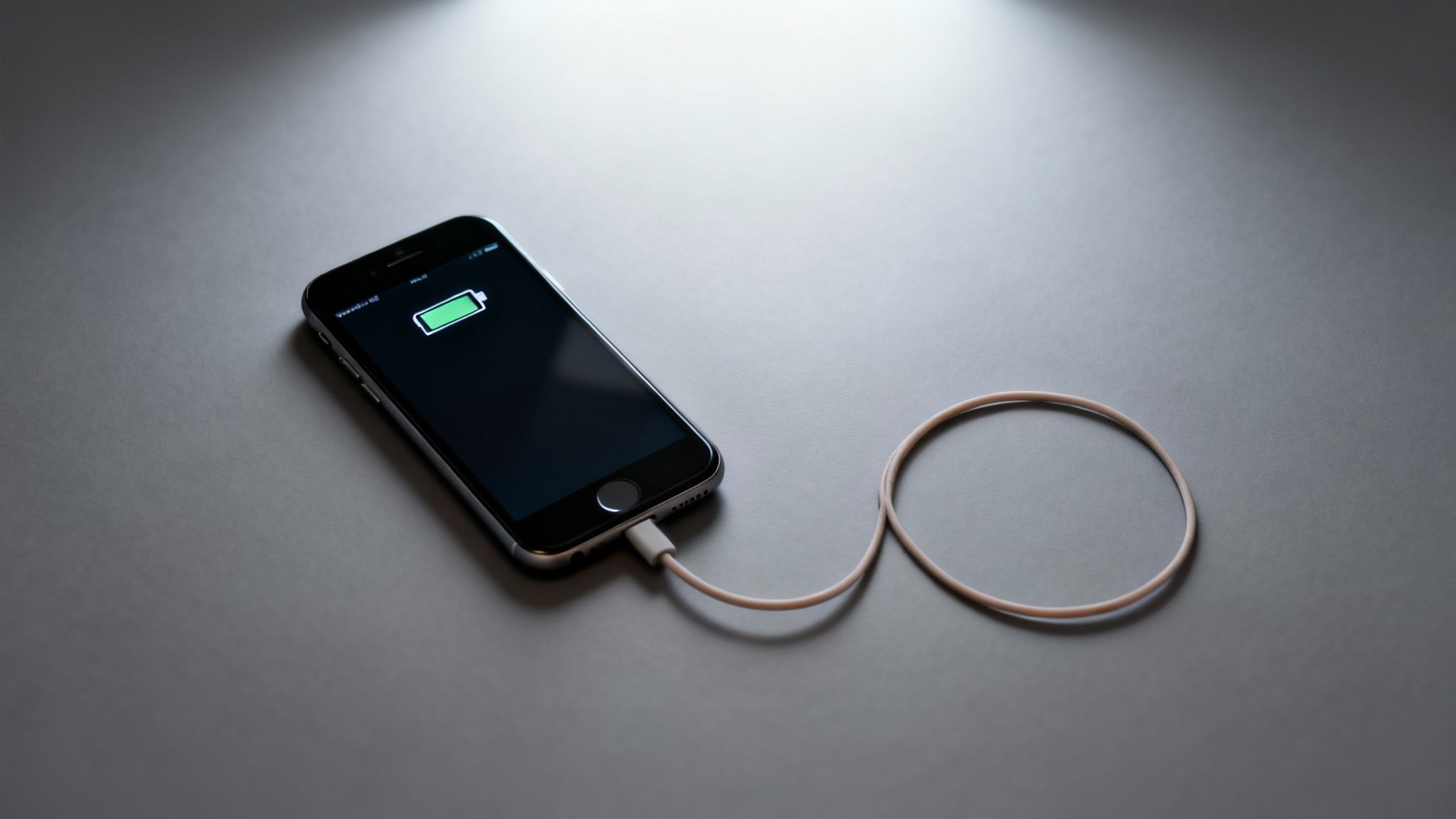
A black iPhone is charging with a white cable, displaying a green battery icon on a dark grey surface.

The Rubber Band Analogy

Think of your iPhone's battery as a new, stretchy rubber band. When you charge it all the way to 100%, you're stretching that band to its absolute limit. Let it drain down to 0%, and you’re letting it go completely slack. While it can handle this, doing it over and over puts a ton of strain on the rubber band.

Eventually, it loses its stretchiness. It gets brittle, worn out, and just can't snap back like it used to. This is exactly what’s happening inside your battery. Consistently pushing it to the extremes of 0% and 100% dramatically speeds up its aging process, permanently reducing its ability to hold a charge.

Every time you charge and use up your phone's power, you complete what’s known as a "charge cycle." Each cycle adds a tiny, almost unnoticeable bit of wear. But how much you charge and drain it—how far you stretch that rubber band—is what really matters.

A small top-up, say from 40% to 70%, is like a gentle stretch. It causes very little wear. A full charge, from 0% all the way to 100%, is a massive pull that does way more damage. The real key to long-term battery health is simply to avoid those stressful extremes as much as you can.

Your Daily Habits and Battery Health

How you use and charge your phone every single day directly impacts how long its battery will perform at its best. It's not about one bad charge; it's the combined effect of hundreds of charging sessions over months and years.

Think about these common scenarios:

  • Leaving It Plugged in Overnight: Your phone hits 100% around 2 AM but stays connected to the charger for another five hours. This keeps that "rubber band" stretched tight, causing constant stress and generating heat—another major enemy of battery health.
  • Running It Until It Dies: You often use your phone until it shuts itself off. This is like letting the rubber band go completely limp, which can harm its internal parts over time.
  • Charging in a Hot Car: Leaving your phone to charge on the dashboard in the sun is like stretching the rubber band while also leaving it out in harsh weather. That combination of high heat and high stress is incredibly damaging.

Just like a rubber band, your iPhone's battery is healthiest when it's kept in a comfortable, relaxed state—not fully stretched and not completely slack. This is why the 20-80% rule is so effective; it avoids the points of highest stress.

What Is a Charge Cycle, Really?

Understanding charge cycles helps make sense of why these habits matter so much. Apple defines one charge cycle as using an amount equal to 100% of your battery’s power—but not necessarily all at once. For example, if you use 60% one day, charge it back up, and then use 40% the next, you’ve completed one full charge cycle over those two days.

Your iPhone battery is designed to hold up to 80% of its original power after 500 full charge cycles. Past that point, you’ll really start to notice a drop in how long it lasts. By avoiding deep drains and full charges, you make each of those cycles far less stressful, effectively slowing down that countdown to 500. This simple shift helps you get way more life out of your device before its performance starts to fade. The goal isn't to stop using your phone, but to start charging it smarter.

Busting the Big iPhone Charging Myths

When you ask how to best charge your iPhone, you're bound to get a ton of conflicting advice. A lot of what people think they know is actually ancient history, leftover from the days of flip phones and those chunky old batteries.

That old advice doesn't just miss the mark for modern iPhones; it can actually hurt their advanced batteries. It's time to clear the air and separate the myths from what really keeps your battery healthy.

Once you see where these myths came from and why they don't apply today, you'll be able to charge your phone with confidence, knowing you're doing it right.

Myth 1: You Have to Drain Your Battery to 0% Before Charging

This is probably the most common—and most damaging—myth out there. The whole idea of "training" your battery by running it completely dead comes from old batteries, which suffered from a strange "memory effect." If you didn't fully drain them, they'd start to "forget" they could hold a full charge.

Modern iPhone batteries have no memory effect. Zero. In fact, doing the opposite is what keeps them happy. Constantly draining your iPhone to 0% puts a massive amount of stress on its internal parts, which makes it age much faster.

Seriously, letting your battery die all the time is one of the fastest ways to weaken it. It's so much better to plug it in when it gets down to around 20-30%.

Myth 2: Charging Your iPhone Overnight Will Destroy the Battery

The fear of leaving your phone plugged in all night is a classic. You can just picture it overcharging and frying itself, right? While keeping a battery at 100% for hours isn't great for it, your iPhone is a lot smarter than people give it credit for.

iPhones have built-in safety features that stop the flow of power once the battery hits 100%. It doesn't keep cramming electricity in. The real enemy here isn't overcharging; it's the long time your battery spends in that high-stress, fully charged state.

Thankfully, Apple has a trick up its sleeve for this.

Your iPhone’s Secret Weapon: Optimized Battery Charging

Apple built a clever feature called Optimized Battery Charging to tackle this exact problem. Once you turn it on, your iPhone starts learning your daily routine. It’ll charge up to 80% relatively quickly and then just… wait. It pauses the charging process and only tops off that last 20% right before you usually wake up.

This little feature is a game-changer. It drastically cuts down on the time your phone spends sitting at that stressful 100% mark. Think of it as your phone’s own built-in defense system against overnight charging damage.

Here's why it works so well:

  • Less Stress: It keeps the battery out of that high-stress 100% state for most of the night.
  • Cooler Temps: Less time actively charging means less heat builds up, and heat is a major battery killer.
  • It’s Automatic: You just flip a switch in your settings, and it does the rest.

Myth 3: You Should Only Ever Use Official Apple Chargers

Look, using a certified charger is always a smart move, but you definitely don't have to stick only to Apple's own white bricks. What really matters is using high-quality cables and chargers that are MFi (Made for iPhone) certified.

MFi certification is basically Apple's seal of approval. It means the product has been tested to meet their safety and performance standards. Those super-cheap, no-name chargers you find at gas stations? That's where you get into trouble. They can deliver uneven power, lack proper safety controls, and potentially damage your iPhone’s charging port or even the battery itself.

So, the myth has a grain of truth—you absolutely should avoid junk chargers. But you’ve got plenty of great, safe options from other reputable brands. Just make sure you see that MFi logo on the box.

Finding Your Perfect Charging Rhythm

Knowing the science behind smart charging is great, but what really saves your battery is building a practical, real-world routine. Let's be honest, there's no single "best" time to charge your iPhone because everyone's day is different. The key isn't to become obsessed with your battery percentage, but to find a simple rhythm that keeps your device in that happy 20-80% zone without you even thinking about it.

The goal is to make smart charging an effortless habit, not another chore. So, let's get practical and see how different lifestyles can adopt a healthy charging rhythm. Just find the profile that sounds most like you, and you'll see how easy it is to fit these tips into your day.

The 9-to-5 Professional

If you spend most of your day at a desk with a charger nearby, you're in a great position to keep your battery healthy. Your environment gives you total control over when and how long you charge.

Your main goal is to stop leaving your phone plugged in at 100% all day. That constant, high-power state is a major source of battery stress. It's like holding a muscle in a tensed position for hours on end. Instead, try this:

  • Morning Coast: If you charged overnight, your phone is likely full. Let it run down naturally through the morning.
  • Post-Lunch Boost: By mid-afternoon, you might be hovering around 40-50%. Perfect. Plug it in for an hour or so until it hits about 75-80%, then unplug it.
  • Ride It Out: That single top-up should easily get you through the rest of the workday and your commute home.

For desk workers, the biggest hurdle is just remembering to unplug the thing. A simple timer on your phone or computer works wonders. Think of it as "charge snacking"—much gentler than leaving it plugged in for eight straight hours.

The On-the-Go Commuter

Always on the move? Whether you're driving for work, running errands, or just have a long commute, that car charger can feel like a lifeline. It’s convenient, for sure, but it requires a slightly different strategy to avoid constantly maxing out your battery.

Car chargers, especially the fast-charging kind, can generate a ton of heat—battery health's public enemy number two (right after being at full power). The trick is to use them for quick, strategic boosts, not as a permanent power source.

A quick 20-minute charge in the car can give you a 20-30% bump. That's usually more than enough to get you through the next part of your journey without over-stressing the battery.

Here’s a rhythm that works well for anyone who spends a lot of time on the road:

  • Charge Before You Go: If you can, give your phone a little juice before leaving home so you aren’t starting your trip in the red.
  • Use Drive Time Wisely: Don't leave it plugged in for the whole drive. Instead, charge in short bursts. Plug it in for 15-30 minutes, then let it be.
  • Avoid the Dashboard Sun-Bath: Never, ever leave your phone charging in direct sunlight on the dash. The combined heat from the sun and the charger is a recipe for battery damage.

The Power User

Are you a gamer, a content creator, or just someone who is glued to their phone for demanding tasks? Power users burn through their batteries way faster than average, which makes smart charging habits even more crucial. Your focus should be on frequent, small top-ups to keep up with your high usage.

Practically speaking, daily iPhone battery life has come a long way. Newer models like the iPhone 15 series can deliver 8 to 9 hours of typical use, but older models like the iPhone 8 were closer to 5 hours. As you can see from this data on how iPhone battery life has changed over the years on Vegerpower.com, a daily charging plan is essential for everyone, especially power users who need to stay above that 20% floor.

Here’s a practical schedule for the power user:

  • Plan Around Activity: Know you have a long gaming session coming up? Plug your phone in beforehand and get it to around 70-80%. And try to avoid gaming while it's actively charging—that combo creates a ton of heat.
  • Embrace "Opportunity Charging": Whenever you take a break, plug your phone in for just 10-15 minutes. These little micro-charges are perfect for keeping you in that ideal 20-80% range without needing a long, dedicated charging session.

Ultimately, your perfect rhythm comes down to your unique needs, and you might even switch between these profiles on different days. Once you get the core ideas, you can adapt on the fly. This is especially true when it comes to overnight charging. If you're wondering how to apply this thinking after dark, you can learn all about how to safely charge your iPhone overnight in our detailed guide.

Avoiding Heat: The Silent Battery Killer

Let's talk about something that kills iPhone batteries just as fast, if not faster, than bad charging habits: heat. Heat is the silent assassin of phone batteries. You can follow the 20-80% rule perfectly, but if your phone is constantly getting hot while charging, you're still doing serious damage.

Think of your battery like a person—it’s most comfortable at room temperature. When things get too hot, the chemical reactions inside go haywire, causing permanent harm to its ability to hold a charge. This is why knowing when to charge your iPhone is also about knowing where and how to charge it to keep things cool.

Common Heat Culprits During Charging

Most of the time, we’re the ones turning up the heat without even realizing it. A few simple, everyday habits can turn a normal charging session into a battery-destroying sauna.

Here are some of the biggest offenders:

  • Gaming While Plugged In: Firing up a powerful game makes your phone's brain work overtime, generating a ton of internal heat. Add the heat from charging into the mix, and you've created a perfect storm for battery stress.
  • Leaving it in a Hot Car: A car's interior can feel like an oven, especially in direct sunlight. Charging your iPhone on the dashboard is one of the quickest ways to cook its battery.
  • Using Bulky Cases: Many thick or poorly designed cases act like a winter jacket, trapping the heat that naturally builds up when you charge. This prevents the phone from cooling itself down properly.
  • Charging on Soft Surfaces: Tossing your phone on a bed, couch, or blanket while it charges is a bad idea. It blocks air from getting around the phone and traps heat right underneath it.

To figure out the best charging approach for your daily grind, this little flowchart can point you in the right direction.
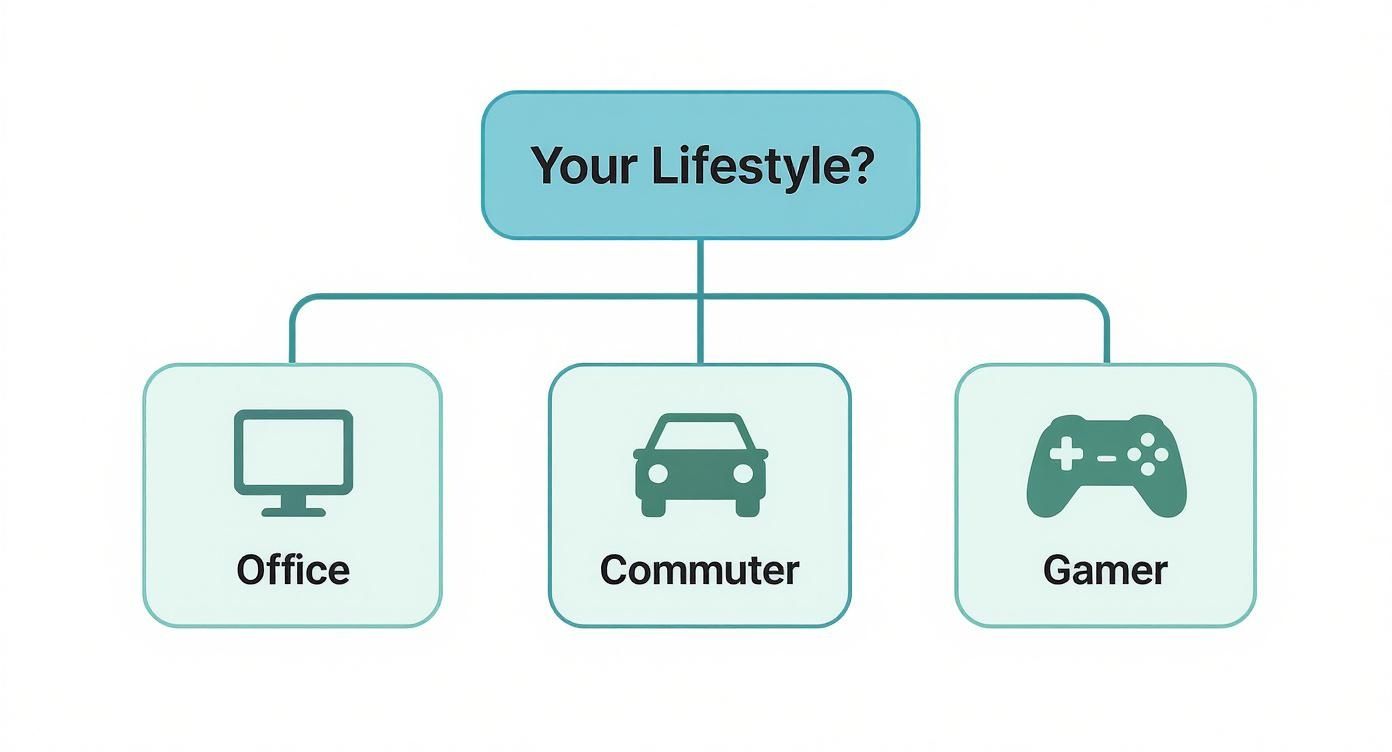
A flowchart titled 'Your Lifestyle?' with branches for Office, Commuter, and Gamer.

As you can see, whether you're at a desk all day, constantly on the move, or a power user, your routine is the key to a smarter charging strategy.

What About Fast Charging and Wireless Charging?

Convenience usually comes with a catch. Fast charging and wireless charging are both fantastic, but they almost always generate more heat than a standard, slow-and-steady wired connection. This isn't to say you should ditch them entirely, but it's something to be aware of.

The impact of heat is a huge factor in battery aging. Studies show that high temperatures can dramatically speed up a battery's decline, while cooler conditions keep it healthy. Wireless charging, in particular, is known for generating extra heat, especially if the phone isn't lined up perfectly on the pad or is stuck inside a thick case.

Keeping your iPhone cool while it charges is just as important as managing the battery percentage. A cool battery is a happy, long-lasting battery.

The good news is that simple habits make a big difference. Take the case off before a long charge. Place your phone on a hard, flat surface like a desk. And for goodness' sake, keep it out of direct sunlight. The relationship between temperature and charging is a deep topic, and you can learn more about the deep impact of heat on battery degradation in our detailed analysis. By getting a handle on heat, you add another powerful tool to your battery-saving arsenal.

How to Automate Smarter Charging Habits

Trying to manually manage your iPhone’s battery can feel like just another chore on an already long to-do list. The good news is you don't have to. You can put smart charging on autopilot and let your phone and a few clever tools do the heavy lifting for you. It's never been easier to make great battery health a "set it and forget it" part of your routine.

Your first line of defense is built right into your iPhone. Apple gives you a couple of powerful, no-fuss features designed to protect your battery from the stress of sitting at full charge.

  • Optimized Battery Charging: This is Apple's clever, hands-off approach. It learns your daily habits, charges your iPhone to 80%, and then waits. It only tops it off to 100% just before it thinks you'll unplug it in the morning.
  • 80% Limit (iPhone 15 models): If you want more direct control, this setting is as straightforward as it gets. It simply tells your iPhone to stop charging once it hits 80%. Period. This keeps your battery out of that high-stress red zone.

Just by flipping on Apple's built-in features, you’re already taking a huge step toward better battery health without any extra effort. They just work quietly in the background, saving your battery from unnecessary wear and tear.

Taking Automation to the Next Level

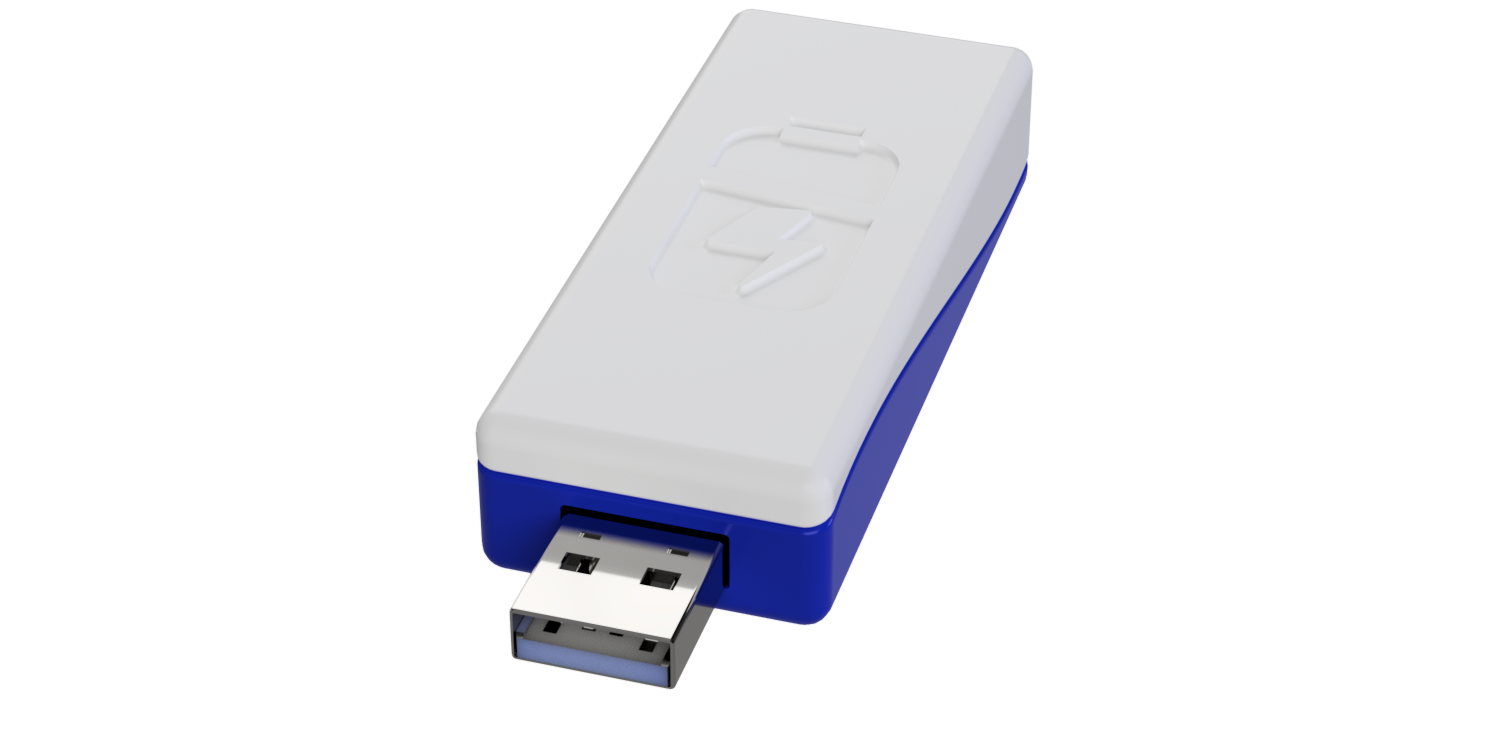
Apple’s tools are a fantastic start, but what if you want more precise control over your charging schedule? This is where special hardware solutions come into play, offering a physical safeguard that works separately from your phone's software. One of the best-known tools for the job is Chargie.

For those who really want to get into the details, you can learn more about how Apple’s Optimized Battery Charging works in our detailed guide and see how it stacks up against external solutions.

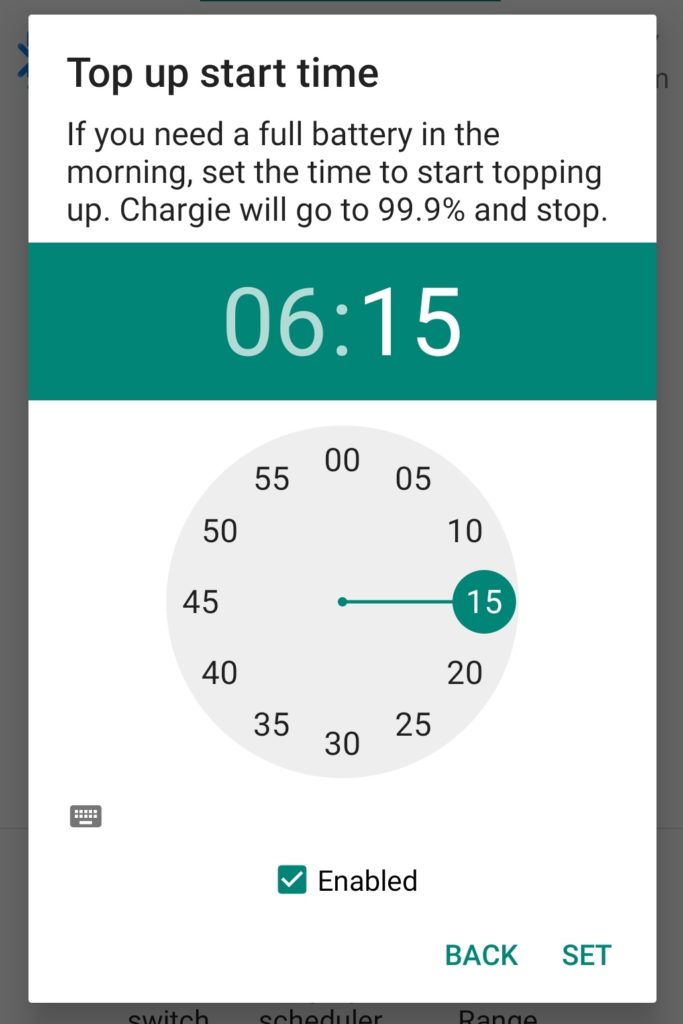
This screenshot from the Chargie app shows you just how precise this kind of physical control can be.

You can see right in the app how you can set a specific percentage, and the hardware will physically cut the power once your phone reaches that level.

Unlike a software-only solution, a hardware device like this acts as a smart gatekeeper for the electricity itself. It doesn’t just tell the phone to stop; it physically stops the charge at your chosen level—say, 75%. This gives you a foolproof way to prevent your phone from sitting at 100% for hours. It’s a powerful guarantee that you’re always keeping your battery in its happy place, making smart charging truly effortless.

Alright, we've gone through the science behind your iPhone's battery and the best ways to charge it. Still, you probably have a few specific scenarios nagging at you. Let's tackle some of the most common questions I hear, so you can plug in with total confidence.

Is It Better To Charge My iPhone in Small Bursts?

Absolutely. Charging in smaller bursts throughout the day is one of the best habits you can adopt. Think of it as "topping up." This keeps your battery humming along in that ideal 20-80% range.

A quick boost from 40% to 70% puts way less strain on the battery than a marathon session from nearly dead to completely full. It's like snacking instead of eating one massive meal—it's just easier on the system. Modern batteries don't have a "memory effect," so these frequent, partial charges are actually great for their long-term health.

Should I Use a Fast Charger with My iPhone?

You can, but it's a trade-off: speed for a longer battery life. Fast charging is a lifesaver when you're in a pinch, but that extra power generates more heat, and heat is the number one enemy of a healthy battery.

For your daily routine or overnight charging, a standard, slower charger is the much gentler choice. If you do need to charge up quickly, just make sure your phone is in a cool place and you're not trying to run a graphics-heavy game at the same time.

Key Takeaway: Slow and steady wins the battery health race. Save the fast charger for emergencies and stick to slower charging for the day-to-day.

Does Leaving My iPhone Plugged in at 100% Damage the Battery?

It sure does. Holding your iPhone's battery at 100% for a long time is one of the most stressful things you can do to it. That high-power state speeds up its aging process. Your iPhone has built-in protections to stop it from overcharging, but just sitting at full capacity is damaging all on its own.

This is the exact problem Apple's "Optimized Battery Charging" feature tries to solve by pausing the charge at 80% for most of the night. But for the ultimate protection, it's always better to unplug it or, even better, use a tool that physically cuts the power at a healthier level.

How Can I Check My iPhone's Battery Health?

It’s super easy to get a report card on your battery's health right from your settings. Just a few taps:

  1. Open up the Settings app.
  2. Scroll down and tap on Battery.
  3. Choose Battery Health & Charging.

You'll see a "Maximum Capacity" percentage here. This number shows you how your battery is holding up compared to when it was brand new. If you see a number below 80%, it's a sign that it has worn down a lot. This is also where you can turn on "Optimized Battery Charging" to help slow down any more aging.


Want to take complete, automated control of your charging habits? That's what Chargie was built for. By physically stopping the charge at the perfect level, Chargie makes it effortless to extend your iPhone's battery life by up to 4x. Get your Chargie today and make battery worries a thing of the past.
How long do cell phone batteries last: A quick guide

When you ask, "how long do cell phone batteries last?" you’re really asking two different questions at once. One is about today, and the other is about the next few years.

On a single charge, any new smartphone should get you through a full day of normal use. But the battery's total lifespan—how long before it gets tired and can't hold a charge anymore—is a different story. You're usually looking at about two to three years for that.

Two Sides of Battery Life: Daily Use vs. Total Lifespan

A smartphone on a charging stand on a wooden nightstand with a bed and window, featuring 'ALL-DAY BATTERY' text.

It’s easy to mix these two up, but knowing the difference is the secret to making your phone last longer. One is a sprint; the other is a marathon.

Think of it like a new pair of running shoes. Their daily performance is how far you can comfortably run today. Their total lifespan is how many miles you can rack up before the soles wear out and you have to buy a new pair. Your phone’s battery ages the same way.

To make this crystal clear, let's break it down.

Metric Average Timeframe What It Means
Daily Battery Life ~10-20 hours This is your phone's stamina on a single charge. It's how long you can scroll, text, and stream before you need to find an outlet.
Total Battery Lifespan ~2-3 years This is the battery's overall health. It’s the total time before it wears out and can't hold a decent charge anymore.

Understanding both sides of this coin is the first step toward better battery habits.

Daily Battery Life (Per Charge)

This is the one we worry about every day. It's the countdown from a 100% charge down to that dreaded 0%. Phone makers love to advertise "all-day battery life," and for the most part, they deliver—if your day involves texting, some web browsing, and a few photos.

But the moment you start a demanding game, stream Netflix for hours, or use Google Maps for a road trip, you'll see that battery meter drop much, much faster. This is your battery's daily runtime, and it changes completely based on what you’re doing right now.

Total Battery Lifespan (In Years)

Now for the long game. A battery’s total lifespan isn't measured in hours; it's measured in charge cycles, which add up over years.

A single charge cycle is one full drain and recharge—going from empty all the way up to full. This can happen in one go or over a few partial charges. The battery in a typical smartphone is built to last for around 300 to 500 of these full cycles. Once you pass that mark, its ability to hold a charge starts to noticeably weaken.

For most of us, that translates to about two or three years of real-world use before the battery just can't keep up anymore.

This predictable wearing out is a huge reason people feel forced to upgrade their phones. The average lifespan of a smartphone is around 2.5 years globally, and the battery getting weaker is a primary cause. You can see more data on how battery health drives phone upgrades over at BankMyCell.com.

This brings us to the most important takeaway: your daily charging habits have a direct and powerful impact on how quickly you use up those precious cycles. It’s not just about getting through today; it’s about making sure your battery is still healthy a thousand days from now.

Why Every Phone Battery Eventually Weakens

Ever notice how a brand-new phone feels like it can run forever, but a year later, you’re hunting for a charger by 5 PM? That’s not you doing something wrong—it's just a simple truth of modern batteries called battery aging. It's completely normal, and it happens to every single device.

Think of your battery like a brand-new water bottle. When you first get it, it holds a specific amount. You can fill it to the top and get that full amount out every single time.

Now, imagine that with every refill (charging) and every sip (usage), the bottle's material changes just a tiny bit. You don't notice it at first. But after hundreds of refills, that once-perfect bottle might only hold half as much. That’s exactly what's happening inside your phone.

The Science of a Shrinking "Tank"

Your phone is powered by a lithium-ion battery. It works by moving tiny charged particles from one side to the other. When you plug it in, the particles move to the "full" side. When you use your phone, they travel back to power your screen and apps.

But with every round trip, a few of those particles get lost or stuck. These tiny failures build up over time, causing permanent changes that reduce the battery’s total ability to store energy.

The result is a slow but steady loss of maximum capacity. A battery that started with a 4,000 milliamp-hour (mAh) capacity might only hold 3,200 mAh after a couple of years. It’s now effectively at 80% of its original stamina.

This is why an older phone doesn’t just seem to drain faster—it literally can't hold as much juice as it could when it was new.

Charge Cycles: The Real Measure of Battery Age

A battery’s age isn't best measured in years, but in charge cycles. One complete cycle is counted every time you've used a full 100% of its capacity. It doesn't have to happen in one go.

For instance:

  • Draining your phone from 100% all the way down to 0% is one full cycle.
  • Using it from 100% to 50%, charging back to full, and then using it down to 50% again also counts as one full cycle (50% + 50% = 100%).

Most smartphone batteries today are built to keep about 80% of their original capacity after 300 to 500 full charge cycles. For the average person who plugs in their phone every night, that works out to about two to three years before the decline really starts to get annoying.

It Happens to Every Battery

This aging process is just a part of how these batteries work. It’s happening in your phone, your laptop, and even in the massive batteries that power electric cars. You can't stop it, but you absolutely can slow it down. Understanding the factors that influence phone battery life is the first step to keeping your device healthy for the long haul.

Ultimately, it helps to think of your battery as a part that wears out, just like the tires on your car. It’s not meant to last forever, but with a little bit of care, you can make sure it gives you great performance for as long as possible.

The Four Biggest Enemies of Your Battery Health

Every battery ages and loses strength over time—that’s just chemistry. But some habits can drastically speed up that decline. Think of your battery’s health like a block of ice on a hot day; certain conditions will make it melt way faster than it should.

Understanding what causes this faster aging is the first step toward making your phone last longer. Four main culprits are silently wearing down your battery's ability to hold a charge. Let's dig into what they are and how you can fight back.

1. Extreme Heat

Heat is, without a doubt, the number one enemy of your phone's battery. Just like leaving food out in the sun makes it spoil, exposing your battery to high temperatures causes permanent damage.

We’ve all done it: left our phone on the car dashboard, on a sunny windowsill, or maybe used it for an intense gaming session while it was plugged in. These situations can easily push the internal temperature into the danger zone. Anything above 95°F (35°C) puts serious stress on a battery, causing it to wear out much faster.

Key Takeaway: Heat forces the parts inside your battery to work too hard, wearing them out early. Keeping your phone cool is the single most effective thing you can do for its long-term health.

This is a major reason why batteries in hotter climates often give up much sooner than those in cooler regions.

2. Harmful Charging Habits

How you charge your phone matters a lot more than you probably think. It’s tempting to just plug it in overnight and let it hit 100%, or run it all the way down to 0% before scrambling for a charger. But these habits put the most strain on the battery.

Think of it like repeatedly stretching a rubber band as far as it can go. It'll work for a while, but it will lose its stretchiness and snap much faster than if you were gentle with it.

  • The 20-80 Rule: The best range for a phone battery is keeping its charge between 20% and 80%. Staying in this range reduces stress and can dramatically slow down the aging process.
  • Avoiding the Extremes: Constantly pushing the battery to 100% or letting it die at 0% contributes to faster wear and tear on the delicate chemistry inside.

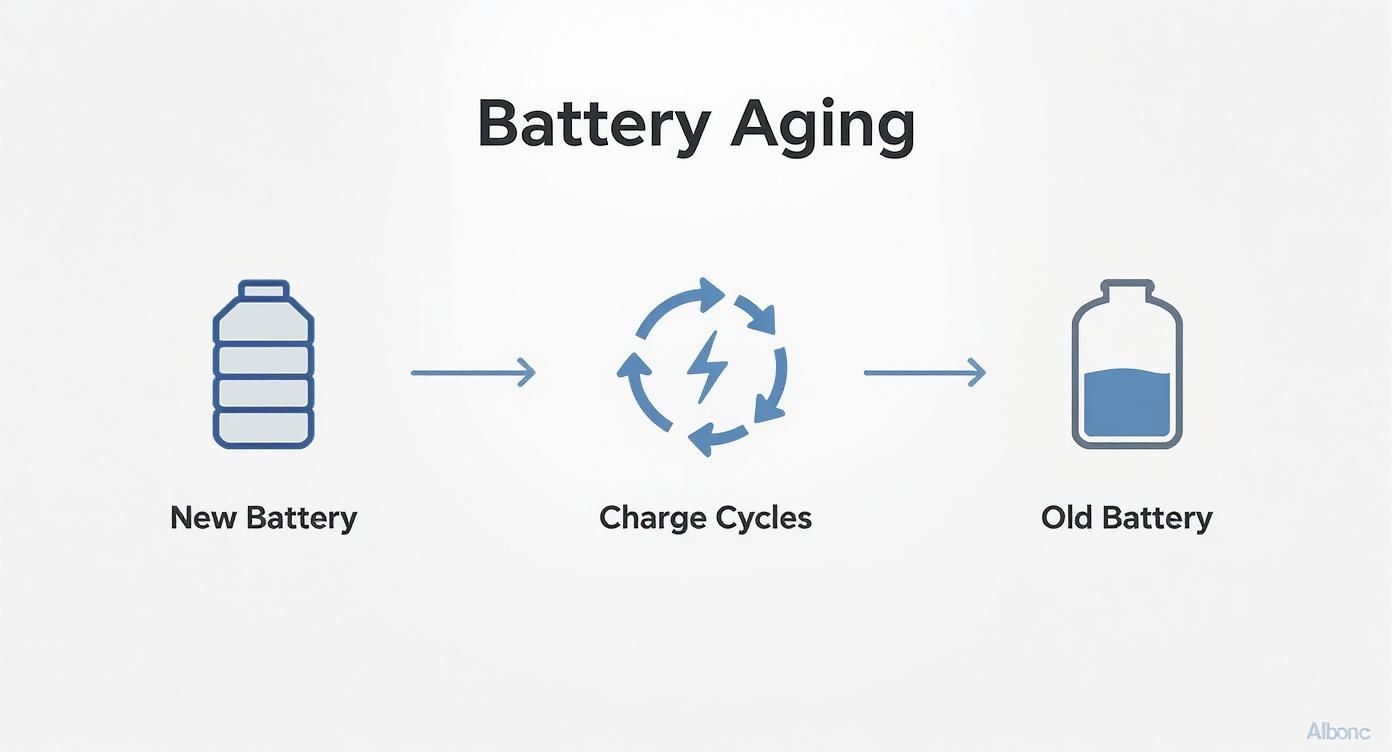
Diagram illustrating battery aging, showing a new battery undergoing charge cycles to become an old battery with reduced capacity.

This image nails it. Each full charge cycle is a small step toward a battery that just can't hold a charge like it used to.

3. The Double-Edged Sword of Fast Charging

Fast charging feels like magic when you're in a hurry, but it comes with a hidden cost. Forcing a high amount of power into the battery quickly generates a ton of heat—and as we just covered, heat is the ultimate battery killer.

Imagine filling a water balloon. You can turn the hose on full blast and get it done quickly, but you're putting a lot of pressure on the balloon itself. A slower, gentler flow is much less stressful.

Relying on a fast charger every single day, especially if you're in a warm room, will absolutely contribute to faster aging. The convenience you get today might mean you're buying a new battery (or a new phone) a year from now.

4. Leaving Your Phone at 0% or 100%

Storing your phone at either extreme of its charge level for long periods is another sure way to cause permanent harm. Both states put the battery in a highly stressed condition.

  • Leaving it at 0%: When a battery is left completely dead for too long, it can fall into a "deep discharge" state. From there, it can be difficult or even impossible to bring back to life.
  • Leaving it at 100%: Keeping a battery at a full 100% charge, like when it’s plugged in all night, is like holding a muscle in a tensed position for hours. This constant high-power state speeds up the loss of its ability to hold a charge.

Your daily habits play a huge role in your battery’s lifespan. Even with the massive batteries in modern phones, poor charging habits can slash their effective runtime. While most batteries are designed to keep about 80% of their capacity after hundreds of cycles, factors like heat and poor charging habits can speed that decline up dramatically. If you want to dive deeper, NGXP Tech has some great insights. By getting a handle on these four enemies, you can keep your battery going strong for much longer.

How to Check Your Phone's Battery Health

A person's hands holding a smartphone displaying a battery icon and 'Check Battery Health' text.

Sometimes, you can just feel it. Your phone's battery just isn't what it used to be. But is it just having an off day, or is it genuinely on its last legs? Knowing how to check your phone's battery health means you can stop guessing and start getting some real answers.

Before you even think about digging into your phone’s settings, you can often spot the warning signs just by paying attention. Think of these symptoms as your phone's way of telling you its power source is getting tired.

Telltale Signs of a Worn-Out Battery

A weakening battery doesn't just hold less juice; its performance gets flaky and unpredictable. It can start to cause some seriously frustrating problems in your daily routine.

Here are a few of the most common red flags to watch for:

  • Sudden Shutdowns: Your phone just dies out of nowhere, even when the battery meter says you have 20% or more left. This is a classic sign the battery can no longer provide stable power.
  • Constant Overheating: If your phone feels unusually warm during simple tasks like scrolling social media—not just intense gaming—the battery could be struggling to keep up.
  • Takes Forever to Charge: An old battery can have trouble accepting a charge, leading to painfully long charging times compared to when it was new.
  • Noticeably Shorter Life: This is the big one. You used to get through the day with power to spare, but now you're looking for an outlet by mid-afternoon.

If any of this sounds a little too familiar, it's time to play detective and check the actual health data stored on your phone.

Finding Your Battery Health on an iPhone

Apple makes it incredibly easy to see exactly where your battery stands. They give you a clear percentage that represents your battery's current maximum capacity compared to when it was brand new.

Here’s how to find it:

  1. Open the Settings app.
  2. Scroll down and tap on Battery.
  3. Select Battery Health & Charging.

Right there, you'll see a percentage next to Maximum Capacity. A new phone will show 100%. Apple generally considers a battery to be worn out once this number drops below 80%. It’s a simple, powerful number that tells you exactly how much your battery has weakened.

Your phone's battery health is a direct reflection of its chemical age. Knowing this number helps you understand how long your cell phone batteries last in real-world conditions and whether your charging habits are helping or hurting.

Checking Battery Health on an Android

Things are a bit different in the Android world. Unlike iPhones, most Android phones don't have a simple, built-in "Maximum Capacity" percentage. You can still find useful information, but you might need an app to get the full picture. For a detailed walkthrough, you can learn more in our comprehensive guide on how to check battery health on Android and iPhone devices.

Here's the general path you'd take on most Androids:

  1. Go to Settings.
  2. Tap on Battery or Device Care.
  3. Look for a section about battery usage.

This screen usually shows which apps are the biggest power hogs, but sometimes it will give you a general status like "Good" or "Needs attention." For a more precise reading like the one on an iPhone, third-party apps like AccuBattery can provide detailed health estimates after monitoring your charging patterns for a few cycles.

Practical Ways to Make Your Battery Last Longer

A flat lay shows a smartphone, charging cable, adapter, and notebook on a white and wood surface, with 'Extend Battery Life' text.

Knowing what kills your battery is one thing, but actually doing something about it is another. The good news? You don't need to be a tech expert to keep your battery healthy. A few small tweaks to your daily routine can dramatically slow down the aging process and keep your phone running like new for years.

Think of this as your playbook for better battery health. We'll break it down into simple, easy-to-follow tips that you can start using today. Each piece of advice directly counters one of the battery enemies we talked about, putting you back in control.

Smarter Charging Habits

This is the big one. How and when you charge your phone has the single biggest impact on its long-term health. Moving away from the old "plug it in all night" habit can genuinely add years to your battery’s life.

  • Embrace the 20-80 Rule: The absolute best range for a battery is between 20% and 80% charge. Keeping it in this zone minimizes the stress that happens at the extremes of fully charged or completely dead.
  • Enable Optimized Charging: Your iPhone or Android likely has a feature called "Optimized Battery Charging" or "Adaptive Charging." Turn it on. The phone learns your schedule and will hold the charge around 80% for most of the night, only topping it off to 100% just before you wake up. This massively cuts down on time spent at the high-stress, fully-charged state.
  • Avoid Draining to 0%: Letting your phone die is a bad habit left over from old battery tech. For modern batteries, it’s actually damaging. Whenever you can, try to plug it in before it dips below 20%.

These simple shifts help you avoid using up your battery's limited number of charge cycles. For a deeper dive, you can explore more expert advice on lithium-ion battery charging best practices.

Screen and Display Tweaks

Your phone’s screen is a known power hog. Thankfully, a few quick setting changes can make a huge difference in how long you last on a single charge, without really affecting your experience.

  • Turn on Dark Mode: If your phone has an OLED or AMOLED screen (which most modern phones do), Dark Mode is your best friend. These screens work by lighting up individual dots of color. So, when a dot is black, it's simply off—using zero power.
  • Lower Your Brightness: It sounds almost too simple, but max brightness is a massive battery killer. Use the auto-brightness setting to let the phone adjust for you, or just get in the habit of keeping it as low as you comfortably can.
  • Shorten Your Screen Timeout: Set your screen to turn off after 30 seconds or a minute of inactivity. It’s a tiny change that stops you from wasting power every time you put your phone down and forget to lock it.

By making these simple tweaks, you reduce the daily workload on your battery. This means you won’t have to charge it as often, which in turn slows down how quickly you use up charge cycles and extends its overall lifespan.

Smart App Management

You’d be surprised how many apps are using power in the background without you even knowing it. Taking a minute to manage what's running behind the scenes is a crucial step.

  1. Restrict Background App Refresh: Lots of apps are constantly checking for new data even when they're closed. Pop into your settings and turn this off for anything that doesn’t need to be updated 24/7, like games or utility apps.
  2. Turn Off Unnecessary Notifications: Every single notification wakes up your screen and uses a little bit of power. Taming your notifications isn't just good for your battery; it's good for your focus, too.
  3. Update Your Apps and OS: Developers are always finding ways to make their apps more efficient. Keeping your apps and phone software up to date ensures you’re benefiting from the latest battery performance improvements.
  4. Manage Location Services: GPS is a major power drain. For most apps, change location access to "While Using the App" instead of "Always." For apps that don't need your location at all, turn it off completely.

To really nail down your battery's longevity, don't forget your gear. When you invest in secure charging units, you protect against damage and ensure your phone gets clean, efficient power. It’s this complete approach—from software settings to hardware choices—that really makes a difference.

As we look toward 2025, smartphone batteries are getting bigger. Top models often land between 5,000mAh and 7,300mAh. Take the OnePlus 15; its massive 7,300mAh battery can last an incredible 25 hours and 13 minutes in standard tests. Even budget models like the Moto G 2025, with a 5,000mAh battery, can still pull an impressive 18.5 hours on a single charge.

Got Questions About Your Phone's Battery? Let's Clear Things Up.

Even with everything we know about battery health, a few common questions always seem to pop up. Years of conflicting advice and changing tech have created some stubborn myths that are hard to shake. It’s time to clear the air and give you straight answers.

By tackling these head-on, you can finally separate fact from fiction and build charging habits based on how modern batteries actually work, not how they used to.

Is It Bad to Charge My Phone Overnight?

This is the big one, the classic battery question. The answer has changed over the years. For modern smartphones, leaving your phone plugged in all night is not as destructive as it once was, but it’s still not the best idea.

Your phone is pretty smart. Once the battery hits 100%, safety features stop the charger from pumping in more power. The battery then dips slightly, and the phone "trickle charges" it back to full, a little cycle that repeats all night long.

The real enemy here is time. This process keeps your battery at a high-stress 100% state for hours, which generates a bit of heat and speeds up the aging process. While it won't kill your battery in a month, it's a major reason for that slow, steady decline. Using your phone's built-in "Optimized Charging" feature is a good first step to minimize this damage.

Does Fast Charging Ruin My Battery?

Fast charging is an amazing convenience, but it comes with a trade-off. While it won't instantly destroy your battery, making it your go-to charging method will almost certainly shorten its overall lifespan.

Fast charging works by pushing a lot of power into the battery very quickly, and that process generates a lot of heat. As we've learned, heat is the number one enemy of battery health. The hotter your battery gets, the faster its internal parts break down.

Think of it this way: slow charging is like sipping a glass of water, while fast charging is like chugging the whole bottle. You get hydrated either way, but one method is a lot more intense. Whenever you're not in a rush, using a standard, slower charger is one of the simplest things you can do to protect your battery for the long haul.

Should I Let My Battery Drain Completely Before Charging?

This is a harmful piece of advice left over from the old days of different battery types, which had a weird "memory effect." For the modern lithium-ion batteries in your smartphone, this isn't just outdated—it's actively damaging.

Letting your battery drain all the way to 0% puts a massive amount of stress on its internal parts. A full discharge can even push a battery into a deep sleep state where it struggles to wake back up.

The best practice today is the complete opposite. You should try to plug your phone in before it drops below 20%. This simple habit helps you avoid the most stressful state for your battery and can easily add months, or even years, to its useful life.

Do I Really Need to Use an Official Charger?

You don't necessarily need the exact charger that came in the box, but you absolutely should use a high-quality, certified charger from a brand you trust. Those cheap, no-name chargers you see at gas stations or checkout counters are a huge gamble.

Here’s why it matters so much:

  • Unstable Power: Cheap chargers often deliver shaky, inconsistent power. This can damage the delicate charging parts inside your phone and put a ton of strain on the battery itself.
  • No Safety Net: Certified chargers have built-in protections against overheating, overcharging, and other electrical problems. Uncertified ones almost always skip these critical safety features to save a few cents.
  • Poorly Made: They're often made with flimsy materials that can break easily or, in the worst-case scenario, become a serious fire hazard.

Spending a little extra on a quality charger is cheap insurance for a device that costs hundreds, if not thousands, of dollars. It’s a small investment in your phone's safety and the long-term health of its battery. Getting these common questions answered helps clarify how long cell phone batteries last and what you can actually do about it.


Take complete control of your battery's health with Chargie. This smart device and app system lets you set automatic charging limits, preventing the overnight damage and high-stress states that wear out your battery. Extend your phone's life and stop worrying about replacements by visiting https://chargie.org to learn more.

What is trickle charging: A simple guide to battery care

Ever left a car or motorcycle sitting in the garage all winter, only to find the battery completely dead in the spring? It’s a frustratingly common experience.

This happens because all batteries naturally lose a bit of their charge over time, even when they aren't being used. It’s a slow, silent energy drain called self-discharge.

Trickle charging was invented as the classic, straightforward solution to this problem.

What Is Trickle Charging in Simple Terms

A car battery being charged by a trickle charger in a garage.

At its heart, trickle charging is a way to slowly feed a battery a very small amount of power. The goal isn’t to charge it up fast; it's to replace the energy the battery loses just from sitting there.

Think of it like this: your battery is a bucket with a tiny, slow leak. If you leave it alone, it will eventually empty. A trickle charger is like a faucet dripping water into the bucket at the exact same rate it's leaking out. The water level never drops, and the bucket stays full and ready to go.

Here's a quick breakdown to make the idea crystal clear.

Trickle Charging at a Glance

Characteristic Simple Explanation
Purpose To keep a battery full, not to charge it up quickly.
Power Level Very low and steady, just enough to stop it from draining.
Best Use Case For vehicles stored for a long time (cars, boats, motorcycles).
Common Analogy A dripping faucet keeping a leaky bucket full.

This simple "set it and forget it" approach was perfect for its original purpose.

The Original Purpose of Trickle Charging

This technology became popular as a way to take care of lead-acid batteries—the kind you find in most vehicles. These workhorse batteries can get seriously damaged if their charge level drops too low for too long. A trickle charger prevents this by keeping the battery topped off, helping it last longer and making sure your car starts right up when you need it.

The whole method is built on a few key ideas:

  • Low and Slow: It uses a tiny amount of power, way less than a normal or fast charger.
  • Constant Power: A basic trickle charger sends a continuous stream of power, no matter if the battery is full or not.
  • Maintenance First: Its main job is to keep a battery at 100%, not to bring a dead battery back to life.

It's an old-school idea made for a specific job: keeping stored batteries healthy. But as battery technology has changed, so have our charging needs. While this method is perfect for some situations, it's not the right fit for modern gadgets like your smartphone.

That’s why battery care has advanced, leading to smarter tools like a dedicated battery charge limiter that offers much better control for the devices we use every day.

A simple trickle charger doesn't know when to stop. It just keeps supplying power, which was fine for older, tougher batteries but can be risky for newer, more sensitive ones. Understanding this difference is key to taking care of your batteries.

How Trickle Charging Works on Different Batteries

Three different types of batteries—a car battery, AA rechargeable batteries, and a smartphone battery—lined up to show variety.

The idea of trickle charging isn’t a one-size-fits-all solution. Different batteries have completely different parts and needs, a bit like how a dog and a hamster need different food. A slow, constant feed of energy that keeps one battery happy can be seriously harmful to another.

Understanding these differences is key if you want to know when trickle charging is actually a good idea. Let's break down how this charging method works with the three main battery types you'll run into.

Lead-Acid Batteries: The Classic Use Case

This is where trickle charging got its start and where it works best. Lead-acid batteries—those heavy, boxy power sources in your car, boat, or motorcycle—are perfectly suited for this old-school charging method. Their biggest enemy, especially when stored for a long time, is a process where harmful crystals build up inside them.

When a lead-acid battery just sits, these tiny crystals start to grow on its internal parts. Over time, they harden and stop the battery from holding a charge. Eventually, this buildup can kill the battery for good.

A trickle charger is the perfect defense. By feeding the battery a continuous, low-level charge, it keeps the battery's insides active and stops those damaging crystals from forming.

Think of a trickle charger for a car battery as a lifeline during the off-season. It keeps the battery "exercised," preventing it from getting weak and making sure it's ready to roar back to life when you need it.

This technique has been a garage staple for decades. Lead-acid batteries, which are still in about 90% of vehicles globally, naturally lose between 1% to 5% of their charge every month they sit unused. A trickle charger not only stops this self-drain but can also help the battery last up to 50% longer. It’s a must-have for anyone storing a vehicle.

NiMH and NiCd Batteries: An Older Generation

Before lithium-ion batteries took over, Nickel-Metal Hydride (NiMH) and Nickel-Cadmium (NiCd) batteries were common in rechargeable gadgets like power tools and cordless phones. These batteries are a bit tougher against overcharging than modern ones, but they still need some care.

For these types, a trickle charge was often used to keep them topped off and ready. The catch? They can suffer from something called the "memory effect." Constantly trickle charging them could sometimes make the battery "forget" its true full capacity.

Thankfully, modern smart chargers for these batteries are much better. They charge the battery to full and then switch to a very low, on-and-off power pulse—a much healthier way to keep them ready without causing long-term damage.

Lithium-Ion Batteries: A Completely Different Story

And here’s where things change completely. The lithium-ion batteries powering your smartphone, laptop, and tablet are a totally different animal. They're lighter, hold more power, are more sensitive, and are managed by smart computer chips inside.

Here's the bottom line: using an old-school, continuous trickle charge on a lithium-ion battery is a terrible idea. These batteries are healthiest when they aren't kept at 100% charge all the time. A constant flow of power, no matter how small, puts them under stress, creates heat, and makes their internal parts wear out faster.

Instead of a simple trickle charger, our modern devices use a smart charging system. This system will charge the battery quickly up to around 80%, then slow way down for the last 20%. Once it hits 100%, a good charger shuts off the power completely. It only turns back on to top up the battery after its charge drops by a few percent. This smart management is vital, and you can learn more about the best practices for lithium-ion battery charging to keep your gear in top shape.

Where You'll Find Trickle Charging in Real Life

Trickle charging isn't just an engineering term; it’s a practical solution you'll find quietly working in many places. Once you know what to look for, you'll start seeing its ideas in action, which will make the "what is trickle charging" question much clearer.

From the classic car in your garage to the earbuds in your pocket, this slow-and-steady approach is more common than you might think.

Keeping Your Car Ready to Go

The most common example is for vehicles that sit unused for a long time. Think of motorcycles, boats, or that beautiful classic car tucked away for the winter. Their lead-acid batteries naturally lose charge, and a modern battery maintainer—a much smarter version of the old-school trickle charger—is an absolute must-have.

These smart devices prevent the battery from going flat by delivering a slow, smart charge only when needed. This way, you avoid the frustrating discovery of a dead battery in the spring.

A battery maintainer is a vital tool for anyone storing a vehicle. Unlike a "dumb" trickle charger that just keeps pushing power, a smart maintainer watches the battery's power level. It only sends a charge when the level dips, then shuts off completely once it's full.

This cycle of charging and resting is much healthier for the battery than a constant, non-stop stream of electricity. It keeps it topped off without the risk of overcharging, which can boil away the liquid inside and cause permanent damage. It's the perfect "set it and forget it" solution.

A smart battery maintainer acts like a thermostat for your car's battery. It doesn't run constantly; it just turns on to keep the charge level perfect, which keeps the battery healthy and ready to go.

The Gentle Hum of an EV Charging Overnight

Electric vehicles (EVs) give us another great modern example of how slow charging is useful. Most people charge their EVs at home using a standard household outlet. While it's not technically a "trickle charge," it follows the same "low and slow" idea.

This method is very gentle on an EV's large battery. With over 26 million EVs on the road globally in 2023, and about 80% of U.S. owners charging this way at home, it's a huge part of the EV experience.

This slow charging rate creates less heat and stress on the battery, which can potentially help it last 10% to 15% longer compared to always using fast chargers. Charging overnight like this is perfect for daily top-ups, ensuring the car is ready each morning without putting extra strain on its most expensive part. Some advanced tools even let you manage your phone's charging schedule with a top up scheduler for your phone, giving you similar control.

Powering Your Smallest Gadgets

Ever plugged your wireless earbuds or smartwatch into a big power bank, only to find it shut off after a few minutes? It's a common problem. These tiny devices use so little power that the power bank thinks nothing is connected and turns itself off to save energy.

To solve this, many modern power banks now have a special "trickle charge mode" or "low-current mode."

When you turn it on, this feature forces the power bank to stay on and deliver a steady, low-power flow. This ensures your smallest gadgets get the continuous energy they need to charge fully. It’s a perfect example of how the main idea of trickle charging has been adapted for the tiny batteries that power our wearable devices.

These ideas also play a key role in larger systems, like keeping batteries ready in solar panel systems with battery storage.

The Hidden Dangers of Old-School Trickle Charging

Trickle charging is a lifesaver for a car you've stored all winter, but using that same logic for your smartphone is a recipe for disaster. The problem is a mismatch—we're trying to apply old tech to modern devices, and they just don't mix well. A simple, "dumb" trickle charger does only one thing: it sends a continuous, low-level flow of power, no matter what.

Think of it like overwatering a houseplant. A little water is essential, but a constant drip will eventually cause the roots to rot. It’s the same story with your phone's battery. Forcing a non-stop charge on a modern phone battery, even a tiny one, causes serious damage over time that can't be undone.

This single misunderstanding—that what’s good for a car battery must be good for all batteries—is a huge reason why the batteries in our devices seem to die so much faster than they should.

Why a Constant Charge Is So Harmful

Unlike the tough lead-acid batteries in our cars, the delicate parts inside a phone battery hate being held at a full 100% charge. When a battery is completely full, its internal parts are under maximum stress, kind of like a rubber band stretched to its limit. Leaving it in that high-tension state for hours on end is what makes it age quickly.

A traditional trickle charger forces the battery to stay in this stressful state. This constant electrical pressure causes two main problems for battery health:

  1. Extra Heat: Even a tiny bit of power creates heat. Over hours and days, this low-level warmth builds up, slowly cooking the battery from the inside and causing its sensitive materials to break down.

  2. Internal Damage: When you keep pushing power into a full battery, unwanted materials can start to build up on its internal parts. This permanently reduces your battery's ability to hold a charge and, in rare cases, can even cause it to fail.

The result is easy to predict. A battery that's constantly trickle-charged will lose its ability to hold a charge much faster. You'll see its maximum capacity drop and watch your phone's battery life shrink before your eyes.

An old-school trickle charger is like that one friend who doesn’t know when to leave the party. Its constant presence puts unnecessary stress on the battery, preventing it from resting and leading to it wearing out early. Smart charging, on the other hand, knows exactly when to back off.

Dumb Chargers vs. Smart Systems

The good news is that your smartphone, laptop, and other modern gadgets don't use this old method. They all come with a smart Battery Management System (BMS). This little internal "brain" manages the charging process, slowing down the power as it gets close to full and cutting it off completely once it hits 100%.

The charger only turns back on when the battery’s level naturally drops by a percent or two. This cycling prevents the non-stop stress that a "dumb" charger would create.

But here's where the problem comes back: overnight charging. Even with a smart system, your phone will repeatedly dip to 99% and then charge right back to 100%, over and over, all night long. These constant little top-ups while the battery is full still contribute to faster aging.

And that's the key difference. Old-school trickle chargers are a continuous, brute-force solution. Modern smart charging is a protective system, but even it can be improved to avoid the damage caused by keeping the battery at a high power level for too long.

Smarter Ways to Keep Your Batteries Healthy

Old-school trickle charging had its purpose, but for the modern batteries in our expensive gadgets, it's like using a sledgehammer for a job that needs a small screwdriver. As battery technology has improved, so have the ways we charge them. Today, we have smart solutions that work with your battery, not against it, to help it last much longer.

These smarter approaches get rid of the "always-on" method. Instead, they act more like a careful guardian, checking on the battery and giving it power only when it's truly needed. This change is a huge deal for keeping the devices we rely on every day healthy.

Meet the Modern Alternatives

The biggest step forward came when we moved from "dumb" chargers to "smart" ones. These modern alternatives are built to do one thing: charge a battery to full and then stop, preventing the slow, silent damage caused by overcharging.

Two main technologies lead the way here:

  • Float Charging: Think of this as the intelligent big brother to trickle charging. A float charger brings a battery to 100%, then shuts off completely. It only turns back on to give a small burst of energy when the battery’s power naturally dips to a certain level, keeping it topped off without the constant stress.

  • Smart Battery Maintainers: These are the best choice for long-term storage, especially for things like cars, boats, or RVs. A maintainer is basically a float charger with extra smarts. It uses a multi-step process to check, charge, and maintain a battery, making sure it stays in great shape for months without any risk.

A smart battery maintainer works like a thermostat for your battery. It doesn't run constantly; it checks the 'temperature' (charge level) and only turns on to keep it at the perfect state, keeping it healthy and reliable.

Taking Control of Your Phone's Charging Habits

For the devices we use daily, like our phones, the problem isn't long-term storage—it's the nightly habit of plugging them in. Even the "smart" charging systems built into our phones can't stop the battery from sitting at a stressful 100% all night. This is where special software and hardware tools come in, giving you exact control over your device's charging.

Making sure your battery charges correctly is the first step, of course. If you run into issues, this guide on how to troubleshoot common iPhone charging problems is a great resource. But beyond just getting a charge, managing how much it charges is key. Modern tools let you set a maximum charge limit, often to the recommended 80%, which is a much healthier state for a phone battery to rest in.

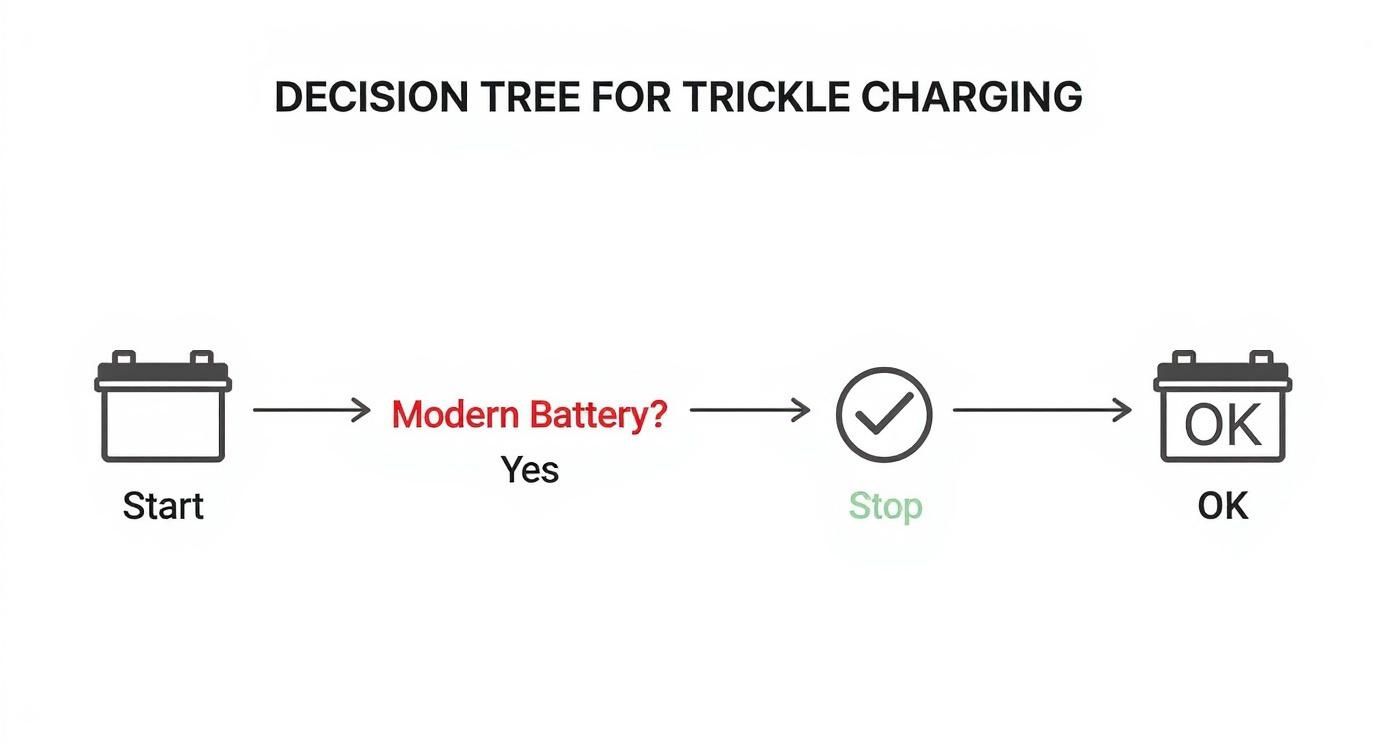
This quick infographic helps show when a trickle charge approach makes sense.

Infographic about what is trickle charging

As you can see, continuous trickle charging just isn't the right tool for modern phone batteries, even though it works perfectly fine for older types like those in a stored car.

To better understand these differences, let's compare traditional trickle charging with more modern, smart solutions.

Comparing Charging Methods for Battery Longevity

Charging Method How It Works Best For Potential Risk
Traditional Trickle Charging Provides a continuous, low-level flow of power to match the battery's natural drain. Older battery types (like lead-acid in vehicles) for long-term storage. Overcharging and damaging modern phone batteries by keeping them at a constant 100%.
Smart/Float Charging Charges to 100%, then turns off. Only resumes charging when the power level drops. Any battery type that needs to be kept full without constant stress. Better than trickle charging, but still keeps the battery at or near a high state of charge.
Managed/Scheduled Charging Uses hardware/software to set specific charging limits (e.g., 80%) and schedules. Daily-use electronics like smartphones and laptops to reduce time spent at 100%. Needs an external device or app to manage; not built-in to most standard chargers.

The takeaway is clear: while older methods have their place, actively managing your charge is the best strategy for the devices you use every day.

Some systems even let you schedule the entire process. You can keep your phone at a healthy 50-70% for most of the night, then have it automatically top up just before your alarm goes off. This approach gives you a full day's charge while dramatically cutting down the time your battery spends in that high-stress, fully charged state. By taking control, you can significantly slow down battery aging and keep your device performing like new for much longer. It’s a simple way to protect your investment and reduce e-waste.

Common Questions About Trickle Charging

Okay, so we've covered the basics, but let's get down to real-world questions. How does trickle charging actually affect the devices you use every day? Is it safe to leave something plugged in forever? And how does it compare to just jamming power in with a fast charger?

This is where the important details lie. Think of this as your quick-reference guide to those common questions, with answers you can actually use. Let's clear up the confusion for good.

Is It Safe to Leave a Trickle Charger on All the Time?

This is the big one, and the answer comes down to one word: intelligence. It all depends on whether your charger is "smart" or "dumb."

A modern smart charger, or what's more accurately called a battery maintainer, is absolutely designed to be left connected for a long time. It’s not just blindly pushing power. It watches the battery’s power level, shutting off completely when it's full. If the battery's charge naturally dips, it gives it a small top-up and then goes back to standby. No overcharging, no drama.

An old-school "dumb" trickle charger, on the other hand, only does one thing. It pushes a steady, low-level flow of power into the battery, whether it needs it or not. Leaving one of these hooked up for too long is a recipe for disaster, as it will overheat and damage the battery.

For a vehicle you're storing, a smart battery maintainer is the only safe option for a long-term connection. For your smartphone, it's a different story. Even with smart charging, keeping it stuck at 100% creates unnecessary stress. It’s best to avoid leaving it plugged in all the time.

How Do I Know If My Device Needs a Trickle Charger?

You probably don't, at least not for your everyday gadgets. You really only need a separate trickle charger (again, a smart maintainer) for batteries in vehicles or equipment that will sit unused for a long time.

We're talking about things like:

  • Motorcycles, boats, and classic cars that get stored over the winter.
  • RVs and lawn tractors that are not used during the off-season.
  • Backup generators that have to be ready to go at a moment's notice.

These devices use a maintainer to fight the natural power drain that happens in their batteries over weeks or months. Your smartphone, laptop, or tablet? They have their own smart battery management systems built right in. They don’t need any outside help.

The one odd exception is charging tiny gadgets with a power bank. Many power banks have a special "trickle charge mode" because low-power devices like wireless earbuds or fitness trackers don't draw enough energy to keep the power bank from turning off. This mode just keeps the power flowing so they can finish charging.

What Is the Difference Between Trickle Charging and Fast Charging?

They’re polar opposites, like the tortoise and the hare. They're built for completely different jobs. You can think of it as the difference between a slow IV drip and a shot of adrenaline.

Trickle Charging:

  • Goal: Maintenance. Its whole purpose is to drip-feed a tiny amount of power to keep a full battery from draining.
  • Speed: Very slow. The power is just enough to stop the battery from losing its charge.
  • Use Case: Keeping a battery healthy during long-term storage.

Fast Charging:

  • Goal: Speed. It's designed to push as much power as safely possible into a battery, as quickly as possible.
  • Speed: Extremely fast. It delivers a lot of power, especially when the battery is between 0-80%.
  • Use Case: Getting a quick power boost when you're in a hurry.

While fast charging feels like magic, that high power creates more heat and puts more stress on the battery’s insides. Using it too often will make your battery age much faster than slower, gentler charging methods.

Can Trickle Charging Bring a Dead Battery Back to Life?

Nope. In almost every situation, that's a hard no. A trickle charger is meant for keeping a battery healthy, not for reviving it. Its low-power flow is nowhere near strong enough to bring back a battery that's truly dead—meaning its power level has dropped below a safe point.

A completely dead battery usually means there's some kind of internal damage. Trying to use a trickle charger on it is pointless and can sometimes even be unsafe.

To even attempt a rescue on a deeply drained battery, you'd need a special, powerful charger with a "reconditioning" mode. These tools use specific power pulses to try and fix the damage, but even they don't always work. More often than not, a dead battery is just that: dead. It needs to be replaced.


The best way to protect your battery isn't just about avoiding the wrong type of charging—it's about actively using the right kind. For the devices you rely on daily, that means taking control of the charging process to prevent the stress of sitting at 100%. With the Chargie device, you can set custom charging limits, schedule overnight top-ups, and dramatically extend the lifespan of your phone and laptop batteries. Protect your investment and stop premature battery aging by visiting https://chargie.org to learn more.

Chargie’s New Top Up Scheduler Could Save the Day (and the battery)

I’ve built the Chargie system from the ground up as a means to save battery lifespan by limiting the time your phone stays at high charge levels. It is working, and we have numerous reports of very satisfied customers whose phones did not go to rubble, but still continue to work great after a long time.

However, life is not ideal and there are circumstances when you really need that 100% for the next day. Up until now, you just had to set Chargie to go to 100%, and the app would cut it there and act upon the hysteresis you set (Allowed Charge Drop). It’s a pretty good method, but in the meantime, looking at real needs, I decided it’s not the very best, since you still keep the battery “up there” for the whole night (even if it’s discharging).

And, if you’re the unlucky person whose battery capacity has already been going south for a while, you’ll be emptying it well before you can plug in during the day, which would make using Chargie a nuisance, not an advantage. This would take it into a lower than 20% state of charge sometime in the afternoon, which creates heat and makes things even worse for it.

Apple has sniffed this realm since iOS13 and has done something good, in theory – keep the battery at 80% for the night and only top it up in the morning, before you wake up. It sometimes works. Because their algorithm attempts to “learn” your routine – if you have one. If you don’t, you’ll rely on their AI guesswork and you may wake up with only 80% in the morning or your phone may stay at 100% all night – and you won’t know, won’t you?

So here’s my proposal: I implemented a feature in Chargie that allows you to set up a time when you want your phone to start topping up. Essentially, you can keep the battery somewhere in the midrange – 50 or 60% – during the night, without any stress on it whatsoever, and if you wake up at 7am you can set the Top Up Scheduler for 6:15am (depending on your charger).

The Top Up Scheduler’s limit value is also configurable from Settings – so if you’d rather wake up with 90%, you can keep the phone at 50 for the night and only top it up to 90 before you wake up, very flexibly. This is way, way better than holding it up at 90% for the whole night, like it was so far possible.

For now, the time estimation is yours to make, but I’ll work on something more automatic in the following period. However, it will not resemble Apple’s, because it’s going to be something much better – no algorithm can predict your maybe hectic schedule more accurately than you. Charging times can be forecast, though. And so can your phone’s alarms be read and interpreted, if you use them. But it’s ultimately you who should be in control, not a “magic,” fully automated process.

The Top Up Scheduler is available right now in Beta version, under the Beta channel on Google Play – so if you want to experiment something new, go ahead and join the beta on the same Play page where you downloaded the app.

I would like to thank all of you who asked for this feature along the way and those who helped debug everything so far.

Go order a Chargie right now and join our community of resource-conscious people.

Chargie is a smart charging device designed to extend the lifespan of your phone's battery by limiting overnight charging.

Company

Lighty Electronics SRL
42 Viorelelor st
305500 Lugoj, Romania

EU VAT: RO35245011

© 2019-2026 Lighty Electronics SRL. All Rights Reserved.

Add to cart