
Clicky

Discover the best way to charge battery for longer device life

If there's one single takeaway for making your phone or laptop battery last longer, it's this: keep it charged between 40% and 80%. Forget everything you heard in the past about charging to 100%. For the modern batteries we all use now, this simple habit reduces stress on the battery and helps it last longer.

The Most Important Rule for Modern Battery Charging
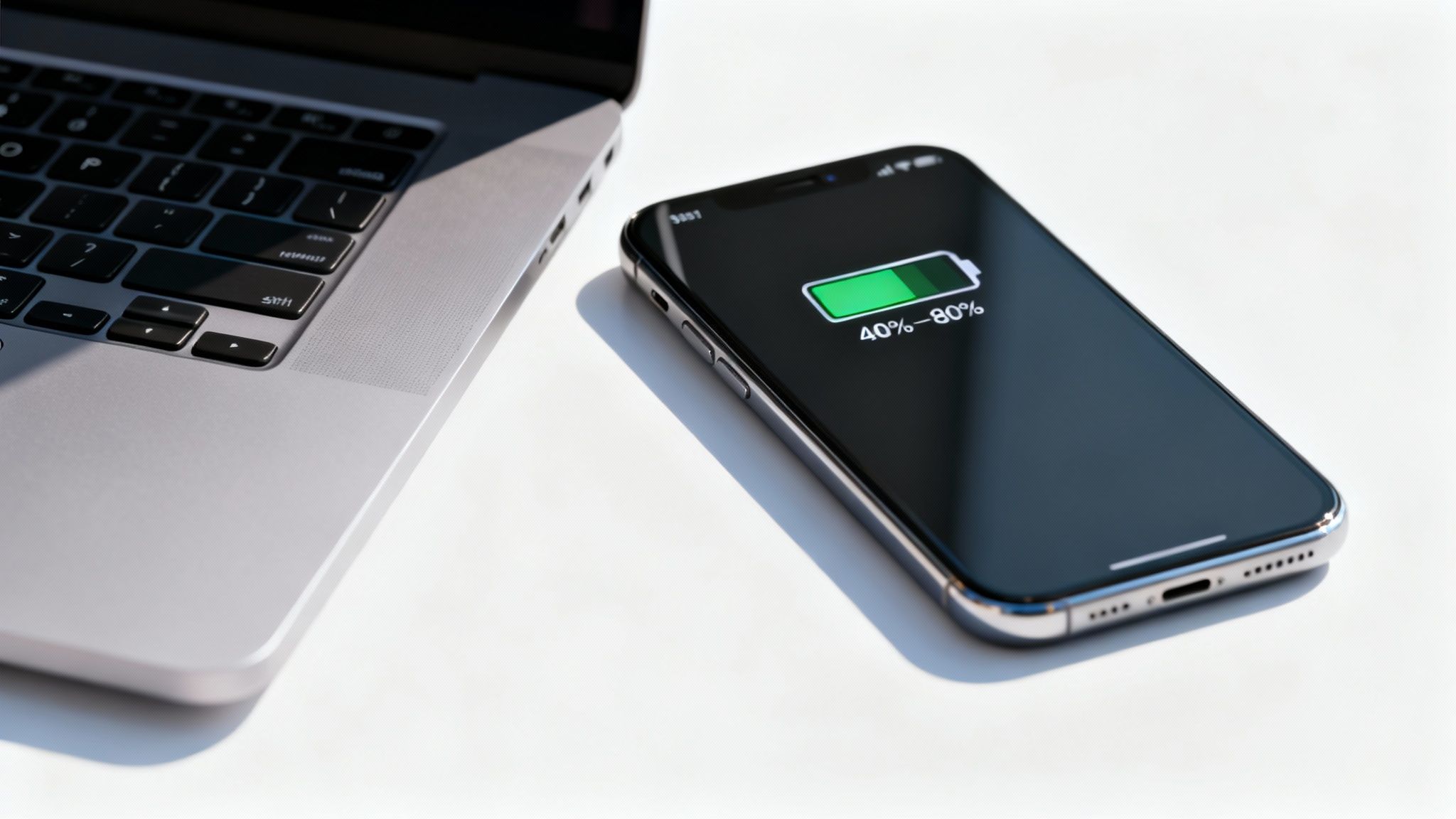
A smartphone displaying 40-80% battery charge sits next to a laptop on a white surface.

Let's be honest, most of us are still stuck on charging habits from a decade ago. We let our phones get very low, then plug them in all night to wake up to a full 100%. While this used to be the right move for older battery types, it’s actually damaging the batteries in your devices today.

The real key to a long, healthy battery life is to simply avoid the extremes. Constantly pushing a battery all the way to 100% or letting it drain completely to 0% puts a ton of strain on it. Think of it like a muscle—if you constantly push it to its absolute limit without any rest, it's going to wear out much faster.

Adopting a Healthier Charging Cycle

A much better approach is to be gentler with your battery. Instead of one huge charge from empty to full, aim for shorter, more frequent top-ups throughout the day. Plugging your phone in for 20 minutes here and there to keep it in that 40-80% sweet spot is far better for its long-term health.

This method, often called partial charging, prevents the high-stress conditions that cause batteries to wear out over time. It’s a small change to your daily routine, but it can make a huge difference in how long your devices last, saving you from slow performance and the cost of an early battery replacement.

The goal isn't to be perfect, but to be consistent. Simply avoiding the extremes of 0% and 100% on a regular basis will make the biggest difference in keeping your battery healthy over the years.

Old Habits vs. Modern Methods

To really make this clear, let's look at how the old advice most of us grew up with compares to the smart methods that work for today’s technology. The difference is pretty big, and understanding it is the first step toward charging smarter.

This table shows those old, harmful habits next to the new rules that will actually make your battery last longer.

Modern vs. Outdated Battery Charging Habits

Charging Habit Outdated Method (Harmful) Modern Method (Recommended)
Charge Target Always charge to 100% to "get the most out of it." Aim for an 80% charge limit for daily use.
When to Charge Wait until the battery is almost dead (below 10%). Start charging when the battery drops to around 40%.
Charging Duration Leave it plugged in overnight for a full charge. Unplug once it hits the target, or use a smart charging tool.
Overall Strategy One long charge cycle from nearly empty to full. Short, frequent top-ups to stay in the ideal range.

As you can see, the modern approach is all about moderation. By ditching the all-or-nothing mindset, you can keep your device’s power source in great shape for much, much longer.

Why the 40-80% Range Is a Game-Changer
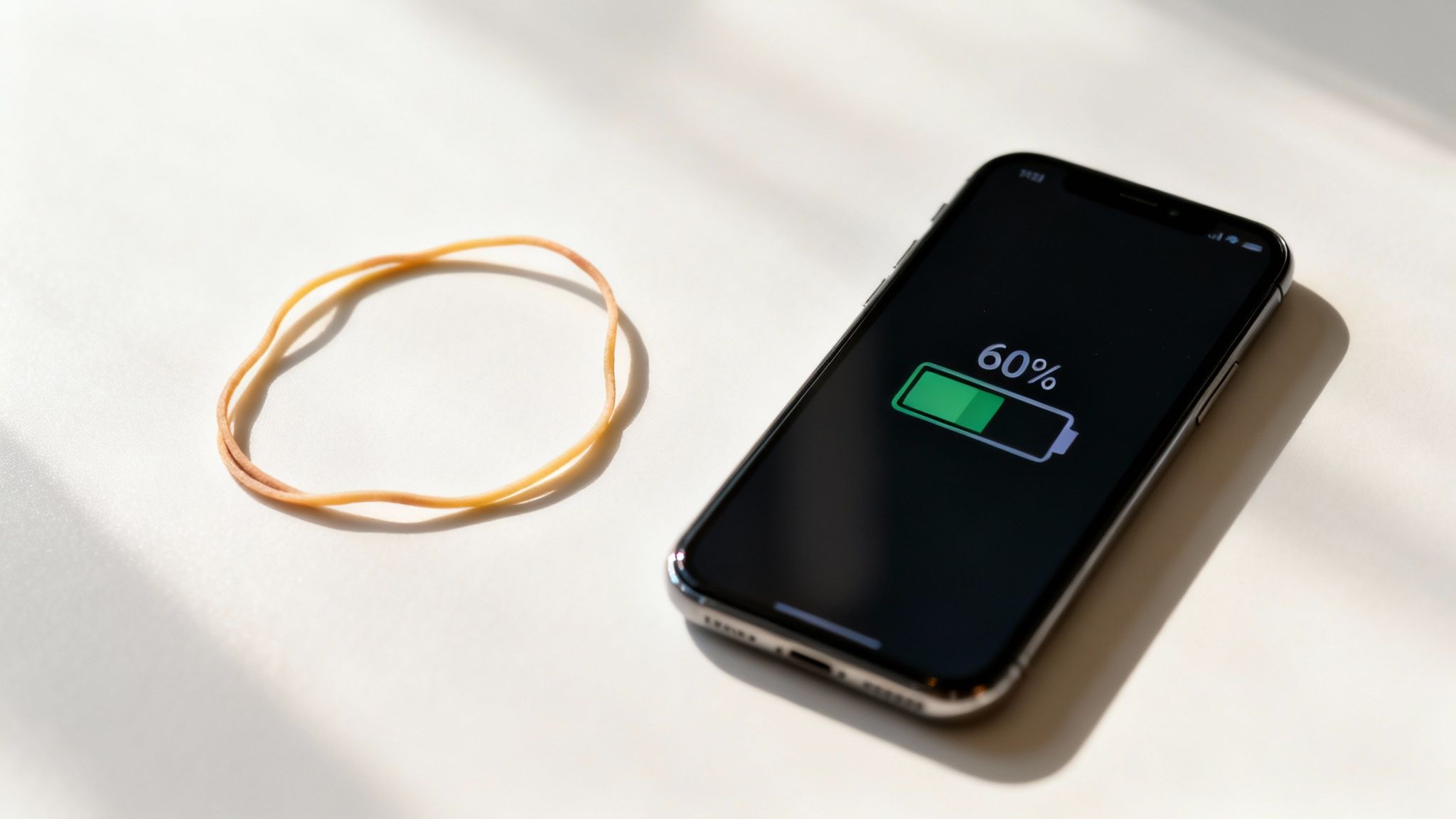
A smartphone displaying 60% battery charge next to a rubber band on a white surface.

So, why is it so important to keep a battery between 40% and 80%? It might sound a bit nitpicky, but there's a simple reason it works so well.

Forget the complex science for a moment and think about a rubber band.

If you have a brand-new rubber band, you can stretch it a little, let it go, and do this thousands of times without any problems. It just works.

But what if you stretched that same rubber band as far as it could go and held it there for hours? Or, what if you constantly let it go completely loose? It wouldn't take long for it to lose its snap, get weak, and eventually break. It’s the extremes that do the real damage.

Your phone's battery works in a surprisingly similar way. Pushing it all the way to a 100% charge or letting it die completely to 0% puts it under a lot of stress. The 40-80% range is that comfortable middle ground, the low-stress zone where your battery can live a long and happy life.

The Problem with Hitting 100%

When you charge your battery to its maximum, the parts inside have to deal with high electrical pressure and rising temperatures. Leaving it plugged in at 100%—especially overnight—is like holding that rubber band at full stretch for eight hours straight.

This constant stress wears down a critical part of the battery that holds the charge. Over time, this damage permanently shrinks your battery's total capacity. You’ll eventually notice that a "full" charge just doesn't last like it used to. Finding the best way to charge battery really just means avoiding this high-stress state whenever possible.

On the other hand, letting the battery drain completely is just as bad. Letting the battery hit 0% can cause problems inside that make it harder for the battery to hold a charge in the future.

Staying within the 40-80% zone isn't about being perfect; it's about being smart. By avoiding the punishing extremes of 0% and 100%, you dramatically slow the aging process and keep your battery holding a strong charge for years, not months.

Understanding Charge Cycles and Longevity

Every battery is rated for a certain number of "charge cycles" before it starts to fade. A full cycle is one complete drain from 100% to 0%. But this doesn't mean you only have a few hundred charges before your phone is useless.

Partial charges are much, much gentler. In fact, charging from 40% to 80% uses only a small fraction of a cycle compared to a full 10% to 100% charge.

Here's an easy way to think about it:

  • Shallow Charges: Little top-ups here and there (like going from 50% to 70%) cause almost no wear.
  • Moderate Charges: Sticking to the 40-80% rule is a sustainable, low-stress strategy for daily use.
  • Deep Charges: Regularly going from nearly empty to completely full is what causes the most rapid aging.

This is exactly why topping up your phone a bit during the day is a far better strategy than the old "let it die, then charge it all night" habit. You get more total use out of your battery's lifespan by treating it gently.

The Role of Modern Battery Management

This isn't just a clever user tip; it's a key idea for the entire battery industry. The global battery market is built on advanced charging tech designed to make batteries safe and long-lasting.

Industry research has confirmed again and again that keeping a battery within certain electrical limits is key to its survival. Modern systems constantly watch the battery's charge level to prevent the damaging effects of overcharging or deep draining—the two main reasons batteries lose power. You can see how this is an industry-wide focus in deep dives into battery technology.

This is the science behind finding the best way to charge battery. It’s not guesswork. When you adopt the 40-80% habit, you're basically using the same rules engineers rely on to make batteries last, helping your devices perform well for as long as you own them.

How Heat and Fast Charging Secretly Harm Your Battery

Charge levels are only part of the story. Two silent problems are constantly working against your battery's health: heat and the super-convenient fast charging. If you've ever picked up your phone while it was plugged in and felt it was uncomfortably warm, you've experienced the number one cause of battery damage firsthand.

Think of your battery as a tiny, sensitive engine. When you push it too hard—either by charging too fast or using it in a hot place—it creates extra heat. That heat speeds up the chemical processes inside, causing the internal parts to break down far faster than they should. Honestly, finding the best way to charge battery often just means keeping it cool.

Simple Ways to Keep Your Device Cool

You don't need a complicated solution to manage heat. A few small changes to your charging habits can have a massive impact on your device's long-term health. The goal is simple: give your battery a chance to breathe while it powers up.

Here are a few practical tips you can start using today:

  • Remove the Case During Charging: Phone cases are great for protection, but they're also great at trapping heat. Taking the case off before you plug in lets the heat escape much more easily, keeping the battery in its happy zone.
  • Avoid Direct Sunlight: This one seems obvious, but it's easy to forget. Never leave your phone, tablet, or laptop charging on a sunny windowsill or, worse, in a hot car. The combination of charging heat and outside heat is a recipe for faster battery aging.
  • Pause Heavy Tasks: Try to avoid playing demanding games or streaming high-quality video while your device is plugged in. These activities make the processor work hard, which creates its own heat and adds to the warmth from charging.

The most important thing to remember is that heat is the number one enemy of a healthy battery. A cool battery is a happy battery, and even small changes to lower its temperature during charging can add years to its usable life.

The Hidden Cost of Fast Charging

Fast charging feels like a modern miracle, especially when you're in a hurry. Getting a 50% boost in just 30 minutes is incredibly convenient, but that speed comes at a price. Pushing that much power into a battery so quickly creates a lot of heat and puts immense stress on it.

I like to think of it like filling a water balloon. You can fill it slowly and gently with no problem. But if you turn on a fire hose and blast it, the balloon's material stretches violently and is far more likely to weaken or burst. Fast charging has a similar, though less dramatic, effect on your battery over time.

This technology has become essential for people who need quick power-ups, and its growth is huge. The fast charge battery market is projected to skyrocket from USD 25.58 billion in 2024 to USD 124.39 billion by 2035, driven by newer methods that try to balance speed with safety. You can read more about the trends in the fast charge battery market to see just how quickly this space is evolving.

When to Use Fast Charging (and When to Avoid It)

So, does this mean fast charging is always bad? Not at all. It’s a tool, and the key is knowing when to use it. The best approach is to use it only when needed—save it for those moments when you genuinely need a quick top-up before heading out the door.

For your daily, routine charging—especially overnight—a slower, standard charger is a much healthier choice. The gentle, low-temperature charge it provides is far less stressful on the battery, helping it last longer. You can learn more about why slow charging is essential for your smartphone's battery health in our detailed guide on the topic.

By being mindful of both heat and charging speed, you take back control over two of the biggest factors in battery damage. This balanced approach—using fast charging only when you really need it and prioritizing cool, slow charging for regular use—is a key part of keeping your battery in great shape for years.

Using Smart Tools to Automate Perfect Charging

Let's be real: trying to manually unplug your phone the second it hits 80% is a huge pain. It's just not practical for most of us. The good news is, you don't have to watch your devices anymore. Modern tech can do the heavy lifting for you, making smart charging an automated, set-it-and-forget-it process.

Device makers know that leaving a phone plugged in at high-stress levels kills batteries. That's why they've started building smart charging solutions right into their software, working quietly in the background to save your battery from aging too quickly.

Built-In Smart Charging Features

Your smartphone probably already has a feature designed to solve the overnight charging problem. Both Apple and Google have created systems that learn your daily routine to charge your phone more intelligently while you're asleep.

Instead of rushing the battery to 100% and letting it sit there for hours, these systems charge up to about 80% and then hit pause. They wait until just before you usually wake up to finish the job, so it hits 100% right around the time your alarm goes off.

  • Apple's Optimized Battery Charging: This is standard on iPhones and uses the device's software to figure out your charging patterns and daily schedule.
  • Android's Adaptive Charging: Google's version does pretty much the same thing, timing the charge to be full just as you're starting your day.

These tools are a great first step against battery damage. They dramatically cut down the time your device spends maxed out at that stressful 100% state, which is a huge win for its long-term health.

But even with these features, fast charging can still create a lot of heat—the number one enemy of a healthy battery.
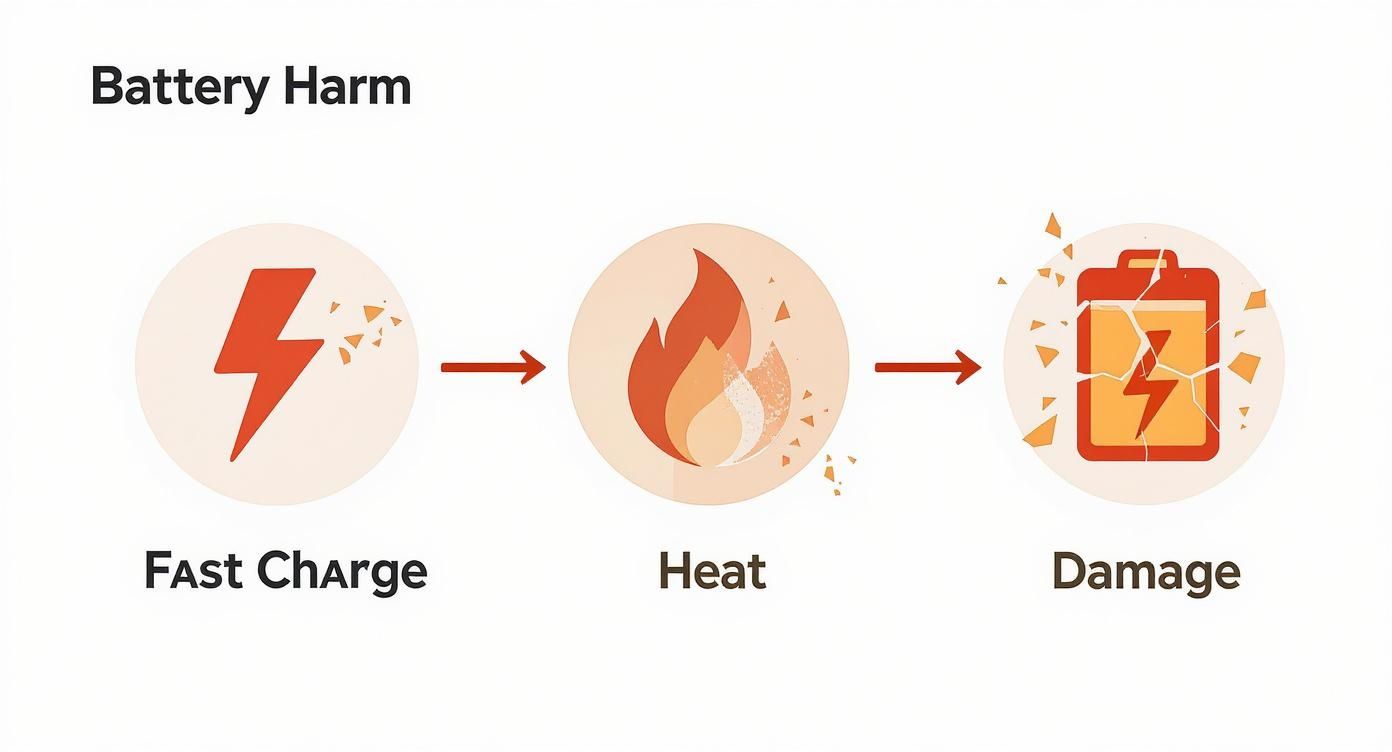
An infographic illustrating how fast charging can lead to battery overheating and damage.

This simple graphic shows how the rush to get a quick power-up often creates extra heat, which is the main thing that makes batteries wear out faster.

Taking Control with Third-Party Tools

While the built-in features are a great start, they don't give you much control. You can’t tell your iPhone to stop at 85%; you just have to trust the software. For those who want more precise management, special third-party tools offer a much more powerful and customizable approach.

This is where a tool like Chargie comes in. It's a small hardware device that acts as a smart switch between your charger and your phone. Paired with an app, this little gadget lets you set an exact charging limit—say, 82%—and it will automatically cut the power once your phone reaches that level.

This level of control makes it effortless to stick to the 40-80% sweet spot. It completely automates the process, so you can plug your phone in at night and forget about it, knowing it won't be overheating at 100% for hours.

Why Automation Is the Future of Battery Care

At the end of the day, automation is what makes proper battery care actually happen. Relying on yourself to unplug your phone at the right time is likely to fail, but letting smart hardware and software handle it ensures you're always doing it right. A dedicated battery charge limiter like the one from Chargie can also do things that go way beyond a simple percentage cap.

For example, the Chargie app lets you schedule your charging sessions. You can set it to keep your phone at a very low-stress 50% for most of the night, then have it automatically top up to 80% just before you wake up. This gives you the best of both worlds: smart timing combined with a precise charge limit.

Whether you stick with your phone's built-in features or grab a dedicated tool, automating your charging habits is the single most reliable way to extend your battery’s life and keep it performing like new for years to come.

Common Charging Mistakes Almost Everyone Makes
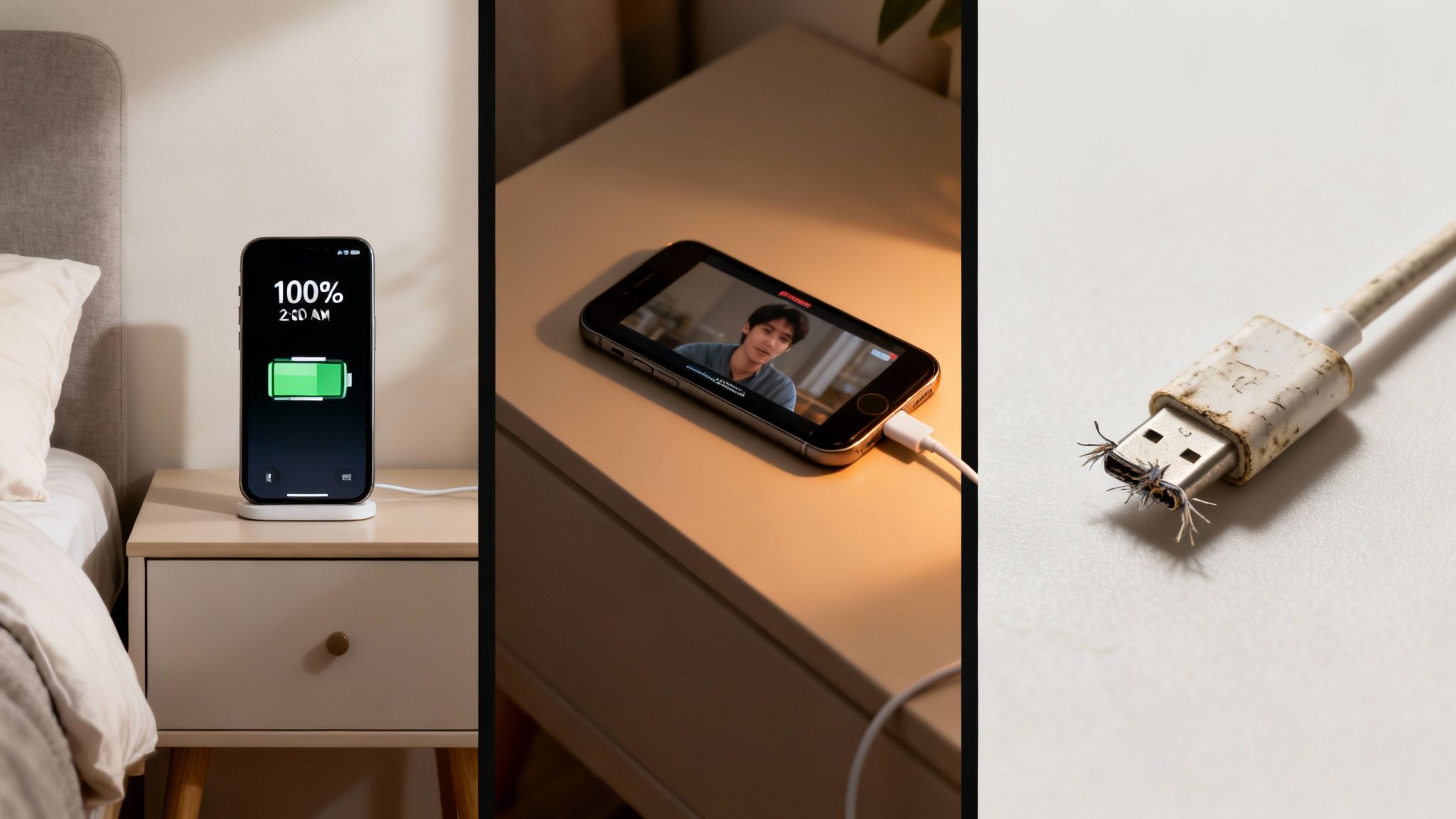
A multi-panel image displaying a fully charged phone, a phone during a video call, and a frayed charging cable.

Knowing how to care for your battery is one thing. Actually spotting our own bad habits? That’s where the real change happens. So many of us fall into charging traps without even realizing it, slowly wearing down our device's lifespan one day at a time.

These common mistakes often feel harmless, but their combined effect over time is what leads to a battery that just can't hold a charge anymore.

Let's look at a few classic examples you might recognize. By finding these patterns in your own routine, you can make simple changes that add years to your battery’s health.

The Dedicated Overnight Charger

This is probably the most common habit of them all. You plug your phone in at 10 PM, it hits 100% by midnight, and then it spends the next seven hours "trickle charging." It's constantly getting little top-offs to stay at that maximum level, which is incredibly stressful for the battery.

Keeping a battery at 100% creates high electrical pressure and heat. It’s like holding a muscle in a tensed position for hours on end—it causes unnecessary strain and makes it wear out faster.

While modern phones have safety features to prevent dangerous overcharging, they can't stop the gradual damage from being in a high-stress state for too long. If you want to learn more, you can read about why you should reconsider charging your phone overnight.

The fix is surprisingly simple. Use your phone's built-in "Optimized Charging" or "Adaptive Charging" features. For even better control, a smart charging device like Chargie that physically cuts the power at 80% is the best solution.

The Heavy-Duty Multitasker

We’ve all been there. You're on a long video call or deep into a gaming session when the low battery warning pops up. You plug in the charger and keep going, but your phone starts getting uncomfortably warm. This is a classic recipe for a high-heat situation that’s terrible for your battery.

When you use your device for intense tasks, the processor works hard and creates heat. At the same time, charging produces its own heat. Combining these two activities creates a perfect storm for battery damage.

Charge it or use it, but try not to do both heavily at the same time. If you absolutely must charge while using your phone, stick to lighter tasks like browsing or listening to music. Giving your device a break during charging is one of the easiest ways to protect its long-term health.

The Bargain Cable Shopper

It's so tempting to grab that cheap, no-name charging cable from the gas station or a random online seller. But honestly, using uncertified, low-quality chargers and cables is one of the riskiest things you can do. These products often lack the proper safety parts to control the flow of electricity.

This can lead to a whole host of problems:

  • Inconsistent Power: The charger might deliver a jumpy, unstable current that stresses the battery.
  • Overheating Risk: Poorly made chargers can overheat themselves and your device, creating a real fire hazard.
  • Port Damage: Flimsy connectors can physically damage the charging port on your phone or laptop over time.

The fix is straightforward: always use the original charger that came with your device or a high-quality, certified one from a brand you trust. Look for certifications like MFi (Made for iPhone), UL, or CE on the packaging. Spending a few extra dollars on a quality cable is cheap insurance for your expensive electronics.

To make it even clearer, here’s a quick rundown of some common charging mistakes and how to avoid them.

Troubleshooting Common Charging Problems

Common Mistake Why It's Harmful The Simple Fix
Leaving it plugged in at 100% for hours. High electrical pressure and heat speed up aging, reducing the battery's lifespan. Unplug once it's full, or better yet, use a tool to stop charging at 80%.
Using the device heavily while it's charging. This combines heat from the processor and heat from charging, cooking the battery. Let your device rest while it charges, especially during heavy tasks like gaming.
Draining the battery completely to 0%. Draining the battery completely puts a lot of strain on the battery cells. Try to plug in when your battery is around 20-30%.
Using cheap, uncertified cables and chargers. They can deliver unstable power, overheat, and even damage your device's port. Stick to the original charger or certified third-party brands (look for MFi, UL, CE).
Charging your phone in a hot car or direct sunlight. Outside heat sources add to the heat created during charging, which is a killer for battery health. Always charge your device in a cool, well-ventilated area.

By being mindful of these small habits, you can make a massive difference in how long your battery performs at its peak. It's not about being perfect, but about avoiding the worst mistakes.

Your Questions About Battery Charging, Answered

Even after getting the basics down, a few questions always seem to pop up when you're trying to figure out the best way to charge your specific phone, tablet, or laptop. Think of this as a final run-through, where we'll tackle the most common questions with simple, no-nonsense answers. The goal is to get you feeling completely confident in your new charging habits.

Let's clear up some of the most frequent questions we hear.

Is It Really That Bad to Leave My Phone Charging All Night?

Yes, it generally is. While modern phones are smart enough to stop pulling power once they hit 100% (so you don't have to worry about a dangerous "overcharge"), that's not the real problem. The real issue is stress.

When your battery stays at 100% for hours, it's held under high electrical pressure. This puts a constant strain on it, speeding up the aging process.

A much healthier approach is to use your phone's built-in optimized charging feature. This usually brings your battery up to around 80% and then cleverly waits to add the last 20% until just before you normally wake up. If your device doesn't have this feature, your battery will thank you for either unplugging it before bed or using a smart tool like Chargie to manage it for you.

Should I Let My Battery Drain to 0% Before I Plug It In?

Absolutely not. This is probably the most stubborn and damaging myth still around from the old days of different battery types. For the modern batteries in all your current gadgets, a deep dive to 0% is one of the most stressful things you can do to it.

Draining the battery completely can cause permanent damage, leading to a permanent drop in its total capacity. It's so much better to do frequent, shallow charges. Topping it up a bit here and there throughout the day keeps it in its happiest, healthiest state.

Key Takeaway: The "let it die completely" rule is officially dead. Avoid draining your battery to 0% whenever you can. A quick top-up when it hits 30% or 40% is always a better strategy for long-term health.

Does Fast Charging Ruin My Battery?

It won't "ruin" it in one go, but it definitely causes more wear and tear than slower charging. The main problem here is heat. Fast charging works by pushing a massive amount of power into the battery very quickly, which naturally creates a lot more heat. And as we've already covered, heat is the number one enemy of a healthy battery.

It’s perfectly fine to use a fast charger when you're in a pinch and need power now. But for your regular, everyday charging—especially the overnight session—sticking with a standard, slower charger is a much better choice. That gentle, cooler charge puts way less strain on the battery.

Do I Have to Use the Charger That Came in the Box?

While using the original manufacturer's charger is always the safest bet, you aren't strictly locked into it. High-quality, certified chargers from reputable third-party brands are perfectly fine and safe. The key word here is certified.

Steer clear of those super-cheap, unbranded chargers you find at a gas station or from a random online seller. These products often cut corners on safety features, which can lead to unstable power, damage your battery, or even become a fire hazard. Always look for safety certifications like UL (Underwriters Laboratories) or CE on the charger and its packaging.

Beyond just battery care, taking a broader approach to making your devices last longer is smart. For more on extending the overall usable life of your gadgets, exploring tips on maximizing the life of electronic devices can offer some great insights.


Ready to automate perfect charging and make your batteries last up to four times longer? The Chargie smart charging system gives you complete control, allowing you to set precise limits, schedule top-ups, and eliminate the battery stress caused by overnight charging. Protect your investment and reduce e-waste by visiting https://chargie.org to get yours today.
How Long Does a Cell Phone Battery Last? Tips to Extend Its Life

When you ask, "how long does a cell phone battery last?" you're really asking two different questions.

First, you want to know how long a single charge will last through the day. And second, you’re wondering how many years the battery will actually hold a good charge before you have to replace it. One is about daily use, and the other is about its total lifespan.

Your Phone's Two Battery Clocks

Think of it like a car. The first "clock" is like its gas tank—how far can you drive on a full tank of gas right now? This is your daily battery life, which might give you anywhere from 10 to 20 hours depending on what you're doing.

The second "clock" is the car's engine health. How many years will that engine run well before it starts having problems? This is your battery's lifespan, and it’s a completely different thing.

Understanding this difference is the first real step to making your phone last longer. One is about managing your daily habits, and the other is about protecting the battery's long-term health from the inside out.

Daily Charge vs. Total Lifespan

Your daily charge is pretty simple. It's the time from when you unplug your phone at 100% until it hits 0%. This can change a lot from day to day based on whether you're just texting or watching a movie marathon.

Total lifespan, on the other hand, is measured in charge cycles. A charge cycle is one full drain and recharge, from 100% down to 0% and back up again. This doesn't have to happen all at once; if you use 50% today and 50% tomorrow before plugging in, that still counts as one complete cycle. You can learn way more about what a battery cycle count is in our detailed guide.

A typical phone battery can handle about 300 to 500 full charge cycles before its ability to hold a charge starts to noticeably drop. After that, you'll find yourself looking for an outlet way more often.

This aging process is exactly why a two-year-old phone might only last half a day, even when it used to easily get through a full one. The battery's ability to hold power has permanently shrunk.

To quickly recap these two ideas, here's a simple breakdown.

Phone Battery Life At a Glance

Battery Metric Typical Duration What It Means
Daily Charge 10 – 20 hours The time your phone runs on a single full charge before needing to be plugged in.
Total Lifespan 300 – 500 cycles The total number of full recharges the battery can handle before it starts to wear out.

Understanding both is key, because what you do every day directly affects how long the battery lasts over the years.

How Long Should a Phone Realistically Last?

While many things play a part, the unfortunate trend is that the average lifespan of a smartphone is getting shorter. Globally, a phone's useful life is now estimated at just 2.53 years, and its battery is a huge reason for that.

Of course, brands matter. Apple devices tend to last longer, often staying usable for 4 to 10 years, while Samsung phones average between 3 to 6 years before performance and battery problems become too frustrating to ignore.

What Really Ages Your Phone's Battery

Ever notice how a brand-new phone feels like it lasts forever, but a year later you're looking for a charger by 3 PM? That’s not just in your head. Your battery is physically getting older, and a few key things are speeding up the process. Once you understand them, you can start fighting back.

At its core, a phone battery is a chemical device. Think of it like a banana you bring home from the store—it starts getting ripe right away. In the same way, your phone's battery begins a slow, permanent aging process from the moment it's made. This is called chemical aging, and it happens whether you use the phone or not.

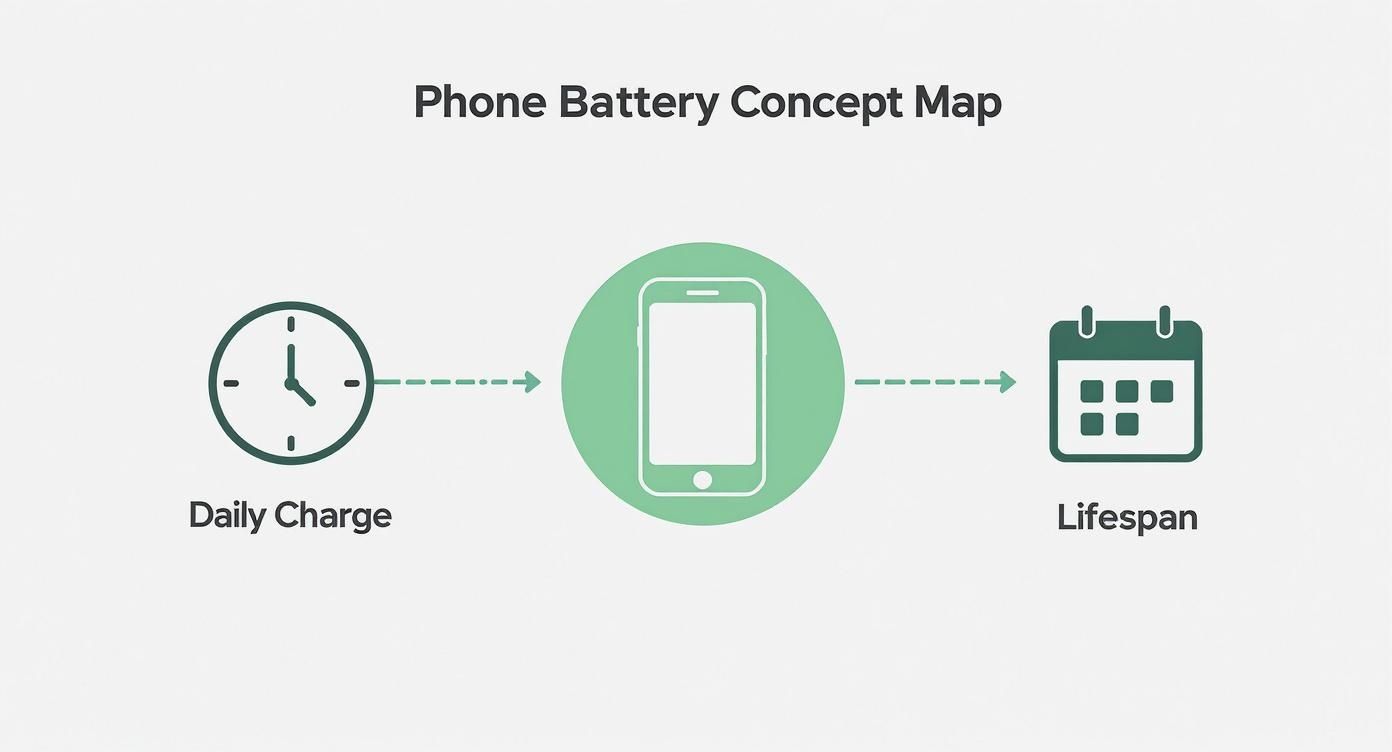
This diagram breaks down the two timelines we’re juggling: how long the battery lasts day-to-day versus how many years it stays healthy.

A concept map showing how daily phone charging impacts a smartphone battery's lifespan.

As you can see, what you do every day has a direct impact on how many years you'll get out of your battery before it wears out.

Charge Cycles: The Paperclip Analogy

Besides its natural shelf life, the single biggest factor wearing down your battery is its charge cycles. As we covered, one cycle is a full charge from 100% down to 0%.

Here’s a simple way to think about it: bend a paperclip. The first time, it’s fine. Bend it back and forth ten, twenty, fifty times, and you’ll feel the metal getting weaker. Eventually, it just snaps. Every single charge cycle does something similar to your battery on a tiny level, causing small amounts of damage that add up.

This is exactly why a battery that’s been through 500 cycles holds way less juice than one that’s only seen 100. The damage adds up and, unfortunately, is permanent.

Heat: Your Battery's Worst Enemy

If charge cycles are like bending the paperclip, heat is like holding a lighter to it. High temperatures speed up the chemical reactions inside the battery, causing it to wear out at a shocking speed.

Leaving your phone on a hot car dashboard is a classic example. That intense heat is like leaving a stick of butter in the sun—it causes damage that can't be undone. The same thing happens when you game for hours while plugged in, making the phone hot to the touch.

Consistently exposing your phone's battery to temperatures above 95°F (35°C) can permanently reduce its capacity. This damage happens silently, invisibly, and it adds up every time it gets too hot.

It’s also why you hear people say to avoid fast charging all the time. Sure, it’s convenient, but those high-speed chargers create more heat, putting extra stress on the battery’s insides.

The Problem with 100% and 0%

It feels natural to charge your phone all the way to 100% and then run it down until it dies, right? The thing is, these extreme states are the most stressful for a modern phone battery.

  • Staying at 100%: A fully charged battery is like a stretched rubber band. Holding it in that high-tension state for hours—like overnight while you sleep—causes it to lose its stretchiness much faster. This is especially damaging when mixed with the heat from charging.

  • Dropping to 0%: Hitting empty can be even worse. When a battery is fully drained, it can fall into a very low power state, which can sometimes make it unable to ever hold a charge again.

For the best health, your battery loves to live in the middle. Keeping your charge between 20% and 80% is the sweet spot that reduces stress and can dramatically extend its useful life. By avoiding the extremes, you're helping that "paperclip" bend less severely each time, saving its strength for years, not months.

The Sneaky Culprits Draining Your Daily Charge

We've talked about the long-term health of your phone's battery, but what about just getting through the day? You can follow all the best practices for a long life, but still find your phone dying by 3 PM. What gives?

The truth is, a handful of sneaky energy hogs are quietly using up your charge all day long. Getting a handle on these is the real secret to understanding how long your battery will last on any given day. Once you spot them, you can take back control and stop looking for a charger.

A smartphone on a wooden table displaying app icons next to a white coffee cup in a cafe.

Your Screen: The Undisputed Power Hog

Make no mistake: your screen is the single biggest drain on your daily battery. That bright, beautiful display needs a surprising amount of juice to light up millions of tiny dots. The brighter you set it and the longer it stays on, the faster you'll see that battery percentage drop.

Think of screen brightness like the volume knob on a stereo. You can keep it at a comfortable level, or you can crank it to the max—but that's going to use a whole lot more power.

Actionable Fix: The easiest win here is to turn on Auto-Brightness. Your phone will do the work for you, adjusting the screen's brightness to your surroundings. You'll save a ton of power without even thinking about it. Also, go into your settings and shorten the screen timeout to 30 seconds or one minute.

The Problem of Poor Signal

Ever notice your phone gets warm and the battery drains like crazy when you're in a basement or out in the middle of nowhere? That's not a coincidence. Your phone is working overtime.

When the cell signal is weak, your phone has to boost its power, constantly searching for the nearest tower. It’s like trying to have a conversation in a loud concert—it takes a lot of energy. If you're in a known dead zone for a while, this becomes a massive, hidden drain.

  • Actionable Fix: If you know you're in an area with bad or no service, just turn on Airplane Mode. This tells your phone to stop searching, instantly cutting off this major power drain.

Background Apps Snacking on Your Battery

Most apps don't actually close when you switch away from them. They hang out in the background, checking for new emails, refreshing your social media feed, or finding your location. This feature, known as Background App Refresh, is like having dozens of tiny programs constantly snacking on your battery all day.

While it’s convenient, it can be a real power-drainer, especially with apps like Facebook and Instagram. Things like constant GPS tracking on iPhones are especially tough on the battery.

  • Actionable Fix: Go into your phone’s settings and get selective. Turn off Background App Refresh for any app that doesn't absolutely need to be updated in real-time. Your weather app or that game you play once a week can wait.

Push Notifications Waking Your Phone

Every single buzz, ding, and on-screen alert forces your phone to wake up from its power-saving sleep, light up the screen, and use a little burst of power. One notification is nothing, but hundreds of them throughout the day really add up.

Each alert is like someone tapping your phone on the shoulder, preventing it from staying in a low-power mode. It’s a death-by-a-thousand-cuts for your battery. It's no wonder that while an older iPhone 8 might last 6 to 10 hours, newer models can stretch that to 10 to 13 hours partly because they're better at managing these little interruptions.

  • Actionable Fix: Be ruthless with your notifications. Turn them off for any non-essential app. You probably don’t need an instant alert every time someone you barely know posts something.

How to Check Your Phone's Battery Health

Knowledge is power, especially when it comes to your phone's battery. Instead of just guessing why your phone is dying so fast, you can look at a specific number that tells you exactly how much life it has left. This is the first step toward taking back control.

This magic number, usually called Battery Health or Maximum Capacity, is a direct measure of wear and tear. It shows how much juice your battery can hold today compared to the day you bought it. Think of it like a water bottle. When it’s brand new, it holds a full 16 ounces. But after a couple of years of use, tiny dents mean it can only hold 13 ounces. Its maximum capacity has permanently shrunk.

Checking Battery Health on an iPhone

Apple makes this incredibly easy. You don't need any special apps or secret codes; the info is built right into your phone's software.

Here’s how to find it in seconds:

  1. Open the Settings app.
  2. Scroll down a bit and tap on Battery.
  3. On the next screen, select Battery Health & Charging.

You’ll see a screen with the number you're looking for.

The most important number here is Maximum Capacity. A new iPhone will show 100%, but this number will slowly go down over time with every charge cycle.

As a general rule, once your battery’s maximum capacity drops below 80%, you'll start to feel it. Your phone might not reliably make it through the day, and that's usually the point where getting a new battery is worth considering.

What About Android Phones?

This is where things get a little tricky. Unlike iPhones, there isn't one standard way to check battery health that works for every Android model. Some phone makers, like Samsung, are good about including a battery health number in their settings, often in a "Device Care" or "Battery" menu.

But for many other Android phones, the number is completely hidden. In those cases, you’ll need an app to get a good estimate. Apps like AccuBattery can watch your charging habits over time to figure out an estimated health percentage. It’s not as exact as a built-in number, but it gives you a great idea of where your battery stands.

For a deeper dive, check out our complete guide on how to check battery health on different devices.

By regularly checking this single number, you can see the direct impact of your charging habits. It puts you in charge, helping you make smarter decisions that protect your phone's lifespan and save you from the frustration of a battery that just can't keep up.

Adopt Smarter Charging Habits Today

Taking real control of your phone's battery health is way easier than it sounds. It just comes down to forgetting a few old myths and picking up some new, smarter habits. The batteries in our phones today have totally different needs than the old batteries from a decade ago, and getting to know them is the secret to making your device last.

The single most powerful trick you can learn is the 40-80 Rule. It helps to think of your battery like a muscle—it gets seriously stressed when it's either fully flexed (at 100%) or completely worn out (at 0%). The sweet spot, where it's most relaxed, is right in the middle. If you can keep your battery's charge level between 40% and 80% as much as possible, you drastically cut down on that stress.

This one habit reduces wear and tear at a chemical level, which is what saves your battery's ability to hold a solid charge for years, not just a few months.

A smartphone charging on a wooden nightstand next to a smart speaker, illustrating smart charging technology.

Why Overnight Charging Is a Problem

We've all done it. Plugging your phone in overnight feels convenient, but it's one of the surest ways we accidentally harm our batteries. When your phone hits 100% and just sits there for hours, it’s stuck in that high-stress, fully-tensed state. This creates a tiny but constant amount of heat, which, as we know, is the number one enemy of a battery.

Night after night, this routine speeds up the aging process. Sure, modern phones have software to slow things down, but they still end up sitting at that damaging 100% mark for far too long.

Your Charger Matters More Than You Think

Here's another simple but effective strategy: think twice about your charger. Fast charging is a lifesaver when you're in a hurry, but all that high-speed power creates extra heat. Whenever you can, using a slower, standard charger is much gentler on your battery.

Think of it as sprinting versus jogging. Sprinting gets you there faster, but it puts way more strain on your body. For the long haul, a steady jog is always a better choice.

By making small tweaks—like not leaving your phone plugged in all night and using a slower charger when you have the time—you're tackling the two biggest stressors on your battery: high charge levels and excess heat. These simple changes can seriously extend how long a cell phone battery will last.

To get a deeper dive, you can explore some of the best lithium-ion battery charging best practices in our complete guide.

Making Smart Charging Effortless with Hardware

Let's be real: nobody wants to set an alarm for 3 AM to unplug their phone at 80%. That's where smart hardware comes in to do the work for you. A device like Chargie acts as a personal bodyguard for your battery.

You just plug it in between your charger and your phone cable, then use the app to set a charging limit—say, 80%. Simple. Once your phone hits that level, Chargie automatically cuts the power. Your phone is saved from the stress of sitting at 100% all night, and you don't even have to think about it.

Here’s a quick look at how typical charging habits stack up against smarter, automated ones.

Charging Habits Good vs. Bad

It's easy to fall into bad habits that wear out your battery without you even realizing it. Here's a comparison of common mistakes and the smarter alternatives that will keep your battery healthy for the long run.

Charging Habit Impact on Battery Lifespan Smarter Alternative
Charging to 100% overnight High stress and heat speed up battery aging, reducing its capacity over time. Use Chargie to automatically stop the charge at a healthier level like 80%.
Letting it drop to 0% often Puts the battery at risk of deep discharge, which can cause permanent damage. Try to plug it in before it dips below 20-30% whenever possible.
Always using a fast charger Creates excess heat that wears down the battery's internal parts faster. Use a standard, slower charger for overnight charging to keep temperatures low.
Manually trying to stop at 80% Inconsistent and easy to forget, leading to accidental overcharging. Let a hardware limiter like Chargie handle it for consistent, worry-free results.

By turning these best practices into a set-and-forget routine, you take all the guesswork out of battery care. A smart tool like Chargie ensures your phone is always charged in the healthiest way possible, actively extending its life and saving you from the frustration—and cost—of a premature battery replacement.

A Few Common Battery Questions

Even after getting the basics down, you probably still have a few questions. Let's tackle some of the most common ones so you can make smarter choices for your phone's battery.

Is It Bad to Charge My Phone Overnight?

Yes, leaving your phone plugged in all night, every night, isn't great for it. Once the battery hits 100%, it stays there for hours, creating a high-stress, high-heat situation that speeds up its aging. Your phone has some built-in protections, but they can't completely stop that slow-and-steady damage.

A much healthier habit is to stop the charge well before it hits that full mark. Just making that one small change dramatically reduces the time your battery spends under maximum strain, adding months or even years to its life.

Does Fast Charging Hurt My Battery?

Fast charging is a lifesaver when you're in a hurry, but there's a trade-off. Pushing all that power in so quickly creates a lot more heat than a standard, slow charge. Since heat is very bad for batteries, making a habit of fast charging will wear your battery out much faster.

Think of fast charging as a tool for emergencies. For your daily routine, especially overnight, sticking with a slower charger is a far gentler and healthier option for your battery in the long run.

When Should I Replace My Phone Battery?

A good rule of thumb is to start thinking about a replacement once your phone's Maximum Capacity (or battery health) dips below 80%. Around that point, you'll probably notice a real drop in how long a charge lasts. Your phone might even start shutting down unexpectedly when you're doing something that uses a lot of power.

But honestly, the right time is simply when the battery can't keep up with your day anymore. If you feel like you're constantly stuck to a wall outlet, a new battery will make your phone feel brand new again.

You can't just "reset" a battery's physical health. The wear and tear on a phone battery is a one-way street—it's a permanent chemical change. Those "recalibration" tricks you see online don't restore any lost capacity; they just help your phone get a more accurate reading of its current, worn-out state.

By getting a handle on these common issues, you can take the mystery out of battery care. It's really the small, daily habits that make the biggest difference over time.


Take the guesswork out of smart charging with Chargie. This simple device automatically stops your phone from charging at a healthier level you set, preventing overnight overcharging and extending your battery's life by up to 4x. Protect your investment and stop buying new phones so often by visiting https://chargie.org.

How long do cell phone batteries last: A quick guide

When you ask, "how long do cell phone batteries last?" you’re really asking two different questions at once. One is about today, and the other is about the next few years.

On a single charge, any new smartphone should get you through a full day of normal use. But the battery's total lifespan—how long before it gets tired and can't hold a charge anymore—is a different story. You're usually looking at about two to three years for that.

Two Sides of Battery Life: Daily Use vs. Total Lifespan

A smartphone on a charging stand on a wooden nightstand with a bed and window, featuring 'ALL-DAY BATTERY' text.

It’s easy to mix these two up, but knowing the difference is the secret to making your phone last longer. One is a sprint; the other is a marathon.

Think of it like a new pair of running shoes. Their daily performance is how far you can comfortably run today. Their total lifespan is how many miles you can rack up before the soles wear out and you have to buy a new pair. Your phone’s battery ages the same way.

To make this crystal clear, let's break it down.

Metric Average Timeframe What It Means
Daily Battery Life ~10-20 hours This is your phone's stamina on a single charge. It's how long you can scroll, text, and stream before you need to find an outlet.
Total Battery Lifespan ~2-3 years This is the battery's overall health. It’s the total time before it wears out and can't hold a decent charge anymore.

Understanding both sides of this coin is the first step toward better battery habits.

Daily Battery Life (Per Charge)

This is the one we worry about every day. It's the countdown from a 100% charge down to that dreaded 0%. Phone makers love to advertise "all-day battery life," and for the most part, they deliver—if your day involves texting, some web browsing, and a few photos.

But the moment you start a demanding game, stream Netflix for hours, or use Google Maps for a road trip, you'll see that battery meter drop much, much faster. This is your battery's daily runtime, and it changes completely based on what you’re doing right now.

Total Battery Lifespan (In Years)

Now for the long game. A battery’s total lifespan isn't measured in hours; it's measured in charge cycles, which add up over years.

A single charge cycle is one full drain and recharge—going from empty all the way up to full. This can happen in one go or over a few partial charges. The battery in a typical smartphone is built to last for around 300 to 500 of these full cycles. Once you pass that mark, its ability to hold a charge starts to noticeably weaken.

For most of us, that translates to about two or three years of real-world use before the battery just can't keep up anymore.

This predictable wearing out is a huge reason people feel forced to upgrade their phones. The average lifespan of a smartphone is around 2.5 years globally, and the battery getting weaker is a primary cause. You can see more data on how battery health drives phone upgrades over at BankMyCell.com.

This brings us to the most important takeaway: your daily charging habits have a direct and powerful impact on how quickly you use up those precious cycles. It’s not just about getting through today; it’s about making sure your battery is still healthy a thousand days from now.

Why Every Phone Battery Eventually Weakens

Ever notice how a brand-new phone feels like it can run forever, but a year later, you’re hunting for a charger by 5 PM? That’s not you doing something wrong—it's just a simple truth of modern batteries called battery aging. It's completely normal, and it happens to every single device.

Think of your battery like a brand-new water bottle. When you first get it, it holds a specific amount. You can fill it to the top and get that full amount out every single time.

Now, imagine that with every refill (charging) and every sip (usage), the bottle's material changes just a tiny bit. You don't notice it at first. But after hundreds of refills, that once-perfect bottle might only hold half as much. That’s exactly what's happening inside your phone.

The Science of a Shrinking "Tank"

Your phone is powered by a lithium-ion battery. It works by moving tiny charged particles from one side to the other. When you plug it in, the particles move to the "full" side. When you use your phone, they travel back to power your screen and apps.

But with every round trip, a few of those particles get lost or stuck. These tiny failures build up over time, causing permanent changes that reduce the battery’s total ability to store energy.

The result is a slow but steady loss of maximum capacity. A battery that started with a 4,000 milliamp-hour (mAh) capacity might only hold 3,200 mAh after a couple of years. It’s now effectively at 80% of its original stamina.

This is why an older phone doesn’t just seem to drain faster—it literally can't hold as much juice as it could when it was new.

Charge Cycles: The Real Measure of Battery Age

A battery’s age isn't best measured in years, but in charge cycles. One complete cycle is counted every time you've used a full 100% of its capacity. It doesn't have to happen in one go.

For instance:

  • Draining your phone from 100% all the way down to 0% is one full cycle.
  • Using it from 100% to 50%, charging back to full, and then using it down to 50% again also counts as one full cycle (50% + 50% = 100%).

Most smartphone batteries today are built to keep about 80% of their original capacity after 300 to 500 full charge cycles. For the average person who plugs in their phone every night, that works out to about two to three years before the decline really starts to get annoying.

It Happens to Every Battery

This aging process is just a part of how these batteries work. It’s happening in your phone, your laptop, and even in the massive batteries that power electric cars. You can't stop it, but you absolutely can slow it down. Understanding the factors that influence phone battery life is the first step to keeping your device healthy for the long haul.

Ultimately, it helps to think of your battery as a part that wears out, just like the tires on your car. It’s not meant to last forever, but with a little bit of care, you can make sure it gives you great performance for as long as possible.

The Four Biggest Enemies of Your Battery Health

Every battery ages and loses strength over time—that’s just chemistry. But some habits can drastically speed up that decline. Think of your battery’s health like a block of ice on a hot day; certain conditions will make it melt way faster than it should.

Understanding what causes this faster aging is the first step toward making your phone last longer. Four main culprits are silently wearing down your battery's ability to hold a charge. Let's dig into what they are and how you can fight back.

1. Extreme Heat

Heat is, without a doubt, the number one enemy of your phone's battery. Just like leaving food out in the sun makes it spoil, exposing your battery to high temperatures causes permanent damage.

We’ve all done it: left our phone on the car dashboard, on a sunny windowsill, or maybe used it for an intense gaming session while it was plugged in. These situations can easily push the internal temperature into the danger zone. Anything above 95°F (35°C) puts serious stress on a battery, causing it to wear out much faster.

Key Takeaway: Heat forces the parts inside your battery to work too hard, wearing them out early. Keeping your phone cool is the single most effective thing you can do for its long-term health.

This is a major reason why batteries in hotter climates often give up much sooner than those in cooler regions.

2. Harmful Charging Habits

How you charge your phone matters a lot more than you probably think. It’s tempting to just plug it in overnight and let it hit 100%, or run it all the way down to 0% before scrambling for a charger. But these habits put the most strain on the battery.

Think of it like repeatedly stretching a rubber band as far as it can go. It'll work for a while, but it will lose its stretchiness and snap much faster than if you were gentle with it.

  • The 20-80 Rule: The best range for a phone battery is keeping its charge between 20% and 80%. Staying in this range reduces stress and can dramatically slow down the aging process.
  • Avoiding the Extremes: Constantly pushing the battery to 100% or letting it die at 0% contributes to faster wear and tear on the delicate chemistry inside.

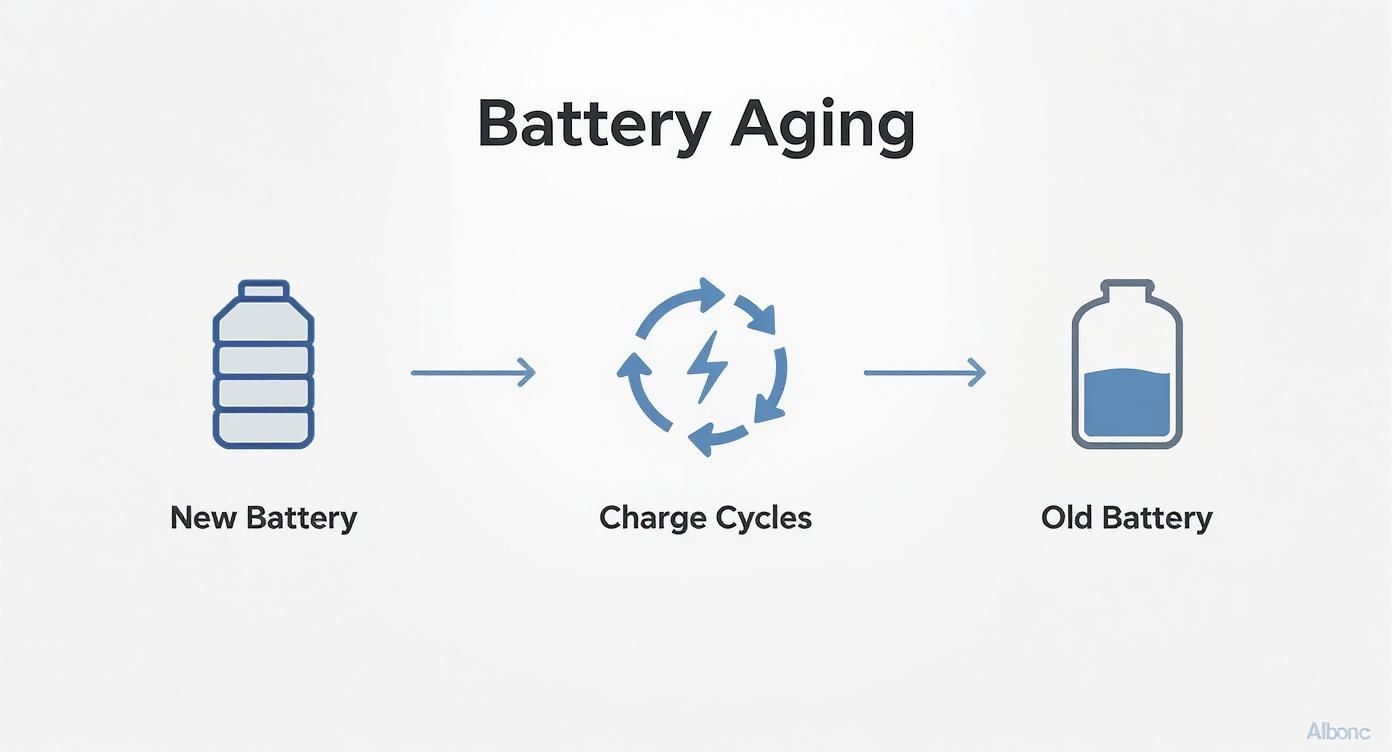
Diagram illustrating battery aging, showing a new battery undergoing charge cycles to become an old battery with reduced capacity.

This image nails it. Each full charge cycle is a small step toward a battery that just can't hold a charge like it used to.

3. The Double-Edged Sword of Fast Charging

Fast charging feels like magic when you're in a hurry, but it comes with a hidden cost. Forcing a high amount of power into the battery quickly generates a ton of heat—and as we just covered, heat is the ultimate battery killer.

Imagine filling a water balloon. You can turn the hose on full blast and get it done quickly, but you're putting a lot of pressure on the balloon itself. A slower, gentler flow is much less stressful.

Relying on a fast charger every single day, especially if you're in a warm room, will absolutely contribute to faster aging. The convenience you get today might mean you're buying a new battery (or a new phone) a year from now.

4. Leaving Your Phone at 0% or 100%

Storing your phone at either extreme of its charge level for long periods is another sure way to cause permanent harm. Both states put the battery in a highly stressed condition.

  • Leaving it at 0%: When a battery is left completely dead for too long, it can fall into a "deep discharge" state. From there, it can be difficult or even impossible to bring back to life.
  • Leaving it at 100%: Keeping a battery at a full 100% charge, like when it’s plugged in all night, is like holding a muscle in a tensed position for hours. This constant high-power state speeds up the loss of its ability to hold a charge.

Your daily habits play a huge role in your battery’s lifespan. Even with the massive batteries in modern phones, poor charging habits can slash their effective runtime. While most batteries are designed to keep about 80% of their capacity after hundreds of cycles, factors like heat and poor charging habits can speed that decline up dramatically. If you want to dive deeper, NGXP Tech has some great insights. By getting a handle on these four enemies, you can keep your battery going strong for much longer.

How to Check Your Phone's Battery Health

A person's hands holding a smartphone displaying a battery icon and 'Check Battery Health' text.

Sometimes, you can just feel it. Your phone's battery just isn't what it used to be. But is it just having an off day, or is it genuinely on its last legs? Knowing how to check your phone's battery health means you can stop guessing and start getting some real answers.

Before you even think about digging into your phone’s settings, you can often spot the warning signs just by paying attention. Think of these symptoms as your phone's way of telling you its power source is getting tired.

Telltale Signs of a Worn-Out Battery

A weakening battery doesn't just hold less juice; its performance gets flaky and unpredictable. It can start to cause some seriously frustrating problems in your daily routine.

Here are a few of the most common red flags to watch for:

  • Sudden Shutdowns: Your phone just dies out of nowhere, even when the battery meter says you have 20% or more left. This is a classic sign the battery can no longer provide stable power.
  • Constant Overheating: If your phone feels unusually warm during simple tasks like scrolling social media—not just intense gaming—the battery could be struggling to keep up.
  • Takes Forever to Charge: An old battery can have trouble accepting a charge, leading to painfully long charging times compared to when it was new.
  • Noticeably Shorter Life: This is the big one. You used to get through the day with power to spare, but now you're looking for an outlet by mid-afternoon.

If any of this sounds a little too familiar, it's time to play detective and check the actual health data stored on your phone.

Finding Your Battery Health on an iPhone

Apple makes it incredibly easy to see exactly where your battery stands. They give you a clear percentage that represents your battery's current maximum capacity compared to when it was brand new.

Here’s how to find it:

  1. Open the Settings app.
  2. Scroll down and tap on Battery.
  3. Select Battery Health & Charging.

Right there, you'll see a percentage next to Maximum Capacity. A new phone will show 100%. Apple generally considers a battery to be worn out once this number drops below 80%. It’s a simple, powerful number that tells you exactly how much your battery has weakened.

Your phone's battery health is a direct reflection of its chemical age. Knowing this number helps you understand how long your cell phone batteries last in real-world conditions and whether your charging habits are helping or hurting.

Checking Battery Health on an Android

Things are a bit different in the Android world. Unlike iPhones, most Android phones don't have a simple, built-in "Maximum Capacity" percentage. You can still find useful information, but you might need an app to get the full picture. For a detailed walkthrough, you can learn more in our comprehensive guide on how to check battery health on Android and iPhone devices.

Here's the general path you'd take on most Androids:

  1. Go to Settings.
  2. Tap on Battery or Device Care.
  3. Look for a section about battery usage.

This screen usually shows which apps are the biggest power hogs, but sometimes it will give you a general status like "Good" or "Needs attention." For a more precise reading like the one on an iPhone, third-party apps like AccuBattery can provide detailed health estimates after monitoring your charging patterns for a few cycles.

Practical Ways to Make Your Battery Last Longer

A flat lay shows a smartphone, charging cable, adapter, and notebook on a white and wood surface, with 'Extend Battery Life' text.

Knowing what kills your battery is one thing, but actually doing something about it is another. The good news? You don't need to be a tech expert to keep your battery healthy. A few small tweaks to your daily routine can dramatically slow down the aging process and keep your phone running like new for years.

Think of this as your playbook for better battery health. We'll break it down into simple, easy-to-follow tips that you can start using today. Each piece of advice directly counters one of the battery enemies we talked about, putting you back in control.

Smarter Charging Habits

This is the big one. How and when you charge your phone has the single biggest impact on its long-term health. Moving away from the old "plug it in all night" habit can genuinely add years to your battery’s life.

  • Embrace the 20-80 Rule: The absolute best range for a battery is between 20% and 80% charge. Keeping it in this zone minimizes the stress that happens at the extremes of fully charged or completely dead.
  • Enable Optimized Charging: Your iPhone or Android likely has a feature called "Optimized Battery Charging" or "Adaptive Charging." Turn it on. The phone learns your schedule and will hold the charge around 80% for most of the night, only topping it off to 100% just before you wake up. This massively cuts down on time spent at the high-stress, fully-charged state.
  • Avoid Draining to 0%: Letting your phone die is a bad habit left over from old battery tech. For modern batteries, it’s actually damaging. Whenever you can, try to plug it in before it dips below 20%.

These simple shifts help you avoid using up your battery's limited number of charge cycles. For a deeper dive, you can explore more expert advice on lithium-ion battery charging best practices.

Screen and Display Tweaks

Your phone’s screen is a known power hog. Thankfully, a few quick setting changes can make a huge difference in how long you last on a single charge, without really affecting your experience.

  • Turn on Dark Mode: If your phone has an OLED or AMOLED screen (which most modern phones do), Dark Mode is your best friend. These screens work by lighting up individual dots of color. So, when a dot is black, it's simply off—using zero power.
  • Lower Your Brightness: It sounds almost too simple, but max brightness is a massive battery killer. Use the auto-brightness setting to let the phone adjust for you, or just get in the habit of keeping it as low as you comfortably can.
  • Shorten Your Screen Timeout: Set your screen to turn off after 30 seconds or a minute of inactivity. It’s a tiny change that stops you from wasting power every time you put your phone down and forget to lock it.

By making these simple tweaks, you reduce the daily workload on your battery. This means you won’t have to charge it as often, which in turn slows down how quickly you use up charge cycles and extends its overall lifespan.

Smart App Management

You’d be surprised how many apps are using power in the background without you even knowing it. Taking a minute to manage what's running behind the scenes is a crucial step.

  1. Restrict Background App Refresh: Lots of apps are constantly checking for new data even when they're closed. Pop into your settings and turn this off for anything that doesn’t need to be updated 24/7, like games or utility apps.
  2. Turn Off Unnecessary Notifications: Every single notification wakes up your screen and uses a little bit of power. Taming your notifications isn't just good for your battery; it's good for your focus, too.
  3. Update Your Apps and OS: Developers are always finding ways to make their apps more efficient. Keeping your apps and phone software up to date ensures you’re benefiting from the latest battery performance improvements.
  4. Manage Location Services: GPS is a major power drain. For most apps, change location access to "While Using the App" instead of "Always." For apps that don't need your location at all, turn it off completely.

To really nail down your battery's longevity, don't forget your gear. When you invest in secure charging units, you protect against damage and ensure your phone gets clean, efficient power. It’s this complete approach—from software settings to hardware choices—that really makes a difference.

As we look toward 2025, smartphone batteries are getting bigger. Top models often land between 5,000mAh and 7,300mAh. Take the OnePlus 15; its massive 7,300mAh battery can last an incredible 25 hours and 13 minutes in standard tests. Even budget models like the Moto G 2025, with a 5,000mAh battery, can still pull an impressive 18.5 hours on a single charge.

Got Questions About Your Phone's Battery? Let's Clear Things Up.

Even with everything we know about battery health, a few common questions always seem to pop up. Years of conflicting advice and changing tech have created some stubborn myths that are hard to shake. It’s time to clear the air and give you straight answers.

By tackling these head-on, you can finally separate fact from fiction and build charging habits based on how modern batteries actually work, not how they used to.

Is It Bad to Charge My Phone Overnight?

This is the big one, the classic battery question. The answer has changed over the years. For modern smartphones, leaving your phone plugged in all night is not as destructive as it once was, but it’s still not the best idea.

Your phone is pretty smart. Once the battery hits 100%, safety features stop the charger from pumping in more power. The battery then dips slightly, and the phone "trickle charges" it back to full, a little cycle that repeats all night long.

The real enemy here is time. This process keeps your battery at a high-stress 100% state for hours, which generates a bit of heat and speeds up the aging process. While it won't kill your battery in a month, it's a major reason for that slow, steady decline. Using your phone's built-in "Optimized Charging" feature is a good first step to minimize this damage.

Does Fast Charging Ruin My Battery?

Fast charging is an amazing convenience, but it comes with a trade-off. While it won't instantly destroy your battery, making it your go-to charging method will almost certainly shorten its overall lifespan.

Fast charging works by pushing a lot of power into the battery very quickly, and that process generates a lot of heat. As we've learned, heat is the number one enemy of battery health. The hotter your battery gets, the faster its internal parts break down.

Think of it this way: slow charging is like sipping a glass of water, while fast charging is like chugging the whole bottle. You get hydrated either way, but one method is a lot more intense. Whenever you're not in a rush, using a standard, slower charger is one of the simplest things you can do to protect your battery for the long haul.

Should I Let My Battery Drain Completely Before Charging?

This is a harmful piece of advice left over from the old days of different battery types, which had a weird "memory effect." For the modern lithium-ion batteries in your smartphone, this isn't just outdated—it's actively damaging.

Letting your battery drain all the way to 0% puts a massive amount of stress on its internal parts. A full discharge can even push a battery into a deep sleep state where it struggles to wake back up.

The best practice today is the complete opposite. You should try to plug your phone in before it drops below 20%. This simple habit helps you avoid the most stressful state for your battery and can easily add months, or even years, to its useful life.

Do I Really Need to Use an Official Charger?

You don't necessarily need the exact charger that came in the box, but you absolutely should use a high-quality, certified charger from a brand you trust. Those cheap, no-name chargers you see at gas stations or checkout counters are a huge gamble.

Here’s why it matters so much:

  • Unstable Power: Cheap chargers often deliver shaky, inconsistent power. This can damage the delicate charging parts inside your phone and put a ton of strain on the battery itself.
  • No Safety Net: Certified chargers have built-in protections against overheating, overcharging, and other electrical problems. Uncertified ones almost always skip these critical safety features to save a few cents.
  • Poorly Made: They're often made with flimsy materials that can break easily or, in the worst-case scenario, become a serious fire hazard.

Spending a little extra on a quality charger is cheap insurance for a device that costs hundreds, if not thousands, of dollars. It’s a small investment in your phone's safety and the long-term health of its battery. Getting these common questions answered helps clarify how long cell phone batteries last and what you can actually do about it.


Take complete control of your battery's health with Chargie. This smart device and app system lets you set automatic charging limits, preventing the overnight damage and high-stress states that wear out your battery. Extend your phone's life and stop worrying about replacements by visiting https://chargie.org to learn more.

How to Extend Phone Battery Life: Simple Tips for More Power

If your phone is constantly hitting red before the day is out, you're not alone. It's one of the most common frustrations we all face, but the good news is you have a lot more control over it than you might think. We're going to skip the technical language and focus on the real, practical changes you can start making today to get those precious hours of battery life back.

This all comes down to two things: changing a few key settings and rethinking some of your daily habits. Things as simple as how bright your screen is, which apps you let run in the background, and how you charge at night can make a huge difference.

Your Guide to a Longer Lasting Phone Battery

We'll help you build a smarter relationship with your device. You'll quickly see how small, easy adjustments can lead to big wins in how long your phone lasts on a single charge.

A person holding a smartphone that displays a battery icon with a plus sign, symbolizing extended battery life.

A Quick Word on Battery Lifespan

Before we jump into the tips, it helps to know how your phone's battery actually ages. It’s not designed to last forever. Over time, its ability to hold a full charge naturally gets weaker, which is a big reason so many of us end up replacing our phones.

The average smartphone has a lifespan of about 2.5 years, and you guessed it—dying batteries are a huge factor. The lithium-ion batteries in our phones are typically good for about 300-500 full charge cycles. That’s roughly 16 months of daily charging before you start to notice it just isn't holding up like it used to. You can dig into more insights about the mobile phone battery market to see the full picture.

Key Takeaway: Every single time you charge your phone from 0% to 100%, that counts as one full "cycle." By managing how and when you charge, you can slow down this aging process. This doesn't just extend your daily battery life, but the overall lifespan of your phone itself.

Small Changes, Big Impact

The goal here isn't to get you to stop using your phone. It's about being more mindful of the things that drain power without you realizing it. And honestly, the biggest power drains are often the things we can easily control.

Here's a quick preview of the main power hogs we're going to tackle:

  • Your Screen: The display is, without a doubt, the single biggest power user on your device.
  • Apps Running in the Background: Some apps are known for quietly using power in the background, even when you're not using them.
  • Connection Features: Things like Wi-Fi, Bluetooth, and especially location services are always looking for a signal, and that costs energy.
  • Charging Habits: How you charge is just as important as what you're doing on your phone.

By getting a handle on these key areas, you'll make sure your phone is ready to go when you actually need it most.

Want a head start? Here are a few simple changes you can make right now to see an immediate improvement.

Quick Wins for Immediate Battery Savings

Action Item Why It Works Estimated Impact
Lower Screen Brightness The display is the #1 power drain. Lowering brightness or using "Auto-Brightness" is the fastest way to save power. High
Turn Off Push Notifications Every notification wakes your screen and uses data. Turning them off for apps you don't need stops this constant drain. Medium
Reduce Screen Timeout Setting your screen to turn off after 30 seconds instead of 2 minutes prevents wasted energy when you're not using it. Medium
Disable Background App Refresh Stops apps from constantly updating in the background, which uses both data and battery. High

These are just the starting points. Making these four adjustments can often give you back a surprising amount of battery life by the end of the day.

Master Your Settings for Maximum Battery Efficiency

Your phone's settings menu is a goldmine for extending battery life, and the best part is, it only takes a few simple taps. The changes you make here have a direct effect on the parts of your phone using the most power, giving you an immediate and noticeable boost.

Let's walk through the most important adjustments you can make right now.

A screenshot of the battery saver mode on an Android phone, showing the toggle switch and options.

This is a pretty standard battery-saving screen. Flipping this one switch is probably the single fastest way to give your phone more stamina when the battery icon starts turning red.

Tame Your Screen's Thirst for Power

Your phone’s bright, beautiful display is, without a doubt, its single biggest energy hog. Every little dot of light on the screen draws power, so managing it is your first defense against a quickly draining battery.

Start by just lowering the overall brightness. Instead of blasting it at full power, try setting it to a comfortable level around 50%. Even better, turn on "Auto-Brightness" (or "Adaptive Brightness" on Android). This feature uses a tiny sensor to adjust the screen's brightness based on the light around you, saving power without you even having to think about it.

Another quick win is shortening your screen timeout. Think about it: if your display stays on for two minutes every time you put it down, that’s a ton of wasted energy over the course of a day. I always set mine to 30 seconds or less to make sure the screen shuts off quickly.

Activate Your Phone's Built-in Power Saver

Both iPhones (Low Power Mode) and Androids (Battery Saver) have a built-in emergency switch for your battery. When you flip it on, your phone automatically dials back things you don't need to stretch its remaining charge as far as possible.

Here’s a peek at what’s happening behind the scenes:

  • Background Activity Stops: It stops many apps from getting new data—like emails or social media updates—unless you open them yourself.
  • Visual Effects are Reduced: Those fancy animations and other visual touches get toned down to save power.
  • Performance is Lowered: The phone's brain slows down slightly to use less energy.

You don't have to wait until you're at 20% to use it. If I know I have a long day ahead, I'll often turn on battery saver mode early. It can make a huge difference. For a deeper dive, our guide explains everything about Android's power-saving mode and how it works.

Limit Services Running in the Background

Lots of apps are constantly checking your location or updating their content, even when they're just sitting in the background. This activity is a silent battery killer.

Head into your settings and take a look at your app permissions. For location services, switch any apps that don't need your real-time position (like a weather or shopping app) from "Always" to "While Using the App" or even "Ask Next Time."

Along the same lines, turn off "Background App Refresh" for apps that don’t need to be constantly up-to-the-second. Social media and email apps are the usual suspects here, but you can safely turn this off for most of your apps without really noticing a difference. This one change alone can put a huge dent in that hidden power drain.

Rethink Your App Usage to Conserve Power

The apps on your phone are what make it useful, but let's be honest, they're also the number one reason your battery seems to die so quickly. Learning to be a bit more mindful about how you use them is a seriously powerful way to extend your battery's life, and you don't have to give up the stuff you love.

A little digital housekeeping really does go a long way.

A grid of colorful app icons on a smartphone screen, with a magnifying glass hovering over them, suggesting analysis and management.

First things first, you need to play detective. Both Android and iOS have a built-in battery usage tool—just dig into your "Battery" settings—that shows you exactly which apps are using the most power. You might be surprised by what you find.

More often than not, the main culprits are the apps we can't seem to put down, like social media and video streaming services. Think about it: they're constantly downloading new content, playing videos, and keeping your screen lit up. That's a triple-threat for your battery.

Identify and Tame the Biggest Offenders

Once your phone’s battery tool shows you the top power hogs, you can take action. This doesn't mean you have to delete your favorite apps. It just means managing how they behave. For instance, many social media apps offer "lite" versions or have data-saver modes that greatly reduce their energy use.

Here's another great trick: try using the mobile website for some services instead of their app. Opening Facebook or Twitter in your web browser gives you almost the same experience but with way less background battery drain.

This simple switch stops the app from constantly running in the background. It puts you back in control—the service only uses power when you actually have its website open.

Pro Tip: For those apps you only open once a month, just uninstall them. There's no reason for them to sit on your phone, potentially using power in the background. A cleaner phone is a more battery-friendly phone.

The Hidden Cost of Notifications

Every single buzz, ding, and on-screen alert uses a tiny bit of energy. Each notification wakes up your phone's screen, lights up the display, and uses a little burst of power. One notification is nothing, but hundreds of them throughout the day? That adds up to a serious drain.

Take a few minutes and go through your notification settings with a careful eye.

  • Turn off alerts for apps you don't need: Does that game really need to send you reminders? Probably not.
  • Bundle them up: Many apps now offer a "summary" feature that groups non-urgent alerts into one or two deliveries a day.
  • Disable lock screen notifications: This is a big one. It stops your screen from lighting up for every single message that comes through.

While taming your apps is important, you're also getting a helping hand from modern phones. The efficiency of today's phones is pretty amazing. A device with a large battery can now handle over 20 hours of web browsing or 14 hours of gaming, all thanks to incredibly power-efficient computer chips. This just goes to show how modern phones are built to sip power, even during heavy use. You can read more about the best phones for battery life to see just how far the tech has come. By managing your apps, you’re making sure you get every last drop of performance out of these amazing hardware improvements.

Smart Charging Habits for Long-Term Battery Health

When it comes to making your phone's battery last, how you charge it is just as important as how you use it. You've probably heard old advice like "drain your battery completely before charging," but for the modern batteries in our phones, that's actually terrible advice.

The real secret is a gentler, smarter charging routine. Think of your battery like a muscle—constantly pushing it from 0% to 100% and back again causes way more strain than just keeping it in a comfortable middle range.

A smartphone connected to a charger with a green battery icon, placed on a wooden surface next to a plant.

It really comes down to reducing that stress. A few simple tweaks to your habits can make a massive difference in how long your device lasts.

Embrace the 40-80 Rule

One of the best things you can do is follow the 40-80 rule. The idea is simple: try to keep your battery's charge level between 40% and 80% as much as you can. This sweet spot avoids the intense strain that comes from both very low charges (near 0%) and full charges (at 100%), which are the most damaging for the battery.

Of course, life happens. You don't need to panic if you dip below 40% or go a bit over 80%. The goal is to make this your general habit, not a strict, unbreakable law. Giving your phone a short top-up during the day is much healthier for it than one long, stressful charge from empty to full.

Key Insight: Staying within the 40-80% range reduces wear on the battery's internal parts. This simple habit can significantly slow down the aging process, helping your phone hold a stronger charge for many more months or even years.

Keep It Cool While Charging

Heat is the absolute worst enemy of your battery. High temperatures speed up the chemical reactions inside, which causes permanent damage and shrinks its overall capacity. This is why you should never charge your phone in direct sunlight, on a hot car dashboard, or—a common one—tucked under your pillow.

If you notice your phone getting unusually warm while it's plugged in, it's a good idea to unplug it for a few minutes and let it cool down. I also recommend taking off any bulky or thick cases when charging. They can trap heat and prevent it from escaping properly. Keeping things cool is a simple but critical step.

To put it plainly, good charging habits are about avoiding extremes. Here’s a quick rundown of what to do versus what to avoid.

Charging Dos and Don'ts

Habit The Good Practice (Do) The Bad Practice (Don't)
Charge Level Keep it between 40-80% with short, frequent top-ups. Regularly charge from 0% to 100% or leave it at 100%.
Temperature Charge in a cool, well-aired area. Remove the case if needed. Charge in direct sunlight, in a hot car, or under a pillow.
Overnight Charging Use smart charging features or devices like Chargie to limit charge. Plug it in and let it sit at 100% all night long.
Charger Type Use the original or a high-quality certified charger. Use cheap, uncertified chargers that can cause overheating.

Following these simple "dos" will go a long way in keeping your battery healthy for years to come.

Use Your Phone's Built-In Smart Features

Thankfully, our phones are getting smarter about protecting themselves. Modern smartphones come with intelligent charging features built right in. On iPhones, it's called "Optimized Battery Charging," and on Android, you'll find similar "Adaptive Charging" functions.

These systems are pretty clever. They learn your daily routine and manage the charging process to reduce stress. For example, if you plug your phone in overnight, it will quickly charge to about 80% and then just… wait. It smartly holds the charge there and only tops off the final 20% just before you typically wake up. This greatly cuts down the time your battery spends sitting at a stressful 100% charge.

If you're curious to learn more about how this works, our article on whether you should charge your phone overnight dives much deeper into the topic.

Alright, if you’ve mastered the basics and are ready to really push your phone's battery to its limits, it’s time to get into some next-level strategies. These aren't just simple settings tweaks; we're talking about managing your phone's power with real precision. This is for those who want to get every last drop of performance for daily use while keeping the battery healthy for the long run.

One of the most powerful tricks is also one of the easiest: switching to dark mode. It’s not just for looks. If your phone has a modern OLED or AMOLED screen, dark mode is a genuine battery-saving powerhouse.

Here’s the simple reason why it works so well: these screens light up each dot (or pixel) one by one. When a pixel is supposed to be black, it just turns off completely, using zero power. The more black space you have on your screen, the less energy your phone has to use. That’s a huge win, especially when you think about how much time your screen is actually on every day.

Taming Your Phone's Connections

Your phone is constantly chattering away in the background, looking for Wi-Fi, cell networks, and Bluetooth signals. Getting smart about how you manage these connections can make a noticeable difference in your day-to-day battery life.

A good rule of thumb is to simply turn off what you aren't actively using. For example, if you're at home with good Wi-Fi, you can switch off your cellular data. On the other hand, if you're out and about with no Wi-Fi anywhere, turn off the Wi-Fi. Otherwise, it will just keep scanning for networks it can’t find, needlessly draining your battery.

Key Insight: Sticking to Wi-Fi is almost always better for your battery than using cellular data (4G or 5G). A strong Wi-Fi signal takes a lot less power to hold onto than a cell connection, especially if you’re in a place with bad service where your phone has to work extra hard just to stay connected.

This global need for better battery life is also leading to some incredible new hardware. New materials are letting manufacturers pack more energy into the same tiny space. It's a big reason why newer phones can last longer without getting any thicker. You can read more about this battery performance technology on eu.36kr.com.

Set It and Forget It With Smart Hardware

For anyone who wants to make good battery habits automatic, special hardware is the ultimate solution. While software features like smart charging are a step in the right direction, a physical device gives you much more precise control.

This is exactly where a tool like Chargie comes in. It’s a small gadget that plugs in between your charger and your phone, acting like a smart gatekeeper for your battery.

  • Automatic Charge Limiting: You just tell the Chargie app the max charge level you want—let's say, 80%. Once your phone gets there, Chargie physically cuts the power. No more stress from accidental overcharging.
  • Smart Overnight Charging: It can hold your phone at a healthier, lower charge level (like 50%) for most of the night. Then, it tops it off to your target level right before you wake up.

By making healthy charging habits automatic, a battery charge limiter takes all the guesswork out of the equation. It makes sure your phone stays in that sweet spot for battery health without you ever having to think about it, helping you extend your phone's battery life for years to come.

Your Daily Battery-Saving Routine

Knowing all these tips is one thing, but the real secret to making them work is building them into your daily life. The goal isn't to obsess over your battery percentage. It's about building a simple, repeatable routine that makes battery savings feel completely automatic.

Think of it like this: a few small, consistent actions are what turn knowledge into real results. This approach makes smart battery management a natural part of how you use your phone, keeping it powered up without adding any stress to your day.

Your Morning Kickstart

How you start your day can really set the tone for your phone's battery performance. Instead of grabbing a phone that's been sitting at 100% all night long, you can kick things off with a much healthier approach.

  • Unplug at 80%: If you charge overnight, get into the habit of unplugging your phone when it hits that sweet spot of 80-85%. This simple move avoids the stress that a full charge puts on your battery, which is a major reason it ages.
  • Quick Connection Check: As you're heading out the door, just do a quick mental scan. Hopping in the car? Maybe you need Bluetooth. If not, turn it off. That one action stops your phone from constantly hunting for devices and using power for no reason.

Throughout the Day

Being mindful during the day doesn't mean you have to constantly stare at your battery icon. It’s more about making small, smart choices that really add up by the time evening rolls around.

For instance, when you sit down at your desk, make it a habit to switch from cellular data to Wi-Fi. It’s not only a more stable connection but also much gentler on your battery. In the same way, if you know you won't be using navigation for the next few hours, turning off location services can be a massive power saver.

Making these tiny adjustments throughout the day is like turning off lights when you leave a room. Each individual action is small, but together they add up to a big reduction in wasted energy.

Winding Down in the Evening

Your evening routine is the perfect time to prep your phone for a low-power night, which is just as important for its long-term health as anything you do during the day.

A great final step is to schedule "Do Not Disturb" or "Focus Mode" to turn on automatically. This prevents a flood of notifications from waking your screen all night—a surprisingly large and sneaky battery drain.

By making these simple actions a habit, better battery life just becomes second nature.

Got Questions About Your Phone's Battery? Let's Clear Things Up.

Let's cut through the confusion and tackle some of the biggest questions I hear about keeping a phone battery healthy. Getting these answers straight can help you separate long-standing myths from what actually works.

Is Charging My Phone Overnight a Bad Idea?

While your phone won't be damaged overnight, constantly pushing the battery to 100% and leaving it there for hours is a fast track to aging it more quickly. That long, uninterrupted charge also creates heat, which puts even more stress on the battery's insides.

The sweet spot? Aim to stop the charge around 80%. You can try to rely on your phone's built-in smart charging feature, but for total control, a special tool is the best way to protect its health for the long haul.

Should I Be Closing My Background Apps to Save Power?

This is probably one of the biggest myths out there. The short answer is: no, it usually doesn't help.

Modern phones like iPhones and Androids are incredibly good at "freezing" apps in the background so they use almost no power. Constantly swiping them away actually forces your phone to work harder later, using more battery to relaunch them from scratch. It's almost always better to let your phone manage this on its own, unless you notice an app is clearly acting up and draining your battery.

A factory reset might seem like a drastic but effective fix for battery problems, but I always treat it as a last resort. It's really only for stubborn software glitches. Before you go that far, try identifying and just removing the specific apps that are draining your power—it's a much less disruptive step that often solves the problem.

And when your phone's battery is truly at the end of its life, it's time to think about what comes next. Properly securely disposing of old iPhones is a crucial step for protecting your personal data and being good to the environment.


If you want to take all the guesswork out of building healthy charging habits, that’s where Chargie comes in. It makes the entire process automatic by limiting charges to healthy levels and scheduling top-ups when you need them, ensuring your battery stays in top shape for years. You can learn more about how it works over at https://chargie.org.

Chargie is a smart charging device designed to extend the lifespan of your phone's battery by limiting overnight charging.

Company

Lighty Electronics SRL
42 Viorelelor st
305500 Lugoj, Romania

EU VAT: RO35245011

© 2019-2026 Lighty Electronics SRL. All Rights Reserved.

Add to cart