
Clicky

A Guide to Improving Your Battery Health

Let's get one thing straight: battery health isn't about how long your phone lasts on a single charge today. It’s about its total ability to hold power compared to when it was brand new. Think of it as the battery's true, long-term strength.

Decoding Your Device’s True Lifespan

We're talking about the maximum capacity your battery can store, a number that slowly but surely shrinks over its lifetime.
A close-up shot of a smartphone's battery health screen showing its maximum capacity percentage.

Imagine your new battery is a big water bottle. It holds the maximum amount of water, no problem. But with every use and refill—every charge—that bottle gets just a tiny bit smaller.

After a couple of years, that bottle is noticeably smaller. You can fill it to the top, but it just can’t hold as much water as it used to. This shrinking is exactly what happens to your battery. It's the core of what "battery health" really is.

This matters because a battery with poor health, say at 75% capacity, will only give you about three-quarters of the screen time it did when it was new, even on a "full" charge. It directly hurts your device's daily use and lowers its long-term value.

Once you understand this, you can stop worrying about your daily battery percentage. Instead, you can focus on habits that protect that maximum capacity for years to come. That means a more reliable device, less money spent on replacements, and a little less electronic waste in the world.

To make this crystal clear, let's break down the difference between the two terms people often mix up.

Battery Health vs Daily Battery Life

Concept What It Measures Analogy
Battery Health The battery's maximum possible capacity (e.g., 95% of its original size) The total size of your water bottle.
Daily Battery Life How long a single charge lasts right now (e.g., 8 hours of use today) How full your water bottle is at any given moment.

So, while daily life is what you manage hour-to-hour, health is the long-term game you want to win.

Why Your Battery Ages

Every battery in your life—phone, laptop, even your car—can only handle a certain number of charges. A charge cycle is one full 0% to 100% drain and recharge. It doesn't have to happen all at once; using 50% today and another 50% tomorrow adds up to one full cycle.

This aging is just a natural part of how batteries work. Over time, the chemicals inside get less efficient at storing and releasing energy. The good news? While you can't stop time, you can absolutely slow this process down with the right charging habits.

The Bigger Picture in Technology

This isn't just about your phone. In the world of electric vehicles (EVs), battery health is everything. It determines the driving range, performance, and how much the car is worth later on.

Thankfully, the technology is getting better. EV batteries now lose about 1.8% of their health per year on average, an improvement from the 2.3% rate just a few years ago. At this pace, most EV batteries are expected to last a solid 15 to 20 years. If you want to dive deeper, you can discover more insights about EV battery health from recent studies.

By understanding the basics of battery health, you're not just learning to take care of a phone. You're getting essential knowledge for living in a world that's increasingly powered by batteries.

The Hidden Stressors That Weaken Your Battery

Every battery, from the one in your phone to the one in an EV, has a few silent enemies that are constantly wearing it down. These aren't dramatic, one-time events; they're the subtle, everyday habits that cause slow, invisible damage over time. Figuring out what these hidden forces are is the first step toward building habits that actually protect your device.
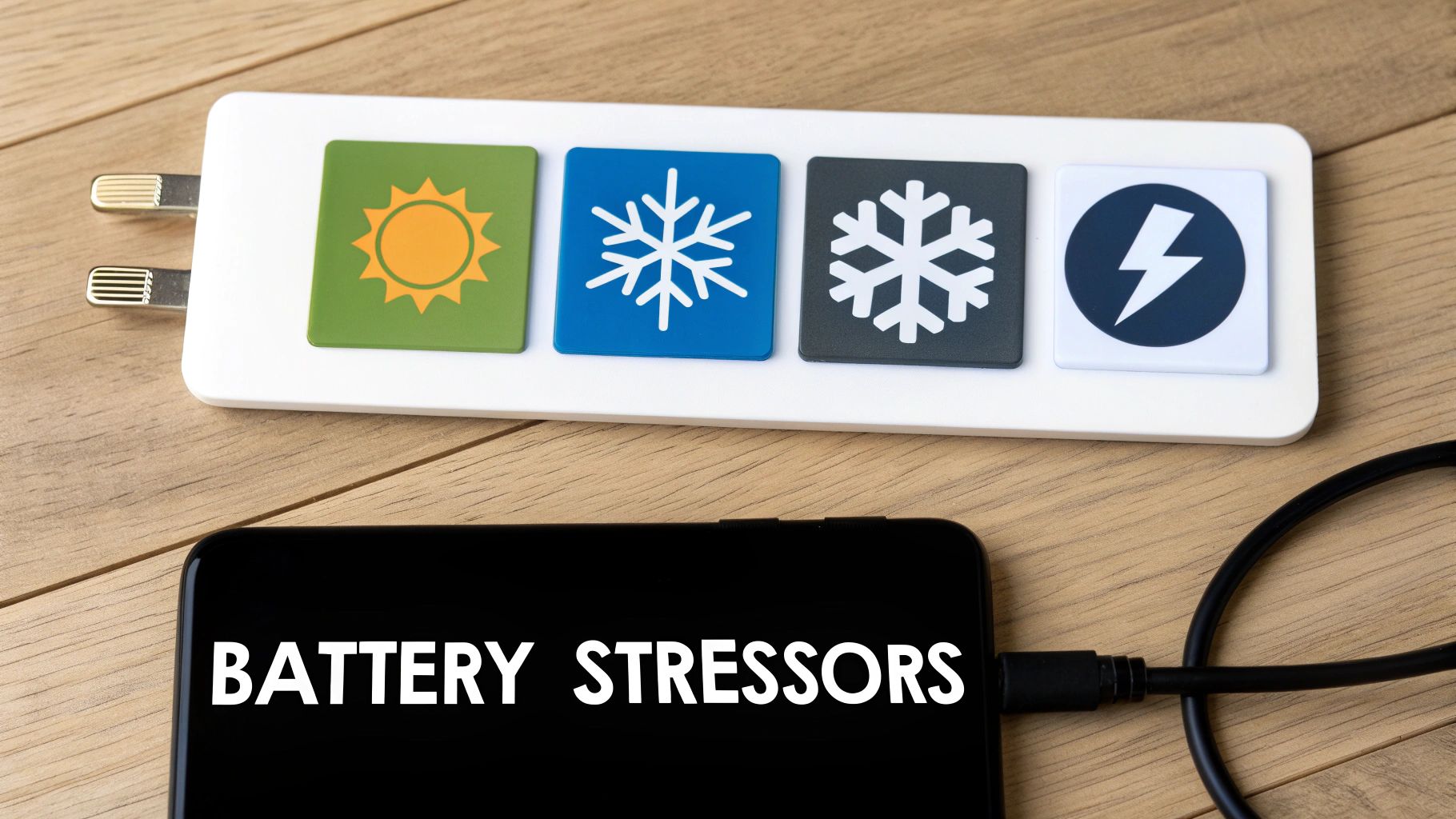
A person holding a smartphone that is plugged into a charger, with a concerned expression.

Think of your battery's health like your own. Small, consistently poor choices—like eating junk food every day—add up and cause long-term problems. It’s the exact same story with your battery. Let's shine a light on the main things that speed up its decline.

The Ultimate Battery Killer: Extreme Heat

Heat is, without a doubt, the number one enemy of battery health. It’s that simple. When a battery gets too hot, the chemical reactions inside speed up too much. This causes permanent damage to its internal parts, which means its maximum capacity is permanently reduced.

Ever left your phone on the car dashboard on a sunny day? Or played intense games for hours without a break? Both of these can push its temperature into the danger zone. It's no surprise that EVs in hot climates see a much faster battery decline than those in cooler areas.

A battery is happiest between 68°F and 77°F (20°C to 25°C). Once you regularly expose it to temperatures above 95°F (35°C), you’re causing damage that can't be fixed.

This damage adds up. Every time it gets too hot, you shave a little more off its potential lifespan. Keeping your devices cool is one of the most effective things you can do to protect them.

The Temporary Power Thief: Extreme Cold

While heat causes permanent damage, extreme cold acts more like a temporary power thief. When a battery gets really cold, the chemical reactions inside slow way down. This makes it much harder for the battery to push out power, which is why your phone might suddenly die at 15% on a freezing winter day.

The good news? This effect is mostly temporary. As soon as the battery warms back up to a normal temperature, its performance should return to normal.

But there’s a catch: trying to charge a frozen battery is a huge no-no. It can cause permanent damage. That's why most modern phones and EVs have built-in safety features that simply won't allow them to charge if the internal temperature is too low.

The Overworker: Full Charges and Drains

Constantly pushing your battery to its absolute limits—charging it to 100% and letting it drain down to 0%—puts a ton of stress on it. Think of it like a rubber band. You can stretch it to its maximum length, but if you keep doing it over and over, it will eventually lose its stretch and break.

Keeping your battery within a comfortable mid-range, like between 20% and 80%, is a much gentler approach. This "sweet spot" reduces the strain and can dramatically extend its overall lifespan.

Here's where the stress comes from at the extremes:

  • Charging above 80%: Forcing a lot of power into a nearly full battery creates extra heat and puts pressure on its parts.
  • Draining below 20%: Letting the battery run completely flat can make its internal chemistry unstable, speeding up wear and tear.

EV makers have known this for years. Many electric cars use software "buffers" to prevent the battery from ever truly hitting 100% or 0%, even when the dashboard says it has. This simple trick has proven very effective at making their batteries last longer.

The High-Pressure Culprit: Fast Charging

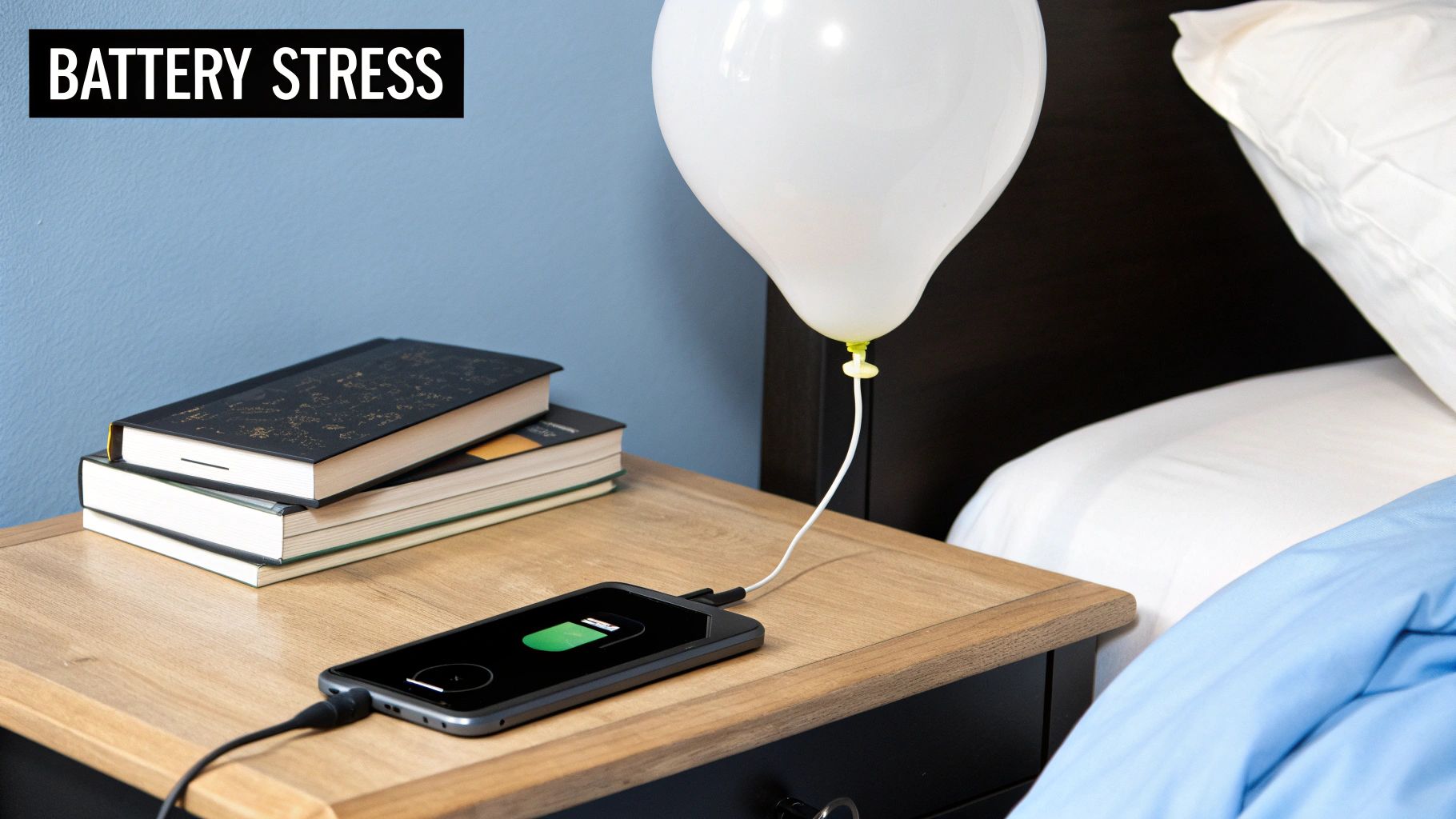
Fast charging is super convenient, but relying on it all the time is like trying to fill a water balloon from a fire hose. Sure, it gets the job done quickly, but the intense pressure puts a lot of strain on the balloon itself. In the same way, the strong electric currents used in fast charging create a lot of heat and stress the battery's internal parts.

Using fast charging once in a while won't kill your battery. But making it your daily habit will absolutely speed up its aging compared to standard, slower charging methods. The real problem is the heat it creates—which, as we've already learned, is the biggest threat to battery health. To learn more about this, you can read about why slow charging is essential for your smartphone’s battery health in our detailed guide.

By just being aware of these four hidden stressors, you can start making small changes to your routine that will pay off big time in the long run.

Simple Habits for a Healthier Battery

Knowing what stresses out your battery is one thing, but putting that knowledge into practice is what really counts. So, let's get into the simple, everyday habits you can build to actively protect its health. These aren't complicated technical tricks, just easy tweaks to your daily routine that can add years to your device's lifespan.
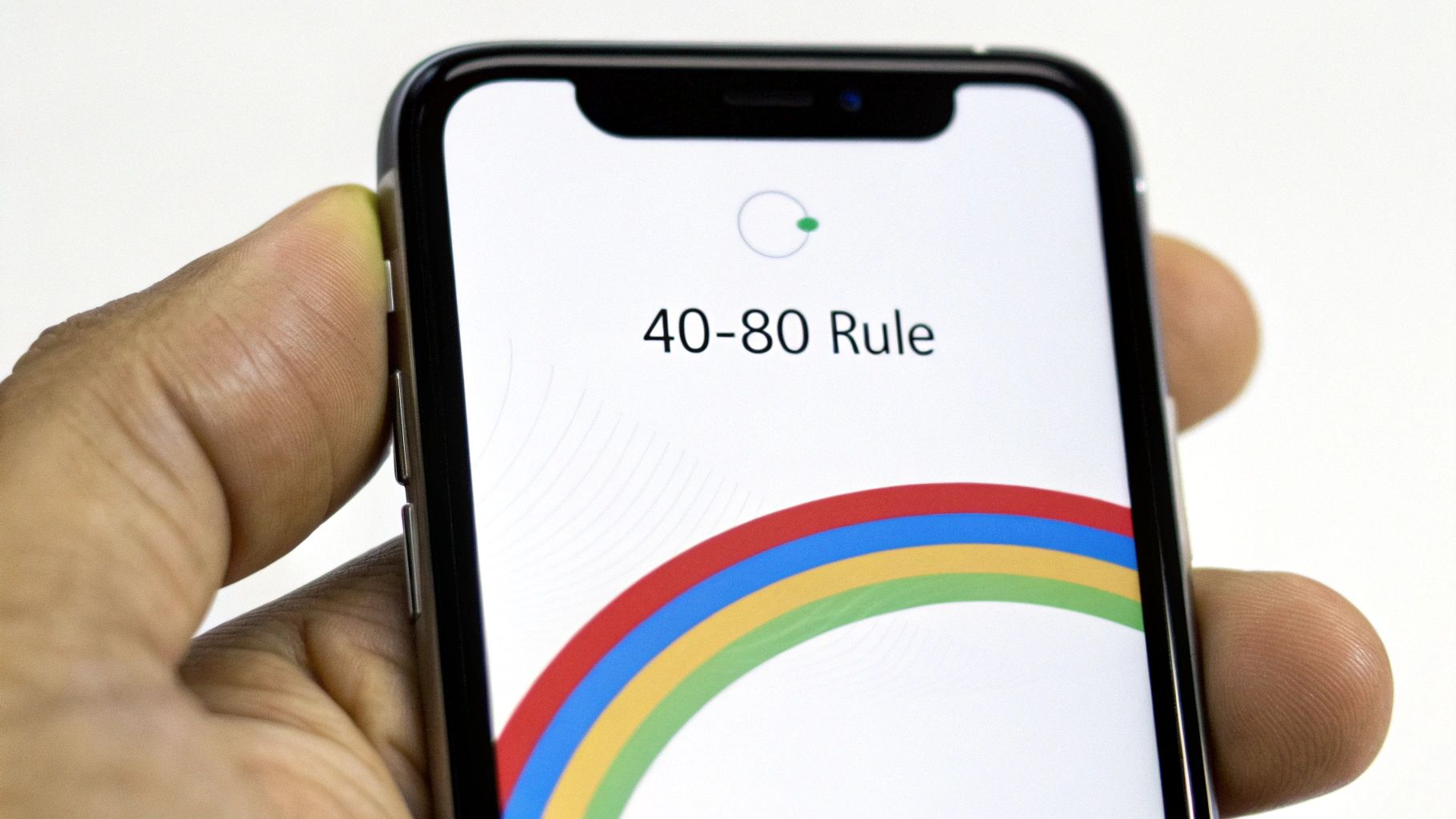
A smartphone screen showing an optimal battery charge level between 40% and 80%.

Think of these habits as your toolkit for long-term battery care. Each one is designed to ease the strain on the battery, keeping it running smoothly for as long as possible. The goal is to make these practices second nature—so you’re saving your battery without even thinking about it.

Embrace the 40-80 Rule

One of the most powerful things you can do for your battery is to follow the 40-80 Rule. It’s simple: try to keep your battery’s charge between 40% and 80% as much as you can. This is the sweet spot where a battery is under the least amount of stress.

Think of your battery like a rubber band. You can stretch it all the way to its limit (100%) or let it go totally slack (0%), but doing that over and over again will wear it out fast. Keeping it in that comfortably flexed state—the 40-80 zone—is what prevents it from getting old before its time.

This one small change dramatically cuts down on the strain from being too full or too empty. It’s a tiny adjustment that pays off big time in the long run.

Rethink Overnight Charging

We all do it. Plug in the phone before bed and wake up to a fresh 100%. It feels right, but it’s actually one of the most damaging habits for your battery. Once your device hits full, the charger is supposed to stop, but the battery naturally loses a tiny bit of power. The charger then kicks back on to top it off, creating tiny, stressful "trickle charges" all night.

This process forces the battery to sit at a high-stress 100% state for hours, generating extra heat and speeding up its aging. Unless you have a smart tool that can cut the power at a healthier level, it’s best to avoid leaving your device plugged in all night.

A much better approach is to charge your device for an hour or so before you go to sleep or first thing in the morning. This simple switch avoids hours of unnecessary strain and heat, making a real difference in your battery’s long-term health.

Choose Slower Charging When You Can

Fast charging is a lifesaver when you're in a hurry, but it shouldn't be your default choice. The powerful current it uses generates a lot of heat, which, as we know by now, is a battery's worst enemy.

Whenever you have the time—like when you’re at your desk or relaxing at home—reach for a standard, slower charger instead. This gentler flow of energy keeps the battery cool and puts way less stress on its internal parts. Making slow charging your go-to and saving fast chargers for emergencies is a great strategy for extending your battery’s lifespan.

For more deep-dive info, check out our guide on how to maintain phone battery health with these actionable tips.

Why These Habits Matter on a Larger Scale

These rules don’t just apply to your phone. They’re true for all similar batteries, from tiny gadgets to massive energy systems. To see these ideas in action elsewhere, it's helpful to explore practical advice like these best practices for maintaining mobility scooter and power chair batteries. The science inside is the same.

In fact, battery health is becoming a huge deal on a global scale. Just look at the rise of giant battery systems that help support our power grids. In just the first four months of 2025, over 42 GWh of this battery capacity was set up worldwide—a massive 62% jump from the previous year. For these giant systems, keeping the batteries healthy is everything; it’s about safety, efficiency, and huge financial investments.

By adopting these simple habits, you’re doing more than just taking care of your phone. You're getting good at a skill that matters more and more in our battery-powered world.

How Smart Tools Can Protect Your Battery

Let’s be honest, remembering to unplug your phone at exactly 80% or making sure you don't leave it charging all night can be a pain. While those habits are great, they require you to constantly pay attention. The good news is that modern technology can step in and handle this for you, taking the guesswork out of keeping your device's battery health in top shape.

Think of these "smart charging" tools as a personal bodyguard for your battery. They work quietly in the background to prevent the most common battery killers, like letting your phone sit at 100% charge for hours—a major reason batteries age way too fast.

Built-In Solutions on Modern Phones

Most new smartphones actually have some form of smart charging built right into their software. These features are designed to learn your daily habits and adjust the charging process to match, making battery care pretty much effortless for most people.

A great example is Apple's Optimized Battery Charging on iPhones. It figures out when you usually wake up. The phone will then fast charge to 80% and wait to finish that last 20% right before your alarm goes off. It’s a clever trick that stops the battery from sitting at the high-stress 100% level all night long.

Android phones have similar features, too, often called "Adaptive Charging" or a simple "Protect Battery" switch that limits the maximum charge to 85%.

These built-in tools are a fantastic first step. They tackle the single most damaging habit for most of us—leaving the phone plugged in overnight—and they do it automatically. You don't have to lift a finger. They essentially put good battery habits on autopilot.

But as helpful as these built-in systems are, they don't offer much in the way of customization. You can’t really fine-tune the charge limit or set a specific schedule. For those of us who want total control over our device’s battery, there are more powerful tools out there.

Taking Full Control with Dedicated Tools

For anyone who wants to go the extra mile, dedicated hardware and software tools offer a much deeper level of control. These tools act as a smart gatekeeper between your charger and your phone, giving you the power to set precise charging rules and automate them perfectly.

One of the standouts here is Chargie, a small hardware gadget that you pair with an app. It physically cuts the power flowing to your device once it hits a specific charge level that you set. This means you can plug your phone in anytime, day or night, and be completely confident it will stop charging at your chosen limit—whether that's 75%, 80%, or 85%.

Here’s how these kinds of tools really improve your battery management:

  • Precise Charge Limiting: You get to set the exact percentage where charging stops, letting you follow the 40-80 rule perfectly, every single time.
  • Intelligent Scheduling: You can create custom schedules, like keeping the battery at a stable 50% overnight and then having it top up to 80% just before you wake up.
  • Temperature Protection: More advanced tools can even stop charging automatically if your device gets too hot, protecting it from its number one enemy.

By using a dedicated battery charge limiter, you shift from passive protection to active, hands-on management. It takes human error and the hassle of manual unplugging completely out of the equation, making perfect charging habits a reality. This level of control is the single most effective way to slow down battery aging and seriously extend the life of your devices, saving you money and cutting down on e-waste in the long run.

Why Battery Health Matters Beyond Your Phone
An aerial view of an electric car driving on a scenic road, highlighting the importance of battery health in modern technology.

The lessons we learn about keeping our phone batteries healthy aren't just for the little device in our pocket. As our world runs more and more on electric power, these exact same ideas are shaping the future of everything from the laptops we work on to the cars we drive.

It turns out that understanding how to properly care for a battery is becoming a basic life skill. The very things that kill your phone’s battery—like too much heat, constantly charging it to 100%, or always using fast chargers—do the same damage to much bigger, more important systems.

The only real difference is that the stakes are a lot higher. A worn-out phone battery is an annoyance. But a weak battery in an electric car? That means less driving range, a big drop in its resale value, and a replacement bill that can be very expensive.

Electric Vehicles and Battery Longevity

Nowhere is the battery health conversation more important than in the world of electric vehicles. An EV's battery pack is its heart, and its condition directly controls the car's performance, its reliability, and what it’s worth later. A battery that has lost even 20% of its original capacity can mean a huge reduction in how far you can go on a single charge.

This is a massive deal for both owners and car makers. It's why many modern EVs come with smart battery management systems that already use the same best practices we've discussed, like automatically preventing the battery from hitting a true 100% or dropping to a genuine 0%.

The global switch to EVs is happening fast. In just the first eight months of 2025, global EV battery usage soared to 691.3 gigawatt-hours (GWh). That’s a nearly 35% jump from the year before. As this trend grows, knowing how to take care of these batteries becomes essential public knowledge.

The health of these larger battery systems is just as vital as the one in your phone. You can dive deeper into how different chargers affect battery life by exploring resources on understanding EV charging and battery longevity.

Powering the Future Grid

But it doesn’t stop with cars. The idea of battery health also applies to the enormous grid-scale batteries that are essential for a stable, renewable energy future. These are called Battery Energy Storage Systems (BESS), and they're basically giant facilities that soak up extra power from wind and solar farms.

When the sun goes down or the wind stops blowing, these massive batteries release that stored power back into the grid, keeping our lights on. The lifespan and efficiency of these batteries are critical for grid stability and the financial success of green energy projects.

Just like with your phone, the operators of these systems have to carefully manage charging cycles, temperature, and how much the batteries are drained. It's the only way to squeeze every bit of life out of their multi-million-dollar investments. Proper battery care at this scale is what makes a reliable, green energy grid possible.

When you get right down to it, the habits you build to protect your phone's battery are just miniature versions of the strategies being used to power our entire world. Learning to preserve battery health isn't just a tech tip anymore—it's a core skill for modern life.

Let's Bust Some Common Battery Myths

There's a ton of old, questionable advice about batteries floating around the internet. Following the wrong tips can actually do more harm than good to your phone's long-term battery health. Many of these "rules" are leftovers from old battery technologies that have nothing to do with the modern batteries in our phones and laptops today.

Let's clear the air and finally separate fact from fiction. By swapping these old tales for simple, proven truths, you can start taking care of your battery the right way.

Myth 1: You Have to Drain Your Battery to 0%

The Myth: I can't count how many times I've heard this one. The belief is that you need to let your battery die completely before plugging it in to avoid a "memory effect" that shrinks its capacity.

The Fact: This is a ghost from the past, from old types of batteries. For the modern batteries in your phone, this is not just pointless—it's actively damaging. Draining the battery completely puts a ton of stress on it and makes it age faster. In reality, it’s much healthier to do smaller, partial charges and keep the battery in a comfortable middle range.

Think of it like this: forcing your battery to its absolute limit is like an athlete sprinting until they collapse, day after day. It just leads to faster burnout. Keeping it between 40% and 80% is more like a steady jog—far more sustainable for long-term health.

Myth 2: Third-Party Chargers Will Destroy Your Battery

The Myth: There’s a widespread fear that if you use any charger that didn't come in the box with your phone, you're ruining your battery.

The Fact: It's not the brand name on the plastic that matters; it's the quality and safety certification inside. A well-made, certified charger from a reputable brand like Anker or Belkin is perfectly safe. The real problem is the cheap, uncertified knock-offs you might find at a gas station. Those often lack the proper safety features to manage power and heat, and they can absolutely damage your battery or even create a fire hazard. As long as you stick to trusted brands, you have nothing to worry about.

Myth 3: Leaving Your Phone Plugged In All Night Is Fine

The Myth: "My phone is smart! It stops charging at 100%, so leaving it plugged in all night can't hurt."

The Fact: While your phone does stop pulling a full charge at 100%, that's not the whole story. The problem is that it stays at that high-stress, fully-charged state for hours. As the battery naturally loses a tiny bit of power (say, down to 99%), the charger kicks back in to top it off. This creates tiny but stressful "trickle charge" cycles all night long. This combination of being held at a full charge and the resulting heat is a recipe for faster aging, slowly chipping away at your battery's lifespan.

Unless you're using a smart tool like Chargie to automatically cut the power at a healthier level like 80%, plugging your phone in overnight is a habit you'll want to break for better long-term battery health.

Got a Few More Questions About Battery Health?

Even after getting the basics down, you probably have a few specific questions about your phone's battery health. Let's tackle some of the most common ones we hear from people all the time.

How Can I Actually Check My Phone’s Battery Health?

Thankfully, most modern phones make this pretty simple. If you have an iPhone, just head over to Settings > Battery > Battery Health & Charging. The "Maximum Capacity" percentage you see there is the magic number—it tells you exactly how much power your battery can hold compared to when it was brand new.

For Android users, it can be a bit of a search. Some phone makers put it right under Settings > Battery, but many don't. If you can't find a built-in option, an app like AccuBattery is a fantastic tool for getting a detailed look at your battery's condition and how it's holding up over time.

Checking this number every few months is a great habit to get into. It turns the invisible process of battery aging into a real, tangible score you can track and improve.

Is It Really That Bad to Use My Phone While It’s Charging?

This is a big one. For light stuff like sending a text or scrolling through a webpage, it’s generally not a big deal. The trouble starts when you do something demanding, like playing a graphics-heavy game or streaming a movie while plugged in.

This creates a perfect storm of heat. You’ve got heat from the charging process itself, plus a ton of extra heat from the phone working overtime. As we’ve established, heat is the absolute worst enemy of your battery. So, if you need to use your phone while it’s on the charger, try to keep it light.

Realistically, How Long Should My Phone's Battery Last?

A typical phone battery is built to hold onto about 80% of its original capacity after 500 full charge cycles. For most of us, that works out to about two or three years before you start really feeling the drop in how long it lasts through the day.

But that's just an average. By putting the smart charging habits we've talked about into practice—like keeping your charge level between 40-80% and avoiding extreme temperatures—you can seriously slow down that aging process. You can easily push your battery's useful life well past that three-year mark.


Ready to stop guessing and start protecting your battery on autopilot? Chargie does the heavy lifting for you, taking the manual work out of preserving your battery health. It lets you set precise charge limits and schedules so you don't even have to think about it. Extend your device’s lifespan and save money with Chargie today.
What Is a Battery Charge Limiter and How Does It Work

Ever feel like your phone's battery life just falls off a cliff after a year? You're not imagining it. A battery charge limiter is a simple tool designed to stop that from happening, and it works by preventing your phone from charging all the way to 100%.

It might sound strange, but this one small change can dramatically extend your battery's long-term health and keep it performing like new for years, not months. It works by cutting down on the hidden stress that slowly kills batteries over time.

The Hidden Stress That's Degrading Your Phone Battery

A smartphone connected to a charger with a battery icon displayed on the screen.

Think of your phone’s battery like a balloon. Every time you charge it to 100%, you're stretching that balloon to its absolute maximum. Leaving it plugged in overnight is like holding it fully stretched for hours.

That constant tension puts a lot of stress on the battery's insides. This is the real reason batteries get old—it permanently damages them, reducing their ability to hold a charge.

Finding the Charging Sweet Spot

If you look at how a battery charges, the real damage happens in that final stretch from 80% to 100%. Pushing the battery into this high-stress state is like revving a car's engine into the red zone; it causes a ton of unnecessary wear and tear.

Simply avoiding this high-stress zone can drastically slow down the aging process. For most people, the "sweet spot" for daily charging is right around 80%. This gives you more than enough power for the day while avoiding the worst of the damage.

A battery charge limiter acts as a bodyguard for your device's long-term health. It ensures the battery stays in a healthier, lower-stress state, preserving its ability to hold a charge for years instead of months.

To put it in perspective, here’s a quick look at how different charge levels can impact your battery’s lifespan.

How Charge Levels Impact Battery Health

Maximum Charge Level Relative Stress on Battery Estimated Lifespan Improvement
100% Very High Baseline (standard lifespan)
90% High Up to 2x longer life
80% Moderate Up to 4x longer life
70% Low Up to 8x longer life

As you can see, even small changes can make a huge difference. You don't have to be perfect, but regularly stopping the charge before it hits the top can multiply your battery's useful life.

The Broader Impact of Smart Charging

This isn't just about phones. The idea of limiting a charge is a key part of bigger battery management systems (BMS), which are vital for everything from laptops to electric cars.

In fact, the BMS market is expected to grow from USD 9.84 billion in 2025 to USD 46.47 billion by 2033. That huge growth, as noted by Straits Research, shows just how important smart battery care has become. These systems are designed to keep batteries from working outside their safe limits, protecting both their lifespan and your safety.

Ultimately, managing how your device charges is about more than convenience. It’s about protecting your investment and making sure you have a reliable device when you need it. Of course, other factors like high temperatures and super-fast charging also play a big role, which you can learn about in our detailed guide on battery degradation.

How a Battery Charge Limiter Protects Your Device

A person setting a battery charge limit on their smartphone.

So, how does a battery charge limiter actually work its magic? Think of it like a smart gatekeeper for your phone or laptop’s battery. Instead of just letting electricity flood in until the battery is full, this gatekeeper stands guard.

While your device is plugged in, the limiter keeps a close eye on the battery level. Once it hits the target you’ve set—say, 80%—it steps in and tells the charger to cut the power. That’s it.

This one simple move is the secret to long-term battery health. It keeps your device out of that high-stress zone between 80% and 100%, which is especially damaging during long overnight charging sessions where a battery can sit at full capacity for hours.

Two Main Types of Limiters

You’ll generally find two different ways to use this battery-saving strategy. Knowing the difference will help you figure out what's best for you.

  • Software-Based Limiters: These are features you see built into some newer gadgets. They're convenient since there's nothing extra to buy, but they’re often a one-size-fits-all solution, usually stuck at an 80% limit with no way for you to make adjustments.
  • External Hardware Limiters: This is a physical device that sits between your charger and your charging cable. It’s a much more powerful and flexible approach, giving you full control over the charging process, completely separate from your device's software.

By creating a hard stop for the electricity, a battery charge limiter dramatically reduces the wear and tear on the battery. This small step can multiply your battery’s effective lifespan, preserving its ability to hold a charge for years.

How It Prevents Damage

Every time your battery charges all the way to 100%, the high electrical pressure puts a ton of strain on its internal parts. Do this over and over, and you cause permanent damage. The battery just can't hold as much power as it did when it was new. It's exactly why a two-year-old phone can barely make it to dinner time.

A battery charge limiter tackles this problem head-on. By keeping the charge in a healthier, less-stressed range, it minimizes that high-pressure punishment. You can think of it as giving your battery some breathing room, letting it operate in a relaxed state instead of a stressed-out one. When looking into common battery issues, it’s worth exploring practical solutions for gaming laptop battery life problems and other high-demand devices, where this principle is a game-changer.

This proactive care means your battery holds onto its original capacity for way longer, making sure your device stays reliable and useful for years to come.

Comparing Built-In Software vs Hardware Solutions

When it comes to protecting your battery, not all charge limiters are the same. The two main options are the built-in software features that come with your phone, or a separate hardware device.

Each one has its pros and cons, and understanding the difference is key to picking the right level of protection for your gear.

Many newer phones and laptops come with a software-based battery charge limiter built right into the system. You've probably seen it—a simple switch in your settings that stops the charge at 80%. The biggest plus here is convenience. It’s already on your device, and it’s free. No extra purchase needed.

But that simplicity is also its biggest weakness. These built-in tools are a one-size-fits-all solution, offering almost no room to customize. You're stuck with whatever limit the manufacturer decided on, usually 80%, which might not be what you need. If you have a long day ahead and need a full battery, you have to dig into the settings, turn it off, and then—hopefully—remember to turn it back on later.

The Power of Dedicated Hardware

This is where external hardware solutions, like our own Chargie, completely change the game. A hardware battery charge limiter is a small gadget that physically sits between your charger and your phone's cable. Think of it as a smart gatekeeper for your electricity.

This approach gives you a true, physical "hard stop" to the electricity flowing into your battery. It's far more reliable than a software command, which can sometimes fail or get ignored by a system update.

Most importantly, it unlocks a much deeper level of control. Instead of being locked into a rigid 80% limit, you can set the charging cap to any precise level you want, whether that's 85%, 92%, or anything in between.

With hardware, you’re not just limiting the charge; you're taking full command of your battery’s health. This allows for scheduled charging, so your phone can top up to 100% just before you wake up, giving you a full battery without the overnight stress.

The companion app gives you an easy-to-use dashboard for setting these custom rules. From there, you can schedule charging times and set those exact battery level targets with just a few taps.

This level of fine-tuned control is exactly why dedicated hardware is the better choice for anyone serious about long-term battery care. In fact, you can see a detailed breakdown of how Chargie's hardware approach beats Apple's built-in software limiter in our head-to-head comparison.

On top of that, advanced hardware limiters can also reduce the charging power to keep heat down—another silent killer of battery health. This idea of smarter charging is catching on everywhere. The industrial battery charger market is projected to more than double, from USD 2.735 billion in 2025 to USD 6.184 billion by 2035. This massive growth is driven by the demand for smarter tech that preserves battery life. When you look at professional-grade solutions, you see technologies like smart controllers for comprehensive battery management becoming the standard.

Why Chargie Offers Superior Battery Protection

Software-based limiters are a good first step, but they’re a basic tool. When you want serious, smart protection for your battery, you need a hardware solution like Chargie. It's more than just a setting; it's a complete system—a physical device paired with a smart app—that gives you real control over how your devices charge.

Think of the small hardware piece as the muscle. It sits between your charger and your phone, acting as a physical smart switch. It doesn't just ask the phone to stop charging; it physically cuts the power. This is a far more reliable way to do things, ensuring the charge stops exactly when you want it to, every single time.

The app, then, is the brains behind the operation. It tells the hardware what to do, letting you create custom rules that go far beyond a simple 80% limit. This combination of smart hardware and intelligent software is what makes all the difference.

Going Beyond the Basics

With a dedicated hardware limiter, you unlock a whole set of features designed to maximize your battery’s lifespan and make your life easier. These are capabilities that address how people actually use their devices, something a simple software toggle just can't do.

Here’s what you get:

  • Precise Percentage Control: You’re not stuck with the manufacturer's 80% limit. Feel like 82% is the sweet spot for tomorrow? Or maybe 87%? You can set the charging cap to whatever level you want, whenever you want.
  • Intelligent Scheduling: This is where it gets really smart. You can plan your charging so your battery sits in the ideal 50-70% range all night, then automatically tops up to 100% just minutes before your alarm goes off. You wake up to a full battery without putting it through hours of high-level stress.
  • Power and Heat Reduction: Chargie can actually limit the amount of power flowing into your device. Less power means less heat, and since heat is one of the biggest killers of batteries, this adds another powerful layer of protection.

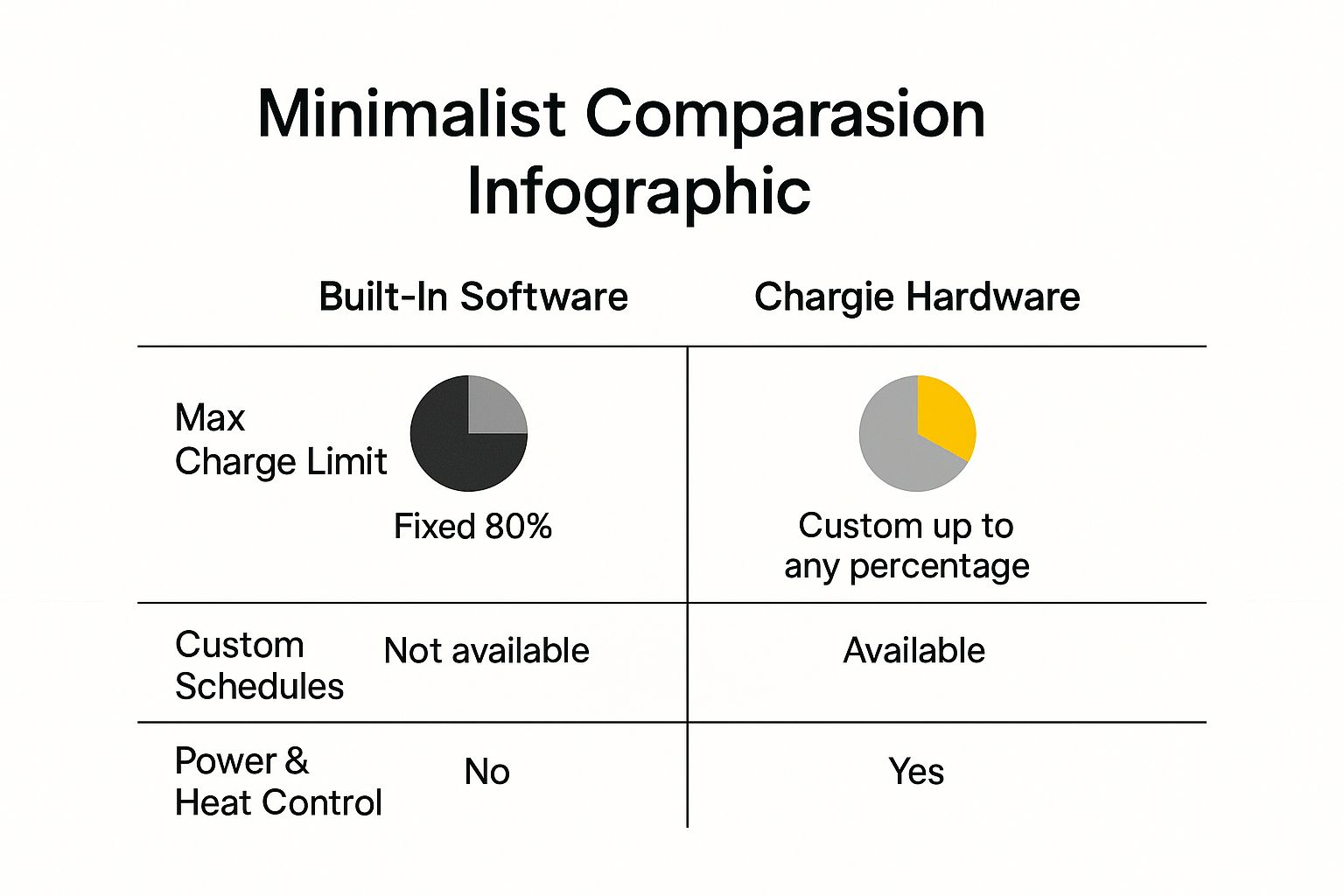
To put it simply, here’s a quick look at how the two approaches stack up.

Feature Comparison: Built-in Limiter vs Chargie

Feature Typical Built-in Software Limiter Chargie Hardware Limiter
Charge Level Control Fixed, usually at 80% Fully customizable (1% to 100%)
Scheduling Basic or non-existent Advanced scheduling with top-up timing
Power Management None Actively limits power draw to reduce heat
Overnight Charging Strategy Stays at 80% all night Can maintain a lower level (e.g., 50%) and top up just before you wake
Method of Control Software request (can be ignored) Physical power cutoff (guaranteed stop)
Device Compatibility Limited to specific phone models Works with virtually any USB-powered device

As you can see, the difference is night and day. One is a basic safety net, while the other is a complete battery care system.

Infographic about battery charge limiter

This visual really drives the point home. A built-in limiter offers one fixed benefit. A hardware solution like Chargie delivers a multi-part strategy for keeping your battery healthy for the long haul.

A Smart Investment, Not a Gadget

At the end of the day, using Chargie isn't about adding another tech gadget to your life. It’s a smart financial decision. By dramatically slowing down how quickly your battery ages, you can avoid costly battery replacements and get more years out of your expensive smartphones, tablets, and laptops.

Chargie pays for itself by preventing the early death of your device's battery. This simple tool ensures your technology performs at its best for years, saving you money and reducing electronic waste.

And this level of protection isn't just for phones. As you can see in our guide on how to use Chargie to future-proof any device's battery, its benefits extend to all your tech. When you invest in proper battery care, your devices stay reliable, perform better, and hold their value for much longer.

What This Means For You in the Real World

Alright, let's move beyond the technical details. What does all this smart charging stuff actually mean for you and your phone in the real world? It's about more than just a healthier battery; it translates into real savings, a phone that just works better, and a lot less stress.

A person smiling while using their smartphone, with a green battery icon in the background indicating good battery health.

The most direct impact is on your wallet. A new battery for a modern smartphone can easily set you back $100 or more. If you have to replace the whole phone, you're talking hundreds. By simply slowing down how fast your battery wears out, you can put off—or even skip—those costs entirely.

Double Your Phone's Lifespan

Think about how often people get new phones. Most of us upgrade every couple of years. It’s usually not because the camera is bad or the phone feels slow; it's because the battery is shot. A phone that’s dead by 3 PM is basically useless.

Now, imagine this instead: by using a battery charge limiter and adopting a smarter charging routine, that same phone could easily give you solid all-day battery life for four, five, or even more years. You're not just saving a part; you're effectively doubling the useful life of a device you spent a lot of money on.

A battery charge limiter transforms your phone from a two-year disposable gadget into a reliable tool you can count on for the long haul.

Better Performance and Day-to-Day Reliability

A healthy battery isn't just about lasting longer between charges. It’s also about delivering power smoothly. As batteries get older and weaker, they struggle to provide steady power, which can cause your phone to feel sluggish or even shut down unexpectedly, especially when you're doing something that uses a lot of energy.

Keep your battery in good shape, and your device will run smoothly for years. This means you can walk out the door with confidence, knowing your phone will make it through the day without you having to hunt for an outlet or carry around a heavy power bank. That kind of reliability is priceless.

A Smarter, Greener Approach to Tech

Finally, let's talk about the bigger picture. Every phone that gets thrown out early adds to the massive global problem of e-waste. By making your gadgets last longer, you’re doing your part to reduce your environmental impact. It's a small change with a big effect.

This same idea is being used in huge ways. For instance, by early 2025, massive battery storage systems made up almost 14% of California's entire power grid. These systems rely on smart charge limiting to stay stable and protect billions in investment. It just goes to show how crucial this technology is, from our pockets to our power plants. You can learn more about how battery storage is shaping our energy future from CAISO reports.

Got Questions About Battery Limiting? Let's Clear Them Up.

Even after seeing how much this helps, it's normal to have a few questions before you jump in. We've all been trained for years to just plug our phones in and leave them until they hit 100%. Breaking that habit can feel a little weird at first.

To clear up any doubts, here are the most common questions people ask, along with simple, straight-up answers to help you feel good about making this battery-saving change.

Is It Really That Bad to Charge My Phone to 100 Percent?

In a word, yes. Now, doing it once won’t kill your battery, but making a habit of charging to 100% and leaving it there is one of the fastest ways to wear it out. The final push from 80% to 100% is where the real stress happens inside the battery.

Think of it like stretching a rubber band all the way to its breaking point and just holding it there for hours. Do that enough times, and it's going to lose its snap and become weak.

By stopping the charge at around 80%, you keep the battery out of that high-stress red zone. It's a small change that makes a huge difference, cutting down on wear and tear and helping your battery hold a healthy, long-lasting charge for years, not months.

Will Using a Charge Limiter Void My Phone's Warranty?

This is a big one, but you can relax. Using an external hardware battery charge limiter like Chargie will absolutely not void your phone's warranty. Not a chance.

These little gadgets are smart, but they don't change anything inside your phone. All they do is manage the power flowing from your charger. Think of it as a smart on/off switch for the electricity.

As far as your phone is concerned, it just sees the charger being unplugged when it hits the right percentage. The limiter doesn't mess with your phone's software, touch its internal hardware, or interfere with how it works at all. It's a completely safe, warranty-friendly way to protect your investment.

"A battery charge limiter works outside of your device's operating system. It simply controls the external power source, making it a safe and universally compatible solution for battery preservation."

Can I Still Get a Full Day's Use If I Only Charge to 80 Percent?

For most people, the answer is a big, resounding "yes." When a phone is new, its battery is at peak performance, and 80% of that is more than enough power to get you through a typical day.

But here’s the real magic behind this strategy: it's all about how it performs over time.

Think about the alternative. Someone who always charges to 100% might find their battery's actual maximum capacity has dropped to just 70% after only a couple of years. At that point, their "full" charge is actually less than the 80% you've been carefully maintaining all along.

Plus, smart tools like Chargie give you the best of both worlds with scheduling. You can let the battery sit at a happy, healthy level overnight, then have it automatically top up to 100% just before your alarm goes off. You get all the battery health benefits and a full tank right when your day starts.


Ready to take back control of your phone's long-term health? The Chargie hardware limiter gives you the power to set exact charging limits, build smart schedules, and seriously extend your battery's lifespan. Stop worrying about degradation and protect your investment by visiting https://chargie.org to grab yours today.

Article created using Outrank

Battery Degradation: Impact of Temperature and Charging Rates on Lithium-Ion Cell

Lithium-ion batteries, the cornerstone of modern mobile devices and electric vehicles (EVs), are subject to a variety of factors that influence their lifespan. Among these, temperature and charging rates play a pivotal role in determining how quickly a battery degrades. Understanding these factors is essential for optimizing battery life and ensuring the longevity of devices powered by these batteries.

Read more about battery degradation in this comprehensive study.

The Role of Temperature in Battery Degradation

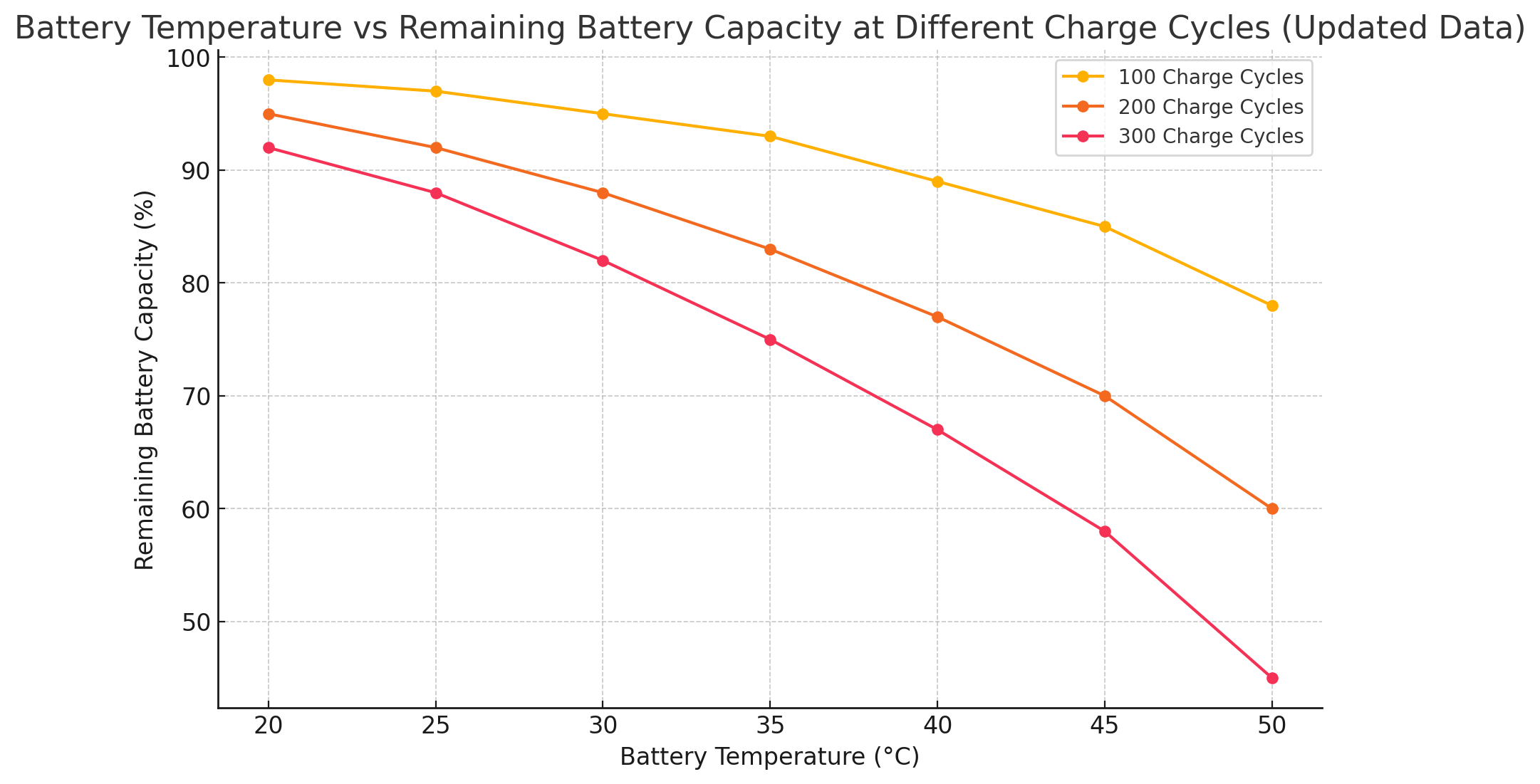
Temperature has a significant impact on the rate at which lithium-ion batteries degrade. Higher temperatures accelerate the chemical reactions inside the battery, leading to faster degradation. As shown in the chart below, the remaining capacity of a battery decreases significantly as the temperature increases, particularly after multiple charge cycles.

Read more “Battery Degradation: Impact of Temperature and Charging Rates on Lithium-Ion Cell”

Battery Health: Tips for Maintaining Your Smartphone’s Lifespan

In today’s world, our smartphones are essential companions, helping us stay connected, work efficiently, and unwind with some entertainment. With all this usage, maintaining your smartphone’s battery health in good condition is crucial to ensure your device lasts longer and performs better. Let’s explore some practical tips to help you keep your smartphone’s battery in check for the long haul.

Understanding Battery Health

Your smartphone’s battery will naturally degrade over time, but how you use and care for your phone can significantly impact its longevity. A well-maintained battery ensures your phone stays charged longer, works optimally, and delays the need for a replacement.

Read more “Battery Health: Tips for Maintaining Your Smartphone’s Lifespan”

Why Battery Health is a Personal Safety Issue

As smartphones become an increasingly integral part of our daily lives, it is crucial to ensure that we have a fully charged and healthy phone battery at all times. A healthy phone battery is not only necessary for staying connected to the outside world, but it can also play a vital role in our safety and well-being.

One of the most obvious reasons why a healthy phone battery is essential for our safety is that it allows us to call for help in an emergency. Whether it’s calling 911 or a loved one, having a dead phone can be a terrifying and potentially dangerous situation. In the event of a car accident, medical emergency, or other crisis, having a charged phone can be the difference between getting assistance and being stranded without help.

However, a healthy phone battery is also important in other emergency situations. For example, if there is a natural disaster or other emergency situation in your area, having a charged phone can help you stay connected to the outside world and get important updates and information. This can be especially crucial if you are in an unfamiliar location or are unable to access television or radio.

A healthy phone battery is also important when you are out and about in general. If your phone dies while you are in an unfamiliar place, it can be challenging to find your way back home or get in touch with loved ones. GPS and map apps can be invaluable in these situations, but they are useless if your phone is dead.

Additionally, a healthy phone battery is essential for staying in touch with loved ones and friends. Whether you’re checking in with family members or receiving important messages from friends, having a dead phone can make it difficult to stay connected to the people you care about.

So, how can you ensure that your phone battery stays healthy and charged? One solution is to use Chargie, a phone charging limiter. Chargie helps you maintain a healthy phone battery by limiting the amount of time you spend charging your phone. By reducing the amount of time your phone spends plugged in, Chargie helps to prevent overcharging and can extend the life of your phone battery. This way, you can be sure that your phone is always ready for use when you need it most.

In summary, a healthy phone battery is crucial for our safety and well-being in a variety of situations. Whether we need to call for help, stay connected to the outside world in an emergency, find our way home, or stay in touch with loved ones, a charged phone can make all the difference. By using a product like Chargie, we can ensure that our phone batteries stay healthy and charged at all times, giving us the peace of mind and security we need to navigate the world around us.

You can order yours here: https://chargie.org/shop.

Chargie is a smart charging device designed to extend the lifespan of your phone's battery by limiting overnight charging.

Company

Lighty Electronics SRL
42 Viorelelor st
305500 Lugoj, Romania

EU VAT: RO35245011

© 2019-2026 Lighty Electronics SRL. All Rights Reserved.

Add to cart